Best AI Tools for Nonprofits in 2026: A Practical Guide
Compare the best AI tools for nonprofits in 2026, from grant proposals and document drafting to e-signatures, donor communication, and board work.
 James · Content Manager August 21, 2026 15 min read
Best AI Tools for Nonprofits in 2026: A Practical Guide
Small nonprofits often ask the same people to manage programs, write grants, prepare board materials, answer donors, and keep important documents organized. The right AI tools can reduce that administrative load without replacing the judgment, relationships, and accountability that nonprofit work requires. This guide explains which categories of AI tools are most useful in 2026 and how to choose a practical stack for your organization.
What AI Can Actually Help a Nonprofit Do
AI is most valuable when it supports repeatable work that already has a clear purpose. It can help your team turn rough notes into a grant outline, summarize a long agreement, draft a donor update, or prepare a first version of a board resolution. It is less reliable when asked to make unsupervised decisions about eligibility, compliance, safeguarding, or sensitive personal situations.
A useful way to think about nonprofit AI is by workflow rather than by app:
- Input: notes, program data, requirements, meeting transcripts, or an existing document
- Processing: organize, summarize, compare, draft, translate, or classify
- Human review: verify facts, tone, permissions, and policy implications
- Action: send, sign, approve, file, or share
- Recordkeeping: preserve the final version and an audit trail
For example, a program manager may receive a funder request by email. An AI assistant can extract the questions and create a response outline. A document tool can turn the approved outline into a proposal. A reviewer checks the budget, outcomes, and claims. An e-signature tool handles a partner agreement, and a secure document platform stores the signed copy.
That sequence matters. AI should accelerate the work around a decision, not quietly become the decision-maker.
The strongest use cases for small nonprofit teams include:
- Drafting grant narratives from approved organizational information
- Adapting one program description to several funder formats
- Summarizing contracts, policies, and meeting materials
- Creating first drafts of board resolutions and donor agreements
- Preparing donor thank-you messages and campaign updates
- Translating routine communications for multilingual audiences
- Finding missing information before a document goes for approval
- Routing documents for review, signature, and secure sharing
Before buying anything, identify two or three workflows that consume the most staff time. A focused improvement in grant preparation or agreement management is usually more valuable than adding a collection of disconnected AI subscriptions.
What Nonprofits Should Look for in AI Tools
Nonprofits handle information that may include donor addresses, beneficiary details, employee records, financial data, and confidential partnership terms. A tool that produces attractive text but gives your team no control over data handling may create more risk than value.
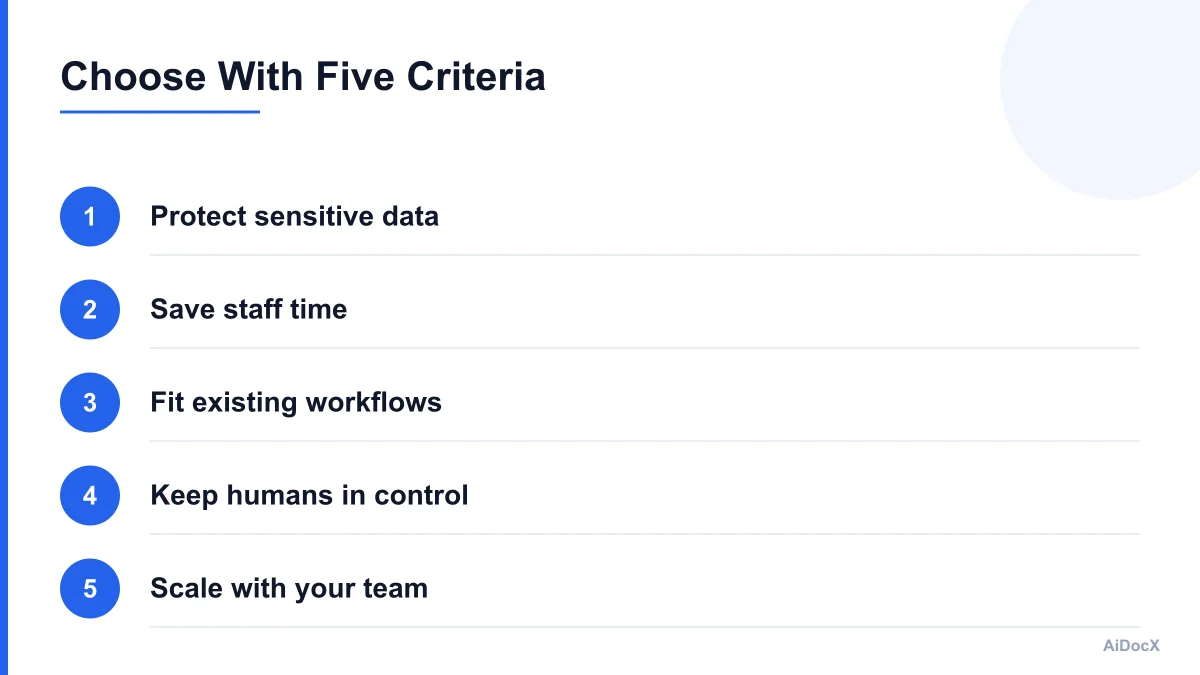
Use these criteria when comparing products.
1. Privacy and data controls
Check whether the provider explains how customer content is stored, processed, and used. Look for role-based access, encryption, deletion controls, and clear separation between your organization's content and model training. If the product handles personal or protected information, ask whether you can configure retention and access settings.
Do not paste sensitive beneficiary information into a public chatbot simply because it is convenient. Remove names and identifying details when they are not needed. Establish a basic rule for what staff may enter into each tool.
2. Reviewability
A good nonprofit tool should make it easy to inspect and revise AI-generated work. Useful features include tracked changes, version history, source references, side-by-side comparison, comments, approval steps, and visible document ownership.
A grant draft should not move directly from "generated" to "submitted." Your team needs a clear place to verify statistics, program descriptions, evaluation results, and funder-specific requirements.
3. Workflow fit
The best tool is usually the one that fits how your team already works. If staff use Google Drive, Microsoft 365, Slack, or a donor database every day, check whether the new tool connects with those systems or creates unnecessary copying.
Consider the practical questions:
- Can a program manager use it without technical training?
- Can an executive director approve a document from a phone?
- Can volunteers access only the files they need?
- Can the final signed version be found six months later?
- Does the tool work for people with accessibility needs?
- Can you export your content if you leave?
4. Predictable cost
Nonprofit budgets often fluctuate. Compare the full cost, not just the advertised monthly price. Check user limits, storage fees, AI usage caps, signature charges, automation charges, and minimum contract terms.
Ask whether the provider offers nonprofit pricing, but do not assume a discount makes a poor workflow worthwhile. A low-cost tool that requires staff to manually move content between five systems may cost more in time than a moderately priced platform that covers the complete process.
5. Human control
AI should support accountability. Look for permission settings, approval gates, audit logs, and the ability to disable automated sending or sharing. For donor and board communication especially, your organization should retain control over who approves the final message.
A simple five-question test can help:
- Does this tool protect the information we enter?
- Can a human verify the output?
- Will it reduce a specific recurring task?
- Can we explain its use to our board and donors?
- Can we stop using it without losing our records?
Best AI Tools for Nonprofit Document Drafting
General-purpose AI assistants are useful for brainstorming and first drafts, but nonprofit teams should pair them with a controlled document workflow. The assistant can help with language; your document system should manage the approved version, permissions, and history.
Common options include general AI assistants, AI features built into office suites, and specialized document platforms. The right choice depends on how much structure and control your team needs.
General AI assistants
These are useful for:
- Turning meeting notes into an outline
- Suggesting clearer language
- Rewriting text for different audiences
- Generating questions for a document review
- Summarizing a policy or agreement you are allowed to share
Give the assistant context and constraints. Instead of asking, "Write a grant proposal," provide the program goal, target population, measurable outcomes, budget range, funder questions, tone, and word limit. Ask it to mark assumptions and identify missing information.
A strong prompt might look like this:
Draft a 500-word response to the funder's question below. Use only the facts in the attached program brief. Do not invent statistics, partners, outcomes, or dates. Where information is missing, insert [NEEDS REVIEW]. Keep the tone specific and community-centered.
That last instruction is important. Requiring placeholders is safer than allowing the model to fill gaps with plausible-sounding claims.
Office-suite AI features
If your team already works in Microsoft 365 or Google Workspace, built-in AI features may be the easiest starting point. They can help summarize documents, organize notes, draft email, and revise content in familiar applications.
The tradeoff is that your team may still need a separate system for:
- Contract templates
- Signature workflows
- External sharing
- Document retention
- Approval records
- A central inventory of agreements
For a small organization, familiarity can outweigh advanced features. Adoption matters more than having the most sophisticated model.
AI document platforms
A specialized document platform is useful when drafting is connected to approvals, signatures, and secure sharing. AiDocX, for example, can serve as an all-in-one AI document, e-signature, and secure sharing workspace for materials such as grant documents, board resolutions, and donor agreements.
The practical advantage is continuity. A team can start with a template, revise the draft, request review, send it for signature, and store the completed copy in one controlled workflow. That does not eliminate legal review where it is needed, but it reduces the chance that the final version is scattered across email threads and personal drives.
When evaluating a document platform, test one real document from start to finish. Do not judge it only by the quality of a generated paragraph. Check whether your team can locate the approved version, see who changed it, restrict access, and retrieve the signed file later.
AI Tools for Grant Proposals and Reporting
Grant writing is one of the clearest areas where AI can save time, especially when a small team repeatedly adapts the same organizational information for different funders. AI is best used to structure and refine the proposal, not to invent a theory of change or manufacture impact data.
Build a reusable source library
Create a reviewed library containing:
- Mission and organizational history
- Program descriptions
- Target population definitions
- Recent outcomes and evaluation findings
- Approved demographic and community language
- Staff biographies
- Budget assumptions
- Standard partnership descriptions
- Current contact information
- Frequently requested policies
Label each item with a review date and owner. If an outcome figure is from 2024, do not let the tool present it as a current 2026 result without review.
Keep sensitive case details out of the general library. Use aggregate information wherever possible, and maintain separate permission controls for internal documents.
Use AI for the repetitive parts
AI can help you:
- Extract questions from a funder's guidelines
- Build a compliance checklist
- Map existing program language to the application
- Identify repeated ideas or inconsistent numbers
- Shorten a narrative to a word limit
- Suggest headings and transitions
- Create a first reporting outline from approved results
Ask the tool to show where each claim came from. If it cannot cite the source document or section, treat the claim as unverified.
Preserve the organization's voice
AI-generated grant writing often becomes generic. It may use phrases such as "empower underserved communities" without explaining what your organization actually does. Add concrete details: who participates, what happens during the program, how often services are delivered, what changed, and what your team learned.
A practical editing pass can ask:
- Could another nonprofit have written this sentence?
- Does this paragraph describe an activity or an outcome?
- Is the community represented respectfully and accurately?
- Are numbers current and traceable?
- Does the proposed work match our actual capacity?
- Is the budget consistent with the narrative?
Use a grant review checklist
Before submission, assign named owners to each area:
- Program facts
- Budget and arithmetic
- Evaluation data
- Funder requirements
- Equity and accessibility language
- Attachments and file names
- Final authorization
AI can help identify potential gaps, but a person should sign off on the final proposal. Keep the submitted version and supporting attachments in a shared, access-controlled location.
AI for E-Signatures, Agreements, and Secure Sharing
E-signatures are valuable for nonprofits because agreements often involve multiple parties: funders, vendors, volunteers, partner organizations, consultants, board members, and donors. The main benefit is not simply eliminating paper. It is creating a consistent process for preparing, approving, signing, and retrieving records.
Common nonprofit documents to digitize
Start with documents that are frequent and relatively standardized:
- Volunteer agreements
- Independent contractor agreements
- Memoranda of understanding
- Partnership agreements
- Donor agreements
- Event vendor contracts
- Board resolutions
- Media or photo releases
- Facility-use agreements
- Grant-related certifications
Some documents may require legal advice before you create a template. An AI tool can help format and explain a document, but it should not be treated as your organization's attorney.
A reliable signature workflow
- Start from an approved template.
- Fill in party names, dates, amounts, and responsibilities.
- Run an AI-assisted review for missing fields and inconsistent terms.
- Send the draft to the authorized internal reviewer.
- Confirm signing authority and order of signatures.
- Send the final document through the e-signature workflow.
- Store the completed copy with the related project or relationship.
- Record renewal dates, obligations, and follow-up actions.
Use a naming convention such as:
2026-04-15_MOU_Community-Partner_Signed.pdf
Avoid using "final," "final2," or "latest" as the only version label. A clear name makes audits and handoffs easier.
Secure sharing matters
A signed document should not automatically be shared with everyone who received the draft. Use separate permissions for internal staff, board members, external partners, and public links. Set expiration dates for links when appropriate, and review whether a recipient still needs access.
AiDocX can be used for e-signatures and secure sharing alongside AI-assisted document preparation. For a small nonprofit, having these steps connected can make it easier to maintain a dependable record without creating a separate process for every document type.
AI Tools for Donor and Board Communication
Donor and board communication requires accuracy, discretion, and a human tone. AI can help staff prepare drafts, but relationships should remain personal and accountable.
Donor communication
Useful AI-assisted tasks include:
- Drafting thank-you letters from approved contribution details
- Creating different versions for first-time and recurring donors
- Summarizing program updates into a newsletter section
- Translating routine acknowledgments
- Creating a follow-up calendar
- Checking tone, readability, and accessibility
- Turning approved impact data into a short campaign update
Do not allow an AI tool to invent a donor's relationship with your organization. A message that incorrectly claims someone attended an event or supported a particular program can damage trust.
Use a structured donor communication template with fields for:
- Donor name and preferred salutation
- Gift date and amount, if appropriate
- Designation or campaign
- Approved impact statement
- Staff owner
- Next follow-up date
- Review status
For sensitive major-gift conversations, use AI for preparation only. A development professional or executive director should review the final message.
Board communication
Board members often need concise, well-organized materials rather than long narrative documents. AI can help transform meeting notes into:
- Agenda drafts
- Decision summaries
- Action-item registers
- Resolution drafts
- Committee updates
- Risk and issue lists
- Questions for discussion
- Plain-language summaries of policies
A good board packet clearly separates information, discussion, and decisions. Ask AI to label each item accordingly, then verify that the labels match the meeting's purpose.
For a board resolution, include the proposed action, authority, effective date, responsible parties, and any conditions. The board chair, secretary, or designated officer should confirm the final wording and record the approved version.
Never upload confidential board discussions to a tool without checking the organization's data policy. Board materials may include personnel, legal, fundraising, or strategic information that should have restricted access.
A Practical AI Workflow for Small Nonprofits
A small team does not need a large technology stack. Start with one controlled workflow and expand only after staff can use it consistently.
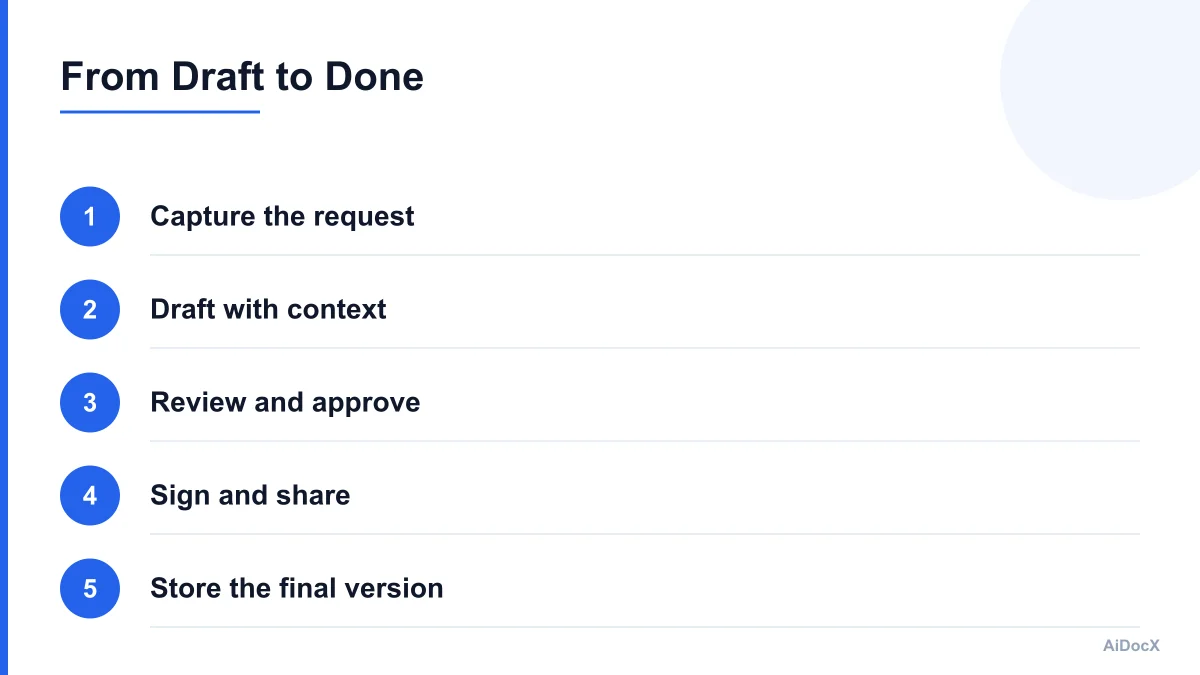
Here is a practical sequence for a donor agreement, grant attachment, or board resolution.
Step 1: Capture the request
Write down what the document must accomplish, who will use it, the deadline, and who can approve it. Attach the source information the drafter is allowed to use.
Step 2: Draft with boundaries
Use an approved template or prompt. Tell the AI tool not to invent facts and to mark missing information. Ask for a short list of assumptions and open questions at the end.
Step 3: Review facts and risk
A staff member checks names, dates, amounts, obligations, statistics, and legal or policy concerns. For higher-risk documents, route the draft to qualified counsel or an appropriate advisor.
Step 4: Approve the final version
Use a clear internal status such as Draft, In Review, Approved to Send, Sent, Signed, or Archived. Do not treat a document as approved merely because someone edited it.
Step 5: Sign and share
Send the approved version through the signature workflow. Give each recipient only the access needed for their role. Avoid sending a draft and final version in the same confusing email thread.
Step 6: Store and monitor
Save the signed document with its related project or contact record. Add reminders for renewal dates, reporting deadlines, payment obligations, or board follow-up actions.
Step 7: Improve the template
After the process is complete, record what caused delays or confusion. Update the template and checklist so the next document requires less manual work.
This workflow works because it assigns AI a defined role at each stage. It also gives your organization a defensible record of human review.
Common Mistakes Nonprofits Make With AI
Buying tools before defining the problem
A new AI subscription will not fix an unclear approval process. Map the current workflow first. Count how many handoffs, duplicate files, and manual reminders it requires.
Treating generated text as verified information
AI can produce confident errors, outdated claims, and invented citations. Verify every number, date, name, requirement, and legal statement before publication or signature.
Sharing too much sensitive information
Use redaction, aggregation, and access controls. Create a short internal policy that explains which tools may receive donor, beneficiary, employee, and contract information.
Automating communications without review
A donor email or board update may be grammatically correct but factually wrong or emotionally inappropriate. Keep a human approval step for external and governance communication.
Ignoring accessibility and language
Review reading level, headings, link text, contrast, document structure, and translated content. AI can help identify problems, but people familiar with your community should review meaning and tone.
Creating more drafts than decisions
AI makes it easy to generate options. Set a rule for when to stop drafting and choose a version. Otherwise, staff may spend the saved time comparing endless alternatives.
Failing to plan for staff turnover
Document the prompts, templates, permissions, and naming conventions that make the workflow work. A process that exists only in one employee's account is not an organizational capability.
A 30-Day Adoption Plan
A simple rollout can reduce disruption.
Week 1: Choose one workflow
Select a task that is frequent, low enough risk to pilot, and easy to measure. Good examples include grant narrative outlines, volunteer agreements, or board action summaries.
Document the current process, including tools used, approval points, average time, and common errors.
Week 2: Create the guardrails
Decide:
- What information can be entered
- Which staff can use the tool
- Who reviews the output
- What requires legal or executive approval
- Where final documents are stored
- How long records are retained
Create one approved template and two or three example prompts.
Week 3: Run a real pilot
Use the workflow on several real documents. Track time saved, revisions required, missing information, and staff questions. Do not measure success only by how quickly the first draft appears.
Week 4: Review and standardize
Compare the pilot with the original process. Keep the workflow if it improves speed, quality, or consistency without creating unacceptable risk. Update the template, checklist, and staff guidance.
Set a review date three months later. AI products change quickly, and your organization's needs may change as well.
Nonprofit AI Readiness Checklist
- We identified one recurring workflow to improve.
- We know what sensitive information must stay out of each tool.
- We have an approved template or source library.
- Every AI-generated document receives human review.
- A named person approves external communication.
- Signature authority is clearly defined.
- Final documents use consistent names and storage locations.
- Access is limited by role and reviewed periodically.
- Staff know how to report an error or privacy concern.
- We will measure time, quality, and adoption after the pilot.
The best AI tools for nonprofits in 2026 are not necessarily the ones with the longest feature lists. They are the tools that help a small team produce accurate work, protect sensitive information, and maintain clear accountability. Start with a real administrative bottleneck, establish human review, and connect drafting to approval, signature, sharing, and recordkeeping. For many organizations, that practical foundation is more valuable than a complicated collection of disconnected AI apps.
Ready to automate your documents with AI?
Start free with AiDocX — AI contract drafting, meeting minutes, consultation notes, e-signatures, and more in one platform.
Get Started FreeMore from AiDocX Blog

How to Read a Business Contract: A Founder's Checklist (2026)
A practical way to review parties, scope, money, IP, liability, and exit terms before signing a business contract.
 MinjiLee October 7, 2026 9 min
ESIGN vs eIDAS: What Founders Should Know About E-Signatures (2026)
What U.S. ESIGN and EU eIDAS actually say, where exceptions apply, and what founders should keep to document an electronic signing.
MinjiLee October 7, 2026 7 min
Does Document Automation Pay Off? An ROI Worksheet for Founders (2026)
Estimate document automation ROI with your own volume, time, labor, and software costs. Includes a clearly labeled example and break-even formula.
 Chloe October 7, 2026 8 min