Do You Need to Notarize an E-Signed Document in 2026?
Learn when an e-signed document still needs notarization, which documents commonly require a notary, and how to avoid bank, court, or filing rejection.
 James · Content Manager August 21, 2026 13 min read
Do You Need to Notarize an E-Signed Document in 2026?
If you already signed a document electronically, you may assume the signing process is complete. Then a bank, court, title company, or government office asks for a "notarized copy," leaving you unsure whether you must sign everything again.
The short answer is that an electronic signature and notarization solve different legal problems. An e-signature usually confirms that a person agreed to a document. A notary generally verifies identity, witnesses a signing or acknowledgment, and completes a formal notarial certificate. Sometimes an e-signature is enough. Sometimes the law or receiving institution requires both.
This guide explains how to tell the difference, what to do if you already e-signed, and how to avoid having an otherwise valid document rejected.
The Short Answer: Usually No, but Not Always
For ordinary business contracts, sales agreements, employment documents, vendor agreements, proposals, and consent forms, a properly executed electronic signature is often legally sufficient. In the United States, federal law generally prevents a contract or signature from being rejected solely because it is electronic. Many states also have electronic-transactions laws based on the Uniform Electronic Transactions Act.
That does not mean every document can be signed electronically without additional formalities.
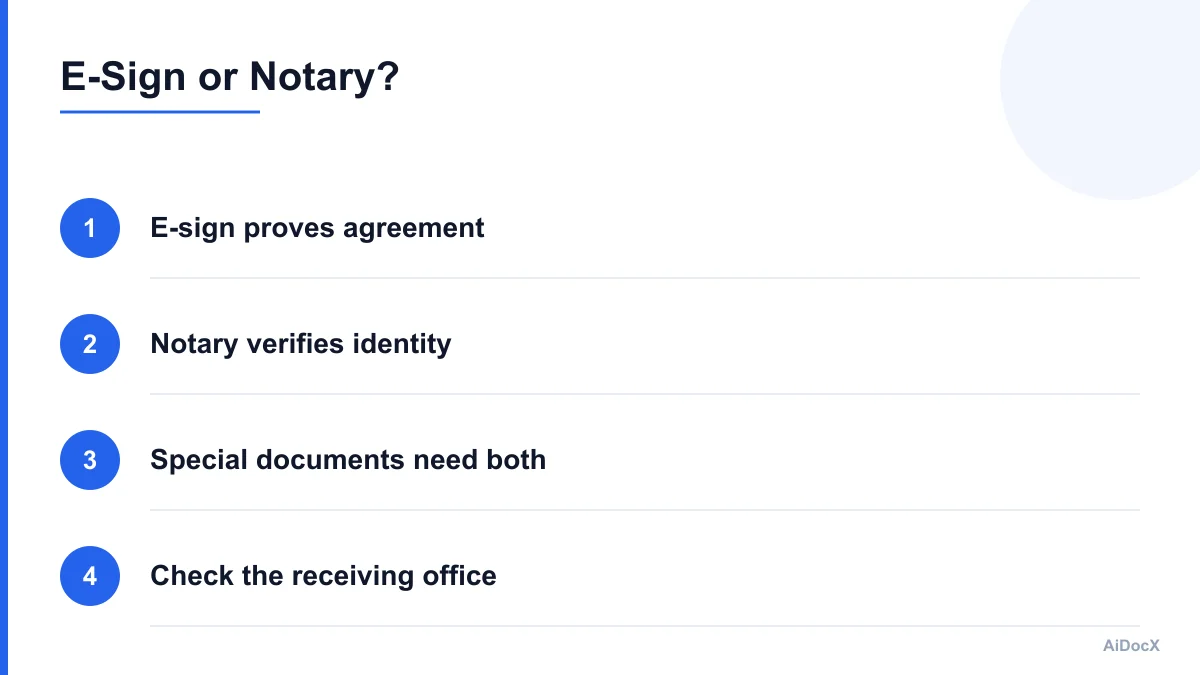
A useful way to think about the issue is:
- An electronic signature answers: "Did this person sign or agree to this record?"
- A notary answers: "Was this person properly identified, and did they acknowledge or execute this document in the required formal setting?"
- A filing office answers: "Does this document meet our specific submission rules?"
Those are related questions, but they are not interchangeable.
The federal Electronic Signatures in Global and National Commerce Act, commonly called the E-SIGN Act, recognizes electronic signatures and records in many transactions. It also says that an electronic signature by an authorized person can satisfy certain notarization or acknowledgment requirements when the applicable law allows it and all required notarial information is included. However, E-SIGN does not eliminate every exception or force every bank, court, recorder, agency, or private organization to accept an electronic record in every situation.
The law also does not make a regular e-signature equivalent to a notarial act. If you clicked "Sign," typed your name, or applied a signature image, you did not automatically notarize the document.
The practical rule is simple: if the document itself does not require notarization and the recipient accepts electronic records, your e-signature may be enough. If the document, transaction, jurisdiction, or recipient requires a notarial certificate, you will need a notary process as well.
What an E-Signature Proves—and What a Notary Proves
Confusion usually starts because people treat "signature," "authentication," and "notarization" as synonyms. They are not.
An electronic signature can take several forms:
- Typing a name into a signature field
- Drawing a signature with a mouse or touchscreen
- Clicking an agreement button
- Applying a saved signature image
- Using a certificate-based digital signature
- Signing through a platform that records identity and consent
The legal strength of an e-signature depends on the surrounding evidence. A strong signing process typically shows who received the document, what version they reviewed, whether they intended to sign, when they signed, and whether the document changed afterward.
A notarial act has a different purpose. Depending on the jurisdiction and type of act, the notary may:
- Review an identity document
- Confirm that the signer is present
- Determine that the signer appears willing and aware
- Watch the signer execute the document
- Take an acknowledgment that the signer previously signed
- Administer an oath or affirmation
- Complete a notarial certificate
- Record the act in a journal
- Apply a seal or electronic notary stamp
A notary does not normally decide whether the contract is fair, whether the signer understood every business term, or whether the underlying transaction is legally advisable. The notary's role is narrower and formal.
For example, an e-signed consulting agreement may have a reliable audit trail showing that the consultant signed at 2:14 p.m. from a verified email account. That evidence can help prove execution. But if the document is an affidavit that must be sworn before a notary, the audit trail does not replace the oath and notarial certificate.
AiDocX's e-signature audit trail, including the timestamp, IP address, and certificate hash, is useful evidence for many everyday contracts. It helps preserve the signed record and show whether the file was altered. It should not be described as notarization, and it does not remove a separate legal requirement for a notary.
When an E-Signed Document Is Usually Enough
An e-signature is commonly sufficient when all of the following are true:
- The document is an ordinary contract or business record.
- No statute, regulation, court rule, lender rule, or filing instruction requires notarization.
- The parties agreed, expressly or implicitly, to transact electronically.
- The signing process identifies the signer and records their intent.
- The final document is preserved in a reliable, unaltered form.
- The receiving party accepts the electronic format.
Common examples include:
- Independent contractor agreements
- Software subscription agreements
- Non-disclosure agreements
- Marketing and consulting contracts
- Purchase orders
- Sales proposals
- Vendor agreements
- Employment offer letters
- Internal policy acknowledgments
- Customer consent forms
- Routine lease amendments, where local law and the landlord allow electronic execution
- Settlement agreements, unless a specific court or agency requires additional formalities
Even for these documents, "electronic" does not mean "automatically enforceable." A party could still dispute authority, fraud, coercion, lack of capacity, an incorrect document version, or whether the signer intended to be bound.
That is why preservation matters. Keep the complete signed PDF, certificate of completion, audit history, delivery records, and any identity-verification information associated with the transaction. Do not save only a screenshot of the signature. A screenshot may show what the signature looks like, but it usually does not preserve the full evidence surrounding the signing event.
Before relying on an e-signed agreement, check four practical details:
- Did the correct person sign for the company?
- Did every required party sign the same final version?
- Does the audit record connect each signer to the document?
- Is the file stored somewhere you can retrieve later?
A clean process prevents many disputes before they become legal problems.
Documents That Commonly Still Need a Notary
Certain documents are more likely to require notarization because the law treats them as high-risk, formal, or connected to public records. Requirements vary by state, country, document type, and intended use, so this is a screening list—not a substitute for checking the applicable rule.
Real estate deeds and recording documents
Deeds, certain easements, affidavits related to title, and other instruments intended for recording often require acknowledgment before a notary. The county recorder may also impose technical rules about margins, formatting, original documents, electronic recording, or approved notarial language.
An electronic signature may be accepted if the document is executed through an authorized electronic recording or e-notarization process. A normal e-signature on a PDF may not meet the recorder's requirements.
A title company, real estate attorney, or county recorder can tell you whether the specific document must be notarized and whether remote online notarization is accepted.
Powers of attorney
Many jurisdictions impose special execution rules for powers of attorney. These may include notarization, witnesses, specific statutory language, or all three. A financial institution may also have its own review process.
Even where a power of attorney is legally valid without a notary, a bank may refuse to rely on it until its internal requirements are met. Ask the institution for its current form or acceptance checklist before signing.
Affidavits and sworn statements
An affidavit is generally intended to be sworn or affirmed. The important act is not just signing the written statement; it is making the oath or affirmation before an authorized officer.
If you e-signed an affidavit without appearing before a notary or other authorized official, you may have signed a statement, but you likely have not completed the required jurat. Do not assume that adding a notary seal later will fix every issue. The notary may need to administer the oath and have you sign or re-acknowledge the document in their presence.
Estate-planning documents
Wills, trusts, codicils, health-care directives, and related estate documents have highly jurisdiction-specific rules. Some jurisdictions permit electronic wills or remote witnessing under defined conditions. Others still impose paper, witness, presence, or notarization requirements.
A standard e-signature platform is not automatically an electronic-will platform. Do not use an ordinary contract-signing workflow for a will unless an estate-planning professional confirms that the process complies with local law.
Court declarations and filings
Courts set their own filing rules. Some federal courts treat a filer's login and password, together with a signature block or "/s/" notation, as the filer's signature. Other documents—especially affidavits, declarations, bankruptcy papers, or documents signed by third parties—may require an original signature to be retained, a notarized statement, or a declaration under penalty of perjury.
A court's electronic filing system may accept a PDF without notarization while the underlying document still legally requires a particular form of execution. Acceptance by the upload portal is not always the same as a final ruling that the document satisfies every legal requirement.
Immigration, licensing, and government forms
Government agencies often publish their own instructions. A form may require:
- A handwritten signature
- A certified copy
- A notarized signature
- A sworn declaration
- An original document
- A specific electronic signature method
- A signature by an authorized representative
- A separate identity-verification step
If an agency asks for a notarized copy, clarify whether it wants the signature notarized, a true-copy certification, or both. Those are different services.
What to Do When Someone Requests a "Notarized" Copy
Do not immediately print the e-signed document and ask a notary to stamp it. First determine what the requester actually means.
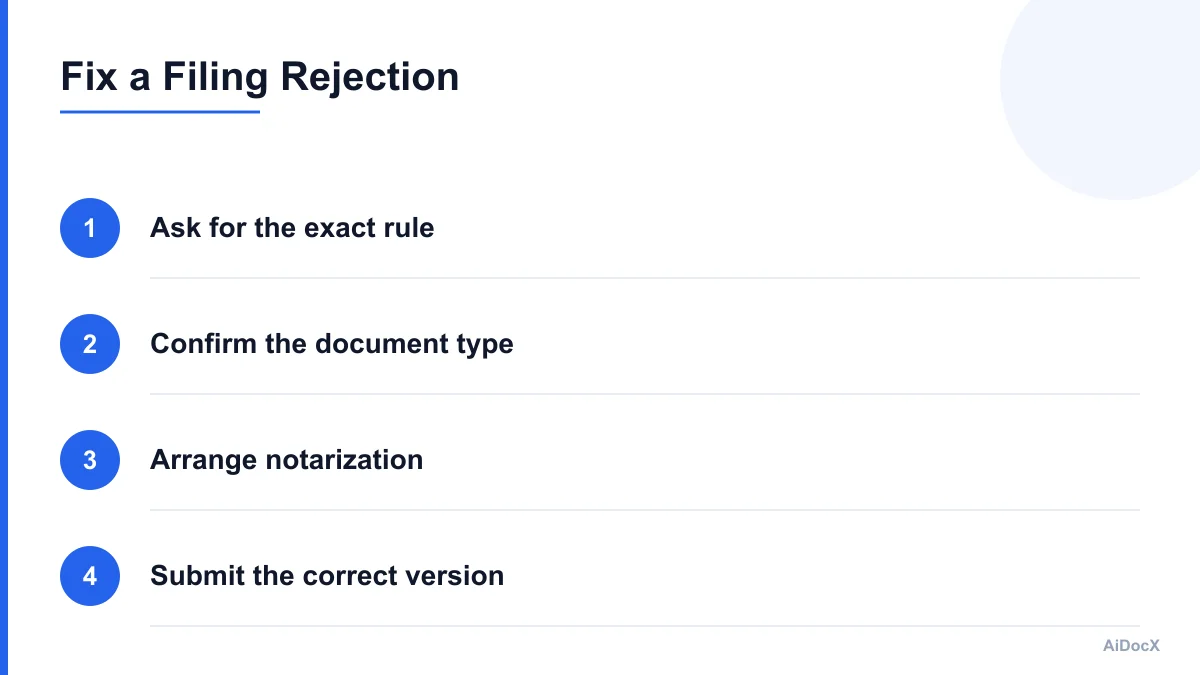
Ask these questions:
- Which exact document or page must be notarized?
- Must the signer sign in front of the notary?
- Is an acknowledgment of a prior signature acceptable?
- Does the notary need to administer an oath?
- Is remote online notarization accepted?
- Is a certified copy required instead of a notarized signature?
- Must the document be recorded, apostilled, or legalized?
- Is there an approved form that must be used?
- Does the office accept electronic notarization?
- Is there a deadline or expiration period?
The wording matters. "Please provide a notarized copy" could mean several things:
- A copy of a document certified as a true copy
- A signature acknowledged before a notary
- A sworn statement with a jurat
- A notarized certification attached to a copy
- A document executed using an approved electronic-notary process
Request the requirement in writing, preferably with a link to the official instructions or a reference to the applicable form. A bank employee's informal phrase may not accurately describe the rule.
If the office gives you a form, use that form. Re-signing an old document may create inconsistencies, especially if dates, exhibits, page numbers, or signature blocks have changed.
Can You Notarize a Document After It Was E-Signed?
Often, yes—but the correct process depends on the type of notarial act.
An acknowledgment generally involves the signer confirming to the notary that the signature is theirs and that they signed voluntarily. In some jurisdictions, a person may acknowledge a signature placed on the document earlier. In others, the receiving institution may insist that the signer sign again in the notary's presence.
A jurat is different. It usually requires the signer to sign in front of the notary and swear or affirm that the contents are true. If your document requires a jurat, merely showing the notary a previously e-signed file may not be enough.
A safe process is:
- Obtain the recipient's exact requirements.
- Confirm whether acknowledgment or jurat language is needed.
- Ask the notary whether a prior electronic signature can be acknowledged.
- Bring the complete document and valid identification.
- Do not modify the document after notarization.
- Save the notarized version and the original e-sign audit record.
- Submit the format the recipient requested.
Do not ask a notary to backdate an act, certify facts outside the notary's role, or apply a seal to a blank or incomplete document. The notary may refuse a document that is missing pages, contains blanks, has conflicting dates, or does not provide the legally required certificate wording.
If the document was already signed by multiple people, you may need every signer to appear or complete a separate acknowledgment. A notary cannot usually authenticate the identity or intent of an absent signer based only on an electronic audit trail.
Common Mistakes That Cause Rejection
Most filing problems are procedural rather than dramatic. Avoid these mistakes:
Assuming an audit trail equals notarization
A timestamp, IP address, identity check, or certificate hash can support the authenticity of an electronic signature. It does not automatically prove that a notary identified the signer, administered an oath, or completed a notarial certificate.
Printing an electronic document and calling it an original
A printed copy of an e-signed document may be acceptable, but it may not preserve the electronic evidence or satisfy a rule requiring an original paper signature. Ask whether the recipient wants the native electronic record, a printed copy, or a certified copy.
Notarizing the wrong signature
The requester may need a notarized certification, a notarized acknowledgment, or a sworn statement. Applying a notary stamp to the signature page without understanding the required act can produce a document that still fails review.
Changing the document after signing
Adding pages, replacing exhibits, correcting a date, or editing a clause after execution can invalidate the signature evidence or create a mismatch with the audit certificate. If a material change is needed, prepare a new final version and have the required parties execute it again.
Relying on a notary from the wrong jurisdiction
Notarial authority is territorial. A notary's commission, remote-notarization authorization, seal, and certificate wording may not be accepted where the document will be filed or used. Cross-border transactions may also require an apostille, consular legalization, certified translation, or additional authentication.
Ignoring the recipient's internal policy
A document can be legally valid yet rejected by a bank or agency that follows a stricter internal policy. That does not necessarily mean the contract is void. It means you need the format that organization is authorized to process.
Waiting until the deadline
Notary appointments, remote notarization, courier delivery, recording offices, and agency review can all take time. Resolve the requirement before the final filing day.
A Practical Submission Checklist
Use this checklist before sending an e-signed document to a bank, court, recorder, or government office:
- Identify the exact document being requested.
- Ask whether notarization is legally required or an internal policy.
- Confirm acknowledgment versus jurat.
- Ask whether electronic notarization is accepted.
- Confirm whether all signers must appear.
- Check witness requirements.
- Verify the required form and certificate wording.
- Confirm whether a certified copy is also needed.
- Check recording, apostille, or translation requirements.
- Preserve the final signed PDF and audit trail.
- Do not edit the document after execution.
- Submit the exact format requested.
- Keep proof of delivery and acceptance.
For routine contracts, keep a complete signing package rather than only the final page. The package should include the signed document, certificate of completion, audit history, delivery records, signer authentication details, and any version or consent records.
The Bottom Line for 2026
An e-signature does not automatically replace notarization. It usually replaces the need for a handwritten signature on ordinary agreements, but notarization is a separate formality that may still be required for deeds, powers of attorney, affidavits, estate documents, certain court papers, and government filings.
When a recipient asks for a notarized copy, do not guess. Ask what act is required, which version they accept, whether remote online notarization is allowed, and whether they require an approved form. Then preserve both the notarized document and the original electronic signing evidence.
For everyday contracts, a reliable e-signature workflow with a clear audit trail can provide strong proof of identity, intent, timing, and document integrity without unnecessary notarization. For documents involving public records, sworn statements, property, authority over another person, or estate rights, verify the rules before signing.
If you use AiDocX, keep the completed document and its audit trail together so you can quickly provide the timestamp, IP information, and certificate hash when a reviewer asks how the document was signed. When the transaction requires more than an electronic signature, use this guide to identify the additional notarial or filing step before submission.
Ready to automate your documents with AI?
Start free with AiDocX — AI contract drafting, meeting minutes, consultation notes, e-signatures, and more in one platform.
Get Started FreeMore from AiDocX Blog

How to Read a Business Contract: A Founder's Checklist (2026)
A practical way to review parties, scope, money, IP, liability, and exit terms before signing a business contract.
 MinjiLee October 7, 2026 9 min
ESIGN vs eIDAS: What Founders Should Know About E-Signatures (2026)
What U.S. ESIGN and EU eIDAS actually say, where exceptions apply, and what founders should keep to document an electronic signing.
MinjiLee October 7, 2026 7 min
Does Document Automation Pay Off? An ROI Worksheet for Founders (2026)
Estimate document automation ROI with your own volume, time, labor, and software costs. Includes a clearly labeled example and break-even formula.
 Chloe October 7, 2026 8 min