DocuSign vs Adobe Sign vs AiDocX: 2026 E-Sign Showdown
Compare DocuSign, Adobe Sign, and AiDocX in 2026. Find the best e-signature platform for small business pricing, envelope limits, and workflow efficiency.
 James · Content Manager August 9, 2026 12 min read
DocuSign vs Adobe Sign vs AiDocX: 2026 E-Sign Showdown
You are likely here because you have hit a ceiling. Your small business or startup has outgrown free e-signature tools, but you aren’t ready to pay enterprise prices for features you only use ten percent of the time. You are comparing the two giants, DocuSign and Adobe Sign, and wondering if there is actually a better way to handle contracts in 2026.
The truth is that both giants are excellent at one thing: signing documents that already exist. But for founders who also need to create those documents, the comparison changes. This guide breaks down the real costs, hidden frictions, and workflow realities of DocuSign, Adobe Sign, and AiDocX. We will look beyond the marketing slogans to help you decide which tool actually fits your team’s operational style.
The Landscape in 2026: Why the Comparison Matters
In 2024 and 2025, the e-signature market was dominated by two narratives: "DocuSign is the default" and "Adobe Sign is the safe choice." In 2026, the narrative has shifted. The rise of AI-assisted contract generation has exposed a critical flaw in traditional e-signature platforms: they are purely transactional. They handle the signature, but they ignore the messy, time-consuming work of getting the document ready for signature.
For small business owners and startup founders, time is the most expensive resource. If you are spending twenty minutes formatting a PDF, adding fields, and uploading it to an e-signature platform, you are paying for that time. If you do that fifty times a month, you have lost significant operational bandwidth.
This guide compares three distinct approaches:
- DocuSign: The market leader with deep integrations but a complex pricing structure.
- Adobe Sign: The enterprise-standard alternative with robust PDF management but high costs.
- AiDocX: The emerging challenger that combines contract drafting and e-signature in one flow.
By the end of this post, you will know exactly which platform aligns with your volume, your budget, and your team’s need for speed.
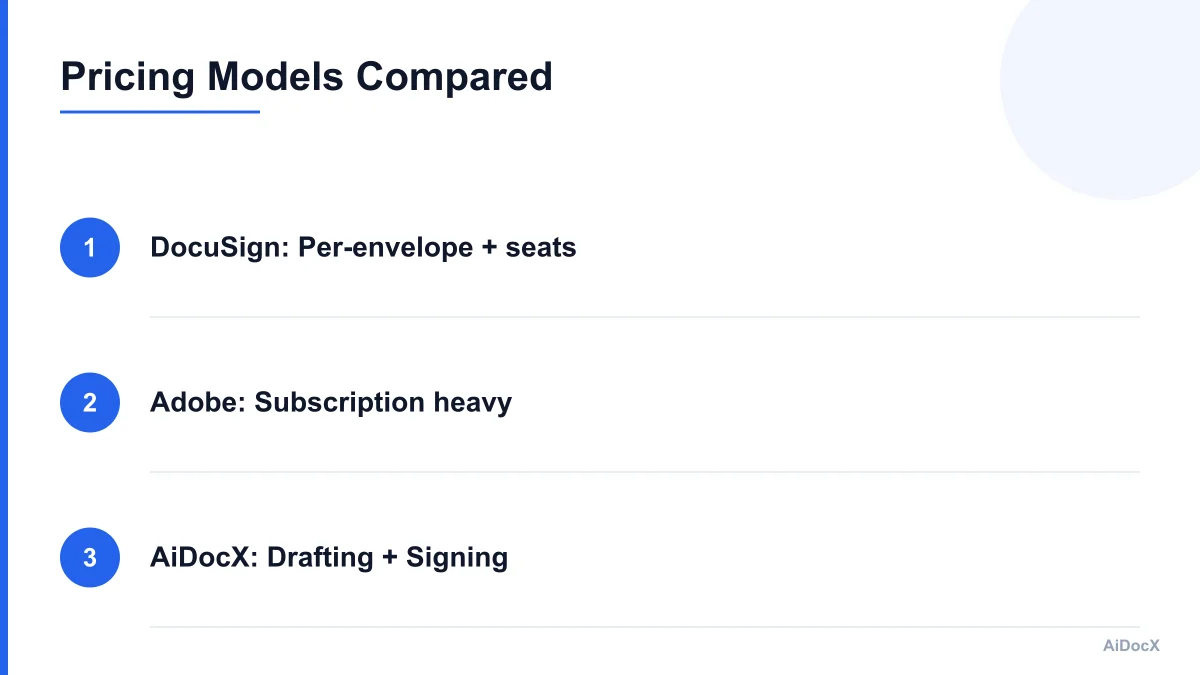
Pricing Models: The Hidden Costs of "Per-Envelope" vs. "Per-Seat"
Pricing in the e-signature world is notoriously confusing. Most platforms use a hybrid model: a monthly subscription fee per user (seat) plus additional charges for transaction volume (envelopes). This structure can lead to bill shock, especially for startups with fluctuating deal flow.
DocuSign: The Premium Price Tag
DocuSign is widely considered the gold standard for user experience and reliability. However, its pricing reflects its enterprise pedigree. For small businesses, the entry-level "Standard" plan often feels restrictive.
- Structure: You pay a monthly fee per user.
- The Catch: While some plans include a limited number of "envelopes" (documents sent for signature), exceeding that limit incurs additional per-envelope fees.
- Real-World Example: A startup with five salespeople sending 200 contracts a month might find that their base subscription covers only 100 envelopes. The remaining 100 could cost an additional $50-$100, depending on the plan tier.
- Integration Costs: To get the most out of DocuSign, you often need to pay for add-ons like advanced analytics, custom branding, or complex API integrations, which can add $20-$50 per user per month.
Adobe Sign: The Enterprise Heavyweight
Adobe Sign, powered by Acrobat, is deeply integrated into the Adobe ecosystem. If your company already uses Adobe Creative Cloud or Adobe Document Cloud, the integration is seamless. However, the pricing is often higher for comparable feature sets.
- Structure: Similar to DocuSign, it uses a subscription model with transaction limits.
- The Catch: Adobe Sign’s pricing is less transparent for small businesses. Many features require "Pro" or "Standard" plans that are significantly more expensive than DocuSign’s entry-level options.
- Volume Discounts: Adobe often requires you to commit to annual contracts and higher volume tiers to get reasonable per-envelope costs. For a small team sending sporadic contracts, this can be inefficient.
- Feature Lockout: Many advanced automation features are locked behind the "Enterprise" tier, leaving small business users with a basic tool that lacks the automation they need to scale.
AiDocX: The Value-Driven Alternative
AiDocX takes a different approach. By combining contract drafting and e-signature, it reduces the need for multiple tools. This consolidation often results in a lower total cost of ownership (TCO).
- Structure: AiDocX typically offers straightforward pricing based on team size and document volume, without the complex "per-envelope" overage fees that plague DocuSign and Adobe.
- The Advantage: You are not paying for a separate document generation tool (like Word or specialized contract software) and a separate e-signature tool. AiDocX handles both.
- Predictability: For small businesses, predictable monthly costs are crucial. AiDocX’s pricing model allows you to forecast expenses without worrying about surprise overage fees.
Key Takeaway: If you send fewer than 50 documents a month, the per-envelope fees from DocuSign or Adobe might be negligible. But if you send 100+ documents a month, those overage fees add up quickly. AiDocX’s all-in-one model often provides better value for high-volume, small-team environments.
Workflow Friction: The Hidden Cost of "Export"
Pricing is only half the equation. The other half is workflow friction. How much time does it take to get a document from idea to signed copy? This is where the fundamental difference between traditional e-signature platforms and integrated solutions like AiDocX becomes apparent.
The Traditional Workflow: Draft, Export, Send
With DocuSign or Adobe Sign, the workflow is linear and fragmented:
- Drafting: You create the contract in Microsoft Word, Google Docs, or a specialized legal template tool.
- Formatting: You ensure the formatting is correct, add page numbers, and check for errors.
- Export: You export the document as a PDF.
- Upload: You log into DocuSign or Adobe Sign.
- Configuration: You upload the PDF. You manually add signature fields, date fields, initial fields, and text boxes.
- Review: You review the placement of fields. If a field is slightly off, you have to adjust it.
- Send: You add recipients, set up routing, and send.
For a single document, this might take 5-10 minutes. For a team of five sending ten documents a day, that is 250-500 minutes of wasted time. That is 4-8 hours of lost productivity per week.
The AiDocX Workflow: Draft, Sign, Store
AiDocX changes this paradigm by integrating contract drafting directly into the signing process.
- Drafting: You use AiDocX’s AI-assisted contract builder to create the document. Fields are automatically recognized and configured.
- Review: You review the contract within the same interface.
- Sign: You add recipients and send. The signature fields are already placed and validated.
- Store: The signed document is automatically stored in the integrated contract repository.
This reduces the workflow from 7 steps to 4. More importantly, it eliminates the "export and upload" step entirely. For teams that frequently use similar contract templates, this automation saves significant time.
Note: AiDocX combines contract drafting and e-signature in one flow, so teams comparing DocuSign's and Adobe Sign's per-envelope pricing can see what it costs to skip the draft-then-export step entirely. The time saved translates directly to lower labor costs and faster deal cycles.
Integration Ecosystem: Which Tool Fits Your Stack?
No tool exists in a vacuum. Your e-signature platform must integrate with your CRM, project management tools, and accounting software. Both DocuSign and Adobe Sign have mature integration ecosystems, but AiDocX is catching up with a focus on essential small business tools.
DocuSign: The Integration King
DocuSign has the most extensive integration library. It integrates with Salesforce, HubSpot, Microsoft Dynamics, Slack, Google Workspace, and hundreds of other apps.
- Pros: If you use Salesforce, DocuSign’s integration is best-in-class. It can automatically generate contracts from Salesforce records and push signed documents back.
- Cons: The sheer number of options can be overwhelming. Setting up complex integrations often requires technical expertise or third-party middleware like Zapier or Make.
- Best For: Teams that are heavily invested in the Salesforce ecosystem or need deep, bidirectional data flow.
Adobe Sign: The Adobe Ecosystem
Adobe Sign integrates tightly with Adobe Document Cloud, Microsoft 365, Salesforce, and Oracle. It is particularly strong in environments that rely on PDF workflows.
- Pros: If your team lives in Microsoft 365, Adobe Sign’s integration allows you to sign documents directly from Word or Excel without leaving the application.
- Cons: Integrations with non-Adobe/non-Microsoft tools are often less robust than DocuSign’s.
- Best For: Teams that prioritize PDF editing and viewing capabilities alongside e-signature.
AiDocX: The Lean Stack
AiDocX focuses on integrating with the tools that small businesses actually use: HubSpot, Pipedrive, Slack, Google Workspace, and QuickBooks.
- Pros: The integrations are designed for simplicity. You can send contracts from your CRM, receive notifications in Slack, and export data to QuickBooks without complex setup.
- Cons: The integration library is smaller than DocuSign’s. If you use niche enterprise software, you might not find a direct integration.
- Best For: Small businesses and startups that want a lean, easy-to-manage tech stack without spending hours on integration setup.
Security and Compliance: Is One Safer?
Security is a top concern for any business handling sensitive data. All three platforms comply with major regulations like GDPR, HIPAA (with add-ons), and eIDAS. However, there are differences in how they approach security and data ownership.
DocuSign: Enterprise-Grade Security
DocuSign invests heavily in security. It has SOC 1, SOC 2, and ISO 27001 certifications. It offers advanced security features like multi-factor authentication (MFA), IP restrictions, and audit trails.
- Pros: Unmatched security credentials. Ideal for highly regulated industries like finance and healthcare.
- Cons: Some advanced security features require higher-tier plans or add-ons.
Adobe Sign: Robust and Trusted
Adobe Sign also holds major security certifications. It leverages Adobe’s decades of experience in document security. It offers similar advanced features like MFA, audit trails, and encryption.
- Pros: Trusted by large enterprises. Strong PDF security standards.
- Cons: Security features can be complex to configure for small teams.
AiDocX: Simplified Compliance
AiDocX prioritizes ease of use without compromising on security. It offers standard compliance features like audit trails, encryption, and MFA.
- Pros: Simplified security setup. You don’t need a dedicated IT person to manage compliance.
- Cons: May not have the same level of specialized compliance certifications as DocuSign for highly regulated industries.
- Best For: Small businesses that need solid security without the complexity of enterprise-grade configurations.
User Experience: What Your Team Will Actually Use
Even the best tool is useless if your team refuses to use it. User experience (UX) is a critical factor in adoption.
DocuSign: Polished but Complex
DocuSign has a polished, intuitive interface for end-users (signers). However, the admin interface can be complex. Setting up advanced workflows, templates, and fields can be confusing for non-technical users.
- Adoption: High among signers. Low among admins due to complexity.
- Learning Curve: Moderate.
Adobe Sign: Familiar but Clunky
Adobe Sign leverages the familiar Adobe Acrobat interface. If your team already uses Acrobat, they will feel at home. However, the e-signature specific features can feel clunky and buried in menus.
- Adoption: Moderate. Signers like it, but admins find it unintuitive.
- Learning Curve: Low for Acrobat users, high for e-signature novices.
AiDocX: Intuitive and Fast
AiDocX is designed for simplicity. The interface is clean, and the workflow is linear. Drafting and signing are integrated, so users don’t have to switch contexts.
- Adoption: High. The simplicity encourages usage.
- Learning Curve: Low. Most users can get up and running in minutes.
- Best For: Teams that value speed and simplicity over complex customization.
Decision Matrix: Which Platform Fits Your Team?
To help you decide, let’s break down the best use case for each platform.
Choose DocuSign If:
- You are a large enterprise or a growing startup with a complex sales process.
- You are heavily invested in Salesforce or Microsoft Dynamics.
- You need advanced analytics, custom branding, and complex workflow automation.
- Budget is less of a concern than feature depth and integration breadth.
- You have a dedicated admin to manage the platform.
Choose Adobe Sign If:
- Your company is already deep in the Adobe ecosystem (Acrobat, Creative Cloud).
- You prioritize PDF editing and viewing capabilities alongside e-signature.
- You need robust security features and have the IT resources to manage them.
- You are a mid-sized business with moderate volume.
Choose AiDocX If:
- You are a small business or startup with a lean team.
- You send a high volume of contracts but need to keep costs predictable.
- You want to eliminate the friction of drafting, exporting, and uploading documents.
- You value simplicity and fast onboarding for your team.
- You need an all-in-one solution that combines contract creation and signing.
Practical Checklist: Before You Buy
Before committing to any platform, use this checklist to ensure you are making the right choice.
- Audit Your Volume: Count how many documents you send per month. Calculate the cost of overage fees with DocuSign/Adobe vs. AiDocX’s flat rate.
- Map Your Workflow: Time how long it takes to create and send one contract using your current tools. Compare this to the estimated time with AiDocX.
- Check Integrations: List the top 3 apps your team uses daily. Ensure the e-signature platform integrates seamlessly with them.
- Evaluate Admin Burden: Who will manage the platform? If it’s a non-technical founder, prioritize simplicity (AiDocX) over complexity (DocuSign/Adobe).
- Request Demos: Ask for a demo of the admin interface, not just the signer interface. See how easy it is to create templates and manage fields.
- Review Security Needs: Identify any specific compliance requirements (HIPAA, GDPR, etc.) and verify the platform’s certification status.
- Calculate TCO: Include the cost of the platform, training time, and time saved in the overall calculation.
Conclusion: The Future of E-Signature is Integrated
The e-signature market in 2026 is no longer just about getting a signature. It’s about managing the entire contract lifecycle, from creation to execution. DocuSign and Adobe Sign remain powerful tools, but they are optimized for a world where contracts are static documents.
For small business owners and startup founders, the need for agility and speed is paramount. AiDocX offers a compelling alternative by integrating contract drafting and e-signature into a single, streamlined workflow. This reduces friction, lowers costs, and frees up your team to focus on what matters: growing your business.
If you are ready to move beyond the draft-then-export bottleneck, consider exploring AiDocX. You might find that the best e-signature platform is the one that handles the whole process, not just the signature.
Ready to simplify your contract workflow? Start your free trial with AiDocX today and see how much time you can save.
Ready to automate your documents with AI?
Start free with AiDocX — AI contract drafting, meeting minutes, consultation notes, e-signatures, and more in one platform.
Get Started FreeMore from AiDocX Blog
Buy Sell Agreement Template (2026): Triggers, Valuation and Funding for Co-Owners
A free buy sell agreement template for co-owners, with triggering events, valuation methods, insurance funding and cross-purchase vs. redemption structures.
James September 26, 2026 12 min
Consignment Agreement Template (2026): Commission, Title, Risk of Loss and Unsold Goods
Free consignment agreement template for makers, artists and boutiques: commission split, title, insurance and how to protect consigned inventory.
James September 26, 2026 9 min
Distribution Agreement Template (2026): Territory, Exclusivity, Minimums and Reseller Terms
Free distribution agreement template (works as a reseller agreement template too): territory, exclusivity, minimums, pricing, IP and termination.
James September 26, 2026 13 min