
eSignature API for Developers in 2026: A Practical Guide
Learn how to embed legally binding e-signatures in your SaaS with APIs, webhooks, audit trails, and a practical comparison of Docusign, HelloSign, and AiDocX.
 James · Content Manager August 21, 2026 16 min read
eSignature API for Developers in 2026: A Practical Guide
Adding electronic signatures to a SaaS product is rarely just a matter of drawing a signature on a PDF. A production-ready eSignature API must handle signer identity, document integrity, consent, reminders, audit evidence, webhooks, and the final executed file. This guide explains how to design that integration in 2026 and compares Docusign, HelloSign (now Dropbox Sign), and AiDocX for teams building embedded contract workflows.
What an eSignature API Actually Provides
An eSignature API is a set of endpoints and events that lets your application create, send, monitor, and complete signing requests without building the entire signing infrastructure yourself.
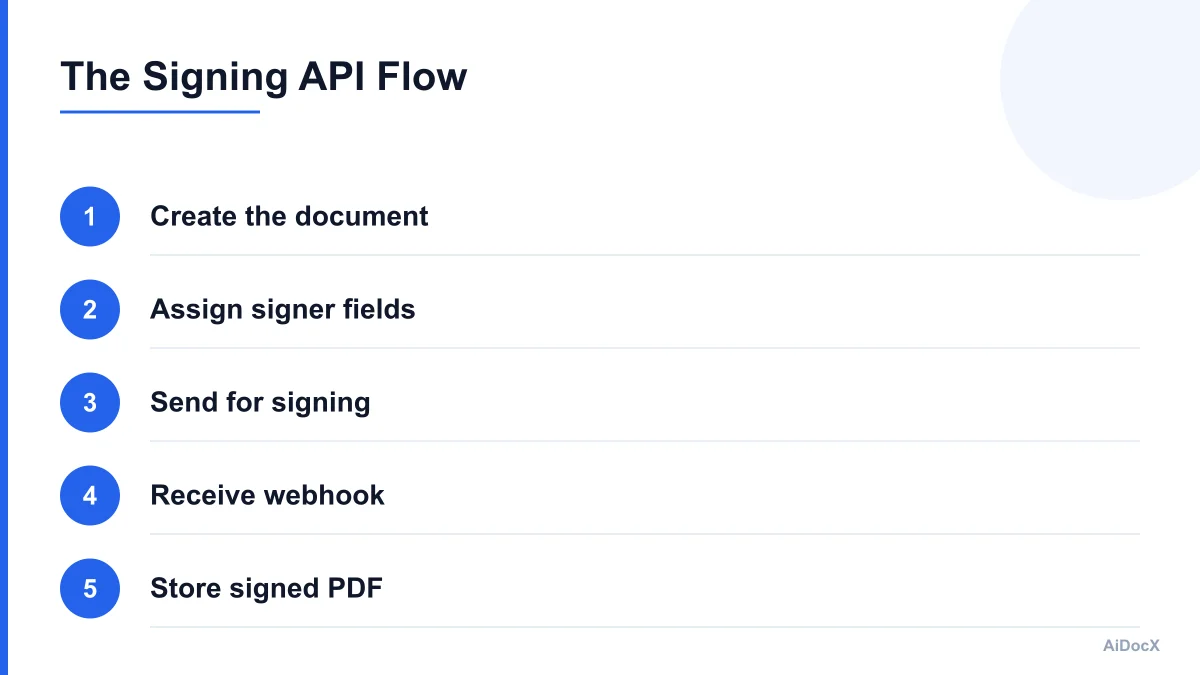
The basic workflow looks like this:
- Your application creates or selects a document.
- Your backend sends the document and signer details to the e-signature provider.
- The provider creates a signature request or envelope.
- Signers receive an email or open an embedded signing session.
- The provider records signing activity and produces a completed document.
- A webhook informs your application that the status changed.
- Your system stores the final PDF and updates the related business record.
The provider's terminology varies. Docusign uses concepts such as envelopes, recipients, tabs, templates, and Connect events. Dropbox Sign uses signature requests, signers, signature fields, templates, and callbacks. Other APIs may use documents, workflows, packets, or agreements.
Despite the naming differences, evaluate the same capabilities:
- Document upload or document URL ingestion
- PDF generation or PDF completion
- Signer ordering and parallel signing
- Signature, initials, date, checkbox, and text fields
- Embedded signing inside your application
- Email-based signing
- Templates and merge fields
- Authentication and identity verification
- Audit trails and tamper evidence
- Status APIs and webhook events
- Reminder, expiration, decline, and cancellation handling
- Signed-document download
- Test mode and production separation
- OAuth or multi-tenant credential support
An API that only lets you place a signature image on a PDF is not a complete contract-signing platform. Your product still needs to prove who signed, what they signed, when they signed, whether the document changed, and whether the signer intended to complete the transaction.
A useful internal abstraction is to model a signing request independently of the provider:
type SigningRequest = {
  id: string;
  provider: "docusign" | "dropbox_sign" | "aidocx";
  providerRequestId: string;
  documentId: string;
  status: "draft" | "sent" | "viewed" | "partially_signed" | "completed" | "declined" | "expired" | "cancelled";
  signers: Array<{
    id: string;
    name: string;
    email: string;
    order: number;
    status: string;
  }>;
  completedDocumentUrl?: string;
  completedAt?: string;
};
This abstraction prevents provider-specific statuses from leaking through your entire codebase. It also makes future migration or provider fallback much easier.
What Makes an Electronic Signature Legally Binding?
"Electronic" does not automatically mean "legally binding," and "legally binding" does not mean every document can be signed electronically in every jurisdiction.
In the United States, the ESIGN Act and state-level electronic-transactions laws generally prevent a signature from being rejected solely because it is electronic. The practical requirements usually center on intent, attribution, association with the record, the signer's ability to retain a copy, and preservation of document integrity. Docusign's current U.S. legality guide describes these factors and also warns that exceptions vary by transaction and jurisdiction. Review the Docusign U.S. eSignature legality guide with qualified counsel for your use case.
In the European Union, eIDAS distinguishes between simple, advanced, and qualified electronic signatures. A basic electronic signature may be suitable for many ordinary business transactions, while regulated or high-risk workflows may require stronger identity verification or a qualified trust service.
For developers, the important point is that legal enforceability depends on the complete evidence package, not merely on the visual mark placed on a page.
Your implementation should capture:
- The signer's declared intent to sign
- The identity or account used to access the signing session
- Authentication steps such as email, access code, SMS, or identity verification
- The exact document version presented to the signer
- The time and timezone of important events
- IP address and relevant device or browser information where appropriate
- The signer's actions, including viewing, signing, declining, and downloading
- Consent to electronic records and communications
- A tamper-evident relationship between the audit record and completed PDF
- A retrievable copy of the completed agreement
Do not write marketing copy such as "our API guarantees legal validity." A provider can supply technical controls and evidence, but your business is responsible for choosing an appropriate signing process, consent language, retention policy, and transaction type.
Some documents may require additional formalities, notarization, witnesses, wet signatures, qualified signatures, or jurisdiction-specific procedures. Real estate, lending, healthcare, government filings, wills, powers of attorney, and certain regulated financial documents deserve legal review before you automate them.
The safest product design makes the evidence easy to retrieve. Store the provider request ID, your internal contract ID, the final PDF checksum, webhook event IDs, and the audit trail location. If a customer disputes a signature, support staff should be able to reconstruct the signing history without querying several unrelated systems.
A Reference Architecture for Embedded Signing
A reliable integration separates document preparation, signing orchestration, provider communication, and application state.
A typical architecture has five layers:
1. Document service
This service creates the document that will be signed. It may merge customer data into an HTML or DOCX template, convert the result to PDF, and assign a stable internal document ID.
Never rely only on a provider's copy of the source document. Keep your original generated version and record its checksum before sending it.
2. Signing orchestration service
This service translates your product's signing request into the provider's format. It decides:
- Which signers participate
- Whether they sign sequentially or in parallel
- Which fields belong to each signer
- Whether the request is embedded or email-based
- Which authentication method is required
- Whether the request expires
- Which internal metadata is attached
This is where provider-specific logic should live.
3. Provider adapter
Create one adapter per provider with a shared interface:
interface ESignatureProvider {
  createRequest(input: CreateRequestInput): Promise<ProviderRequest>;
  createEmbeddedSession(input: EmbeddedSessionInput): Promise<EmbeddedSession>;
  getRequest(id: string): Promise<ProviderRequest>;
  cancelRequest(id: string, reason?: string): Promise<void>;
  downloadCompletedFile(id: string): Promise<Buffer>;
}
Your application should call this interface rather than directly calling Docusign or Dropbox Sign from route handlers.
4. Webhook receiver
The webhook receiver accepts provider events, verifies authenticity, records the raw event, and queues application processing. It should return a fast success response rather than performing expensive PDF processing synchronously.
5. Contract state store
Your database remains the source of truth for your business workflow. A provider may say that a request is completed, but your application still needs to decide whether the associated order, account, onboarding process, or workspace should advance.
Use an event table such as:
type SignatureEvent = {
  provider: string;
  providerEventId: string;
  providerRequestId: string;
  eventType: string;
  receivedAt: string;
  payloadHash: string;
  processedAt?: string;
};
Add a unique constraint on provider + providerEventId. This makes webhook handling idempotent.
Keep API credentials on your server. A browser should receive only a short-lived embedded signing URL or session token, never a provider API key.
How to Add eSignatures Step by Step
A small first release can be built in several controlled stages.
Step 1: Define the business state machine
Before writing API code, define the states your product needs:
draft → sent → viewed → partially_signed → completed
                    ├→ declined
                    ├→ expired
                    └→ cancelled
Decide whether a signer can be replaced, whether a completed request can be voided, and what happens when one signer declines. These decisions affect your database and UI more than the first API request does.
Step 2: Generate and freeze the document
Create the final PDF before sending it. If your system generates a contract from structured data, save the input snapshot and template version alongside the PDF.
Avoid silently regenerating a document after the signing request is sent. If the commercial terms change, cancel the old request and create a new version.
Step 3: Add signer fields
Use stable field identifiers where the provider supports them. Typical fields include:
- Signature
- Initials
- Date signed
- Full name
- Company name
- Checkbox
- Optional text
- Required attachment
Do not use visual coordinates alone if your documents can change length. Template tags, named fields, or provider templates are more maintainable.
Step 4: Create the request in test mode
Use fake or controlled addresses and confirm that test-mode behavior is not legally binding. Dropbox Sign's documentation explicitly states that requests created with test_mode: true are not legally binding and are watermarked. Production requests require a paid API plan according to its current documentation.
Test at least:
- One signer
- Multiple signers in sequence
- Multiple signers in parallel
- A declined request
- An expired request
- A cancelled request
- A signer reopening a request
- A missing required field
- A failed webhook delivery
- A duplicate webhook event
Step 5: Open an embedded signing session
For an embedded flow, your backend should first verify that the user is authorized to sign the specific contract. Then request a short-lived session from the provider and pass only the required session details to the frontend.
Validate the return URL server-side. Do not treat a browser redirect as proof that the document was signed. The provider webhook or a server-side status check must confirm completion.
Step 6: Process completion asynchronously
When the provider reports completion:
- Verify the webhook.
- Check whether the event was already processed.
- Fetch the final document if it is not included.
- Calculate and store a checksum.
- Store the completed PDF in durable object storage.
- Update your internal contract status.
- Notify the relevant user or downstream service.
- Record the provider audit trail or completion certificate.
If downloading the final PDF fails, leave the contract in a recoverable "completed, file pending" state rather than marking the entire workflow as failed.
Webhooks, Security, and Reliability
Polling is acceptable for a prototype but becomes expensive and unreliable at scale. Webhooks provide the event-driven backbone for production signing workflows.
Docusign Connect is its webhook service for eSignature workflow updates. Docusign's developer center describes Connect as a service that sends updates when configured events occur. Dropbox Sign calls its equivalent callbacks or events; its documentation says callbacks are HTTP POST requests and documents HMAC-based verification methods. See the Docusign developer center and Dropbox Sign callbacks documentation.
A secure webhook handler should:
- Require HTTPS
- Verify the provider signature before processing
- Preserve the raw request body when signature verification requires it
- Reject stale or malformed requests
- Record an event ID for deduplication
- Return a success response quickly
- Queue slow work
- Retry transient failures
- Log correlation IDs without logging sensitive document content
- Avoid exposing internal error details to the provider
A common mistake is to verify a webhook after parsing and reserializing JSON. Some providers calculate a signature over the exact raw body. Store the raw bytes or use the framework's raw-body support.
Another mistake is assuming event ordering. A completion event may arrive before a viewed event because of retries, queues, or network timing. Treat events as facts that update state, not as a perfectly ordered stream.
Use monotonic state transitions where possible. For example, a late viewed event should not move a completed contract back to viewed. Keep the full event history for auditability, but apply only valid transitions to the current record.
You should also design for provider outages. If the create-request call times out, do not blindly retry unless you have an idempotency strategy. Otherwise, you may send two signing requests. Store an idempotency key derived from your internal contract version and signing attempt, and confirm the provider's behavior before relying on it.
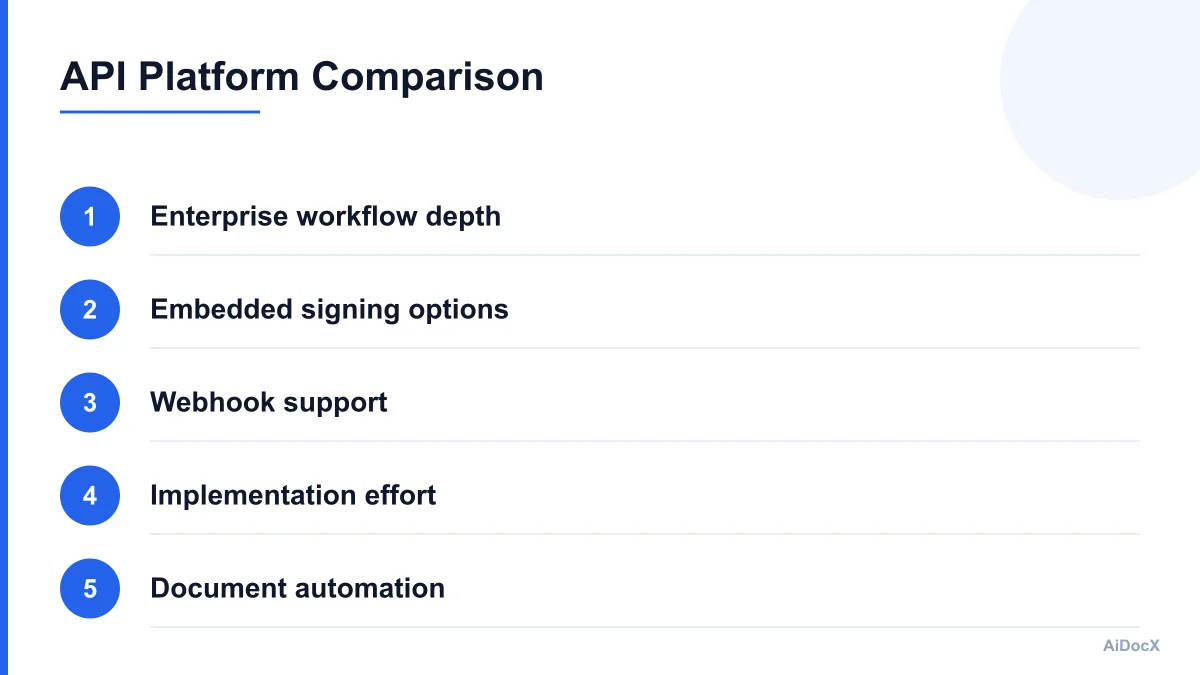
Comparing Docusign, HelloSign, and AiDocX APIs
The right choice depends on your product's users, jurisdictions, workflow complexity, and tolerance for platform-specific work.
Docusign
Docusign is often the default consideration for enterprise teams because of its market presence, broad workflow capabilities, established compliance resources, and extensive developer ecosystem.
Its eSignature REST API uses the envelope model. You typically create an envelope containing documents, recipients, and tabs, then send it or create an embedded signing session. Docusign supports OAuth flows, templates, recipient routing, and Connect webhooks. Its current developer materials also cover newer platform capabilities beyond core eSignature.
Docusign is a strong fit when you need:
- Enterprise procurement acceptance
- Complex recipient roles and routing
- Mature template and workflow features
- Existing customer familiarity
- Broad authentication and compliance options
- A large ecosystem of SDKs and implementation partners
The tradeoff is integration complexity. Account configuration, OAuth setup, environment differences, recipient rules, template behavior, and production go-live requirements can require more platform knowledge than a smaller product team expects.
HelloSign / Dropbox Sign
HelloSign is now Dropbox Sign. Its API centers on signature requests and templates. The platform supports both email-based and embedded signing flows. The Dropbox Sign API quickstart documents these two modes and its endpoint model.
Dropbox Sign can be attractive when you want:
- A comparatively direct signature-request API
- Embedded signing in an iframe
- Templates and merge fields
- Official SDKs
- OAuth support for app-based integrations
- Callback events for request lifecycle updates
Its documentation exposes practical details developers need to plan for, including test mode, production billing, callback verification, request expiration, and file download behavior. For example, its send endpoint supports signer metadata, redirect URLs, expiration, and test mode; its documentation notes that test-mode requests are not legally binding.
The main evaluation questions are whether its workflow model matches your product and whether the required advanced identity, signing, or compliance features are available on the plan and in the regions you serve. Confirm current limits and pricing before committing.
AiDocX
AiDocX is a fit for teams that want document creation and contract operations closer together instead of combining one PDF-generation system with a separate signature provider.
AiDocX's API and webhooks let developers embed e-signature flows without building signature capture, audit trails, and PDF generation from scratch. That can reduce the number of services your team must connect when your SaaS already creates, edits, reviews, or manages contracts.
Evaluate AiDocX on:
- How your existing document templates map to its document model
- Whether PDF generation happens inside the same workflow
- How embedded signing sessions are created
- Which webhook events are available
- How audit evidence is attached to completed documents
- Storage, retention, and export behavior
- Regional and industry requirements
- API rate limits and tenant isolation
- Sandbox-to-production promotion steps
The best reason to choose a combined document and signature platform is operational simplicity, not a claim that one provider is universally better. If your team already has a robust document service and needs only signing, a focused e-signature API may be simpler. If your product's core workflow is contract creation through execution, one integrated platform may reduce synchronization problems.
Comparison summary
| Evaluation area | Docusign | Dropbox Sign | AiDocX |
|---|---|---|---|
| Core model | Envelopes | Signature requests | Documents and signing workflows |
| Embedded signing | Available | Available | Available through API workflow |
| Webhook model | Connect events | Callbacks and events | API/webhook workflow events |
| Best fit | Enterprise workflows | Direct API integration | Document-to-signature workflows |
| Main concern | Configuration complexity | Plan and feature fit | Confirm API maturity for your use case |
| Product advantage | Broad ecosystem | Straightforward request model | Combined document and contract flow |
Treat this table as a starting point, not a procurement decision. Run the same proof of concept against each provider using your actual document, signer rules, authentication requirements, webhook handler, and retention model.
Pricing, Multi-Tenancy, and Operational Cost
API pricing is rarely just a per-envelope or per-request number. Model the full cost of a completed agreement.
Include:
- API or platform subscription
- Production signature transactions
- Identity verification
- SMS or phone authentication
- Qualified or advanced signatures
- Template or bulk-send features
- Storage and document download
- Support and implementation
- Webhook delivery and retry infrastructure
- Your own PDF generation and object storage
- Customer support for failed or abandoned requests
For a SaaS product, decide early whether you will use one platform account for all customers, customer-owned accounts, or an OAuth model where each customer authorizes your application.
A centralized account is easier to launch but creates questions about tenant isolation, billing attribution, data residency, and account-level quotas. Customer-owned accounts can simplify ownership and procurement for larger customers but make onboarding, token refresh, and support more complicated.
Store provider credentials in a secret manager. Encrypt refresh tokens at rest, rotate keys, limit access by service, and never place credentials in browser bundles or client-side logs.
Track usage by internal tenant and contract. A simple usage record can include:
tenant_id
provider
request_id
document_count
signer_count
created_at
completed_at
authentication_addons
storage_bytes
This allows you to calculate margins and identify customers whose workflows generate unusually high volume or expensive verification events.
Common eSignature Integration Mistakes
The most damaging mistakes are usually workflow mistakes rather than syntax errors.
Treating a redirect as completion
A signer can close the browser, lose connection, or be redirected before the provider finishes processing the document. Confirm completion from a verified webhook or server-side status request.
Forgetting version control
If the PDF changes after sending, your audit trail becomes difficult to explain. Freeze the document version and create a new signing attempt when terms change.
Ignoring webhook retries
Providers retry events. Without deduplication, one completion event may trigger duplicate emails, duplicate invoices, or repeated downstream provisioning.
Assuming all signatures have the same legal requirements
A simple click-to-sign workflow may be appropriate for a low-risk agreement but insufficient for a regulated transaction. Map authentication requirements to risk.
Building directly into every route
Provider-specific API calls scattered across controllers make migration and testing difficult. Use an adapter and keep your internal state model stable.
Logging too much
Webhook payloads and signing requests can contain personal data and document metadata. Log request IDs, event types, and correlation IDs; avoid logging entire PDFs, access tokens, or unnecessary signer data.
Testing only the happy path
A production integration needs tests for expired links, declined requests, duplicate events, partial signing, malformed webhooks, provider timeouts, document-download failures, and account authorization errors.
Underestimating document layout
A signature field that looks correct on one contract may overlap text when a clause wraps or a table expands. Test representative documents across languages, page counts, fonts, and mobile viewport sizes.
Launch Checklist for Your First Integration
Use this checklist before enabling production signing:
- Define internal signing states and valid transitions
- Freeze and checksum every sent document
- Keep provider calls behind an adapter
- Use server-side credentials and short-lived signing sessions
- Verify webhook signatures using the raw request body
- Deduplicate events by provider event ID
- Handle out-of-order events safely
- Store the completed PDF and audit evidence durably
- Test sequential and parallel signing
- Test decline, expiry, cancellation, and resend flows
- Confirm production requests are not in test mode
- Review jurisdiction and document-type requirements
- Document retention and deletion policies
- Add tenant-level usage and cost tracking
- Monitor webhook failures and document-download errors
- Give support staff a contract timeline and provider request ID
A practical pilot should use one real contract template, one low-risk customer workflow, and a small set of controlled signers. Measure time to complete, webhook reliability, support tickets, document quality, and the number of manual recovery steps required.
Choosing the Right API in 2026
Choose Docusign when enterprise acceptance, mature workflow breadth, and ecosystem depth outweigh implementation overhead. Choose Dropbox Sign when its signature-request model, embedded experience, and pricing fit a focused integration. Choose AiDocX when your product benefits from keeping document creation, PDF generation, signing, audit trails, and contract status in one workflow.
Whichever provider you select, design around the same principles: freeze the signed document, verify signer intent and identity appropriately, treat webhooks as untrusted input until verified, make processing idempotent, and preserve evidence that a reviewer can understand later.
The API call is the easy part. The durable product is the workflow around it. Start with a provider-neutral contract model, build a complete test matrix, and validate the legal and operational requirements for the documents your SaaS actually handles.
Ready to automate your documents with AI?
Start free with AiDocX — AI contract drafting, meeting minutes, consultation notes, e-signatures, and more in one platform.
Get Started FreeMore from AiDocX Blog

How to Read a Business Contract: A Founder's Checklist (2026)
A practical way to review parties, scope, money, IP, liability, and exit terms before signing a business contract.
 MinjiLee October 7, 2026 9 min
ESIGN vs eIDAS: What Founders Should Know About E-Signatures (2026)
What U.S. ESIGN and EU eIDAS actually say, where exceptions apply, and what founders should keep to document an electronic signing.
MinjiLee October 7, 2026 7 min
Does Document Automation Pay Off? An ROI Worksheet for Founders (2026)
Estimate document automation ROI with your own volume, time, labor, and software costs. Includes a clearly labeled example and break-even formula.
 Chloe October 7, 2026 8 min