
Free Freelance Invoice Template: Get Paid Faster in 2026
Use this free freelance invoice template to create clear invoices, avoid common mistakes, and get paid faster with practical tips for solo workers.
 James · Content Manager August 21, 2026 14 min read
Free Freelance Invoice Template: Get Paid Faster in 2026
A clear invoice does more than request payment: it tells your client exactly what they are paying for, when payment is due, and how to complete the transaction. This free freelance invoice guide explains what to include, how to structure your invoice, and which common mistakes can delay payment. Use the practical template below as a starting point for your next project.
Why a Professional Invoice Matters
Freelancers often treat invoicing as an administrative task to complete after the "real" work is finished. In practice, the invoice is part of the client experience and directly affects your cash flow. A client may be happy with your work but still delay payment if the invoice is unclear, missing information, or difficult to process.
A professional invoice helps in several ways: it creates a written record of the work delivered, it confirms the agreed price and payment terms, it gives the client's finance team the information they need, it reduces back-and-forth questions, it makes late-payment follow-up easier, and it helps you organize income for bookkeeping and tax reporting.
Professional does not mean elaborate. Your invoice does not need a complex design, multiple colors, or a long introduction. It should be easy to scan in under a minute. The client should immediately see your name, the client's name, the amount due, the due date, and the payment method.
Consistency is more valuable than decoration. Use the same business name, contact details, numbering system, and payment terms on every invoice. A repeatable process also reduces mistakes when you are handling several clients at once.
Your invoice should match the agreement you made before starting the work. If you agreed to a fixed project price, show the project as a fixed-fee service. If you agreed to an hourly rate, show hours, rate, and subtotal. Do not introduce new charges on the invoice without discussing them with the client first.
What to Include in a Freelance Invoice
A complete invoice has four main parts: identification, service details, payment information, and terms. The exact requirements vary by country and business structure, so check with a qualified accountant or local tax authority when you are unsure about tax fields.
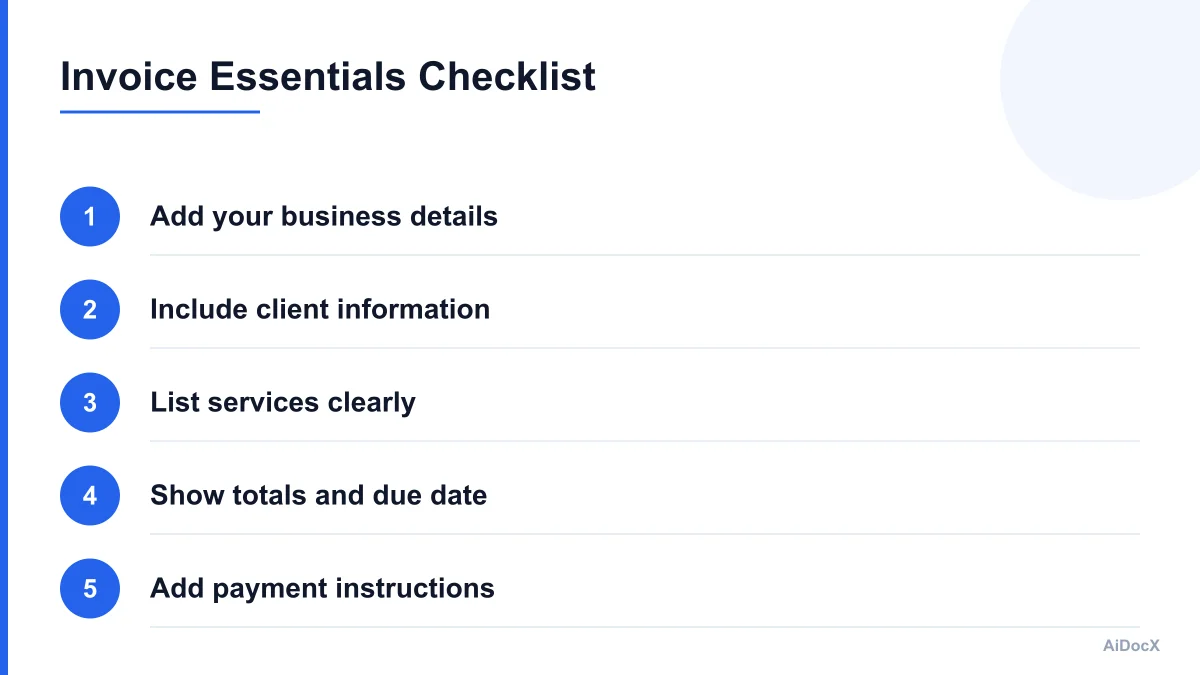
1. Your business information
Place your information near the top of the invoice. Include your full name or registered business name, business address, if required in your jurisdiction, email address, phone number, if you use it for client communication, website or portfolio link, if relevant, and business registration or tax identification number, if applicable.
If you operate under a brand name but receive payments under your personal name, make the relationship clear. For example, you might write "Brightline Content, operated by Jordan Lee." This prevents confusion when the client compares the invoice with your contract or payment account.
2. Client information
Name the organization or person responsible for payment. Include client or company name, billing contact, billing address, when required, purchase order number, if the client uses one, and department or project name, if useful.
Do not assume the person who hired you is the person who processes invoices. Ask where invoices should be sent before you finish the project. Some companies require invoices to go through a procurement portal or a dedicated accounts-payable email address.
3. Invoice identification
Every invoice should have a unique invoice number. A simple sequence such as INV-2026-001, INV-2026-002, and INV-2026-003 is easy to maintain. You can also use a client prefix, such as ACME-2026-004, as long as your system remains consistent.
Include these dates: invoice date (the day you issue the invoice), service period (the dates when the work was completed), and due date (the date payment must arrive).
The due date should be calculated from your agreed terms. "Net 15" generally means payment is due 15 days after the invoice date, while "due on receipt" means payment is expected when the client receives the invoice. If the client has a specific payment schedule, state the actual calendar date as well as the term.
4. Description of services
Describe what you delivered in language the client recognizes from your proposal or contract. Avoid entries such as "services rendered" or "consulting work," which provide little useful detail.
A stronger description might be: website content audit, five-page review; brand messaging workshop, two 90-minute sessions; monthly bookkeeping support, January 2026; product illustration package, six approved illustrations; or search engine optimization consultation, project kickoff and recommendations.
For hourly work, show the quantity, rate, and amount:
| Description | Quantity | Rate | Amount |
|---|---|---|---|
| Copywriting and editing | 12 hours | $85 | $1,020 |
For a fixed-fee project, show the milestone or deliverable:
| Description | Quantity | Rate | Amount |
|---|---|---|---|
| Website copy, final project milestone | 1 | $1,800 | $1,800 |
If you are billing expenses, list them separately. Include the date or purpose when it helps the client verify the charge.
5. Totals
Show the financial calculation clearly: subtotal, discount (if applicable), tax or sales tax (if applicable), reimbursable expenses, total amount due, amount already paid, and balance due.
Make sure the balance due is visually prominent. If the client has already paid a deposit, do not show only the full project price. Show the deposit as a payment or credit and make the remaining balance obvious.
6. Payment instructions
Tell the client exactly how to pay. Depending on your setup, include bank transfer details, payment link, payment platform username, check instructions, accepted currencies, and any processing fee policy.
Avoid placing sensitive information in an invoice unless it is necessary and secure. For bank transfers, confirm the account details carefully and use a secure method for sending the document.
7. Notes and terms
End with a short note that reinforces the agreement. Examples include "Thank you for your business," "Please include invoice number INV-2026-014 with your payment," "Payment is due by March 31, 2026," "Late fees apply as stated in the signed agreement," and "This invoice covers the final milestone described in the proposal."
Keep the notes relevant. Your invoice is not the place to add a new contract clause, change the scope, or surprise the client with a policy they have never seen.
A Free Freelance Invoice Template You Can Copy
Use the following structure in a document, spreadsheet, or invoicing tool. Replace the bracketed text with your own information.
[YOUR NAME OR BUSINESS NAME]
[Address]
[Email] | [Phone] | [Website]
[Tax ID or registration number, if applicable]

INVOICE #[INV-2026-001]

Invoice date: [Month Day, Year]
Service period: [Start date-End date]
Payment due: [Month Day, Year]
Payment terms: [Net 15 / Net 30 / Due on receipt]

BILL TO:
[Client or Company Name]
[Billing Contact]
[Billing Email]
[Billing Address]
[Purchase Order Number, if required]

SERVICES
Description                         Qty       Rate       Amount
[Service or deliverable]             [1]      [$0.00]    [$0.00]
[Service or deliverable]             [1]      [$0.00]    [$0.00]
[Approved expense]                   [1]      [$0.00]    [$0.00]

Subtotal:                                      [$0.00]
Discount:                                      [-$0.00]
Tax:                                           [$0.00]
Amount paid:                                   [-$0.00]
BALANCE DUE:                                   [$0.00]

PAYMENT INSTRUCTIONS:
[Payment method and link or bank transfer details]

NOTES:
[Short thank-you message, project note, or payment reminder]
Before sending, compare the invoice with your proposal, contract, or statement of work. Check that the service description uses the same project language, the amount matches the agreed price, and any deposit or milestone payment is accounted for.
For recurring work, create a template with the stable information already filled in. Keep the client name, rate, payment terms, and bank details consistent, but update the invoice number, service period, description, and amount each month.
AiDocX's AI invoice generator can create a professional invoice in seconds when you need a polished starting point without rebuilding the layout each time. You should still review every field before sending, especially the amount, tax treatment, client contact, and payment details.
How to Get Paid Faster
Fast payment usually comes from reducing friction before and after the invoice is sent. These steps can make a meaningful difference without making your client feel pressured.
Agree on terms before work begins
Discuss your rate, deposit, billing milestones, payment method, and late-payment policy during the proposal stage. Put the agreement in writing. A client is less likely to question an invoice when it reflects terms they already approved.
For larger projects, consider milestone billing instead of waiting until the end. A common structure is: deposit before work begins, midpoint payment after an agreed deliverable, and final payment before final files or handoff.
Milestones reduce your exposure and give both sides regular opportunities to confirm progress.
Send the invoice promptly
Do not wait several weeks after completing a project. Send the invoice while the work is still fresh in the client's mind. For recurring work, choose a fixed billing date, such as the first business day of each month.
If the project ends on a Friday, sending the invoice that day may be better than waiting until the following week. The invoice enters the client's workflow sooner and is less likely to be forgotten.
Make payment easy
Offer the payment method your client already uses when practical. If you accept card or online payments, include a direct payment link. If the client prefers bank transfer, make the account and reference information easy to find.
Do not make clients search through an attachment or previous email for payment instructions. Put the method directly on the invoice and repeat the invoice number they should include as a reference.
Send a useful email with the invoice
The email should be short and specific. Include what the invoice covers, the total amount, the due date, the attachment or payment link, and a question or next step if needed.
Example:
Subject: Invoice INV-2026-014 - Website copy milestone

Hi Morgan,

Attached is invoice INV-2026-014 for the approved website copy milestone.
The balance due is $1,800, with payment requested by March 31, 2026.

You can pay here: [payment link]

Please let me know if your accounts-payable team needs a purchase order
or a different submission format.

Thanks,
[Your name]
This message gives the client enough context to route the invoice correctly without burying the important information in a long explanation.
Follow up before the due date
A friendly reminder two or three business days before the due date can prevent an invoice from slipping through an approval queue. Phrase it as a confirmation rather than an accusation: "Hi Morgan, I'm checking that invoice INV-2026-014 reached your accounts-payable team and is scheduled for payment by March 31."
Follow up after the due date
If payment is late, follow up promptly and calmly. State the invoice number, amount, original due date, and a request for an updated payment date. Avoid apologizing for asking to be paid for completed work.
A useful sequence is: first reminder one to three business days after the due date, second reminder about one week later, and escalation referring to the contract terms and pausing new work if necessary.
Keep all follow-ups in writing. If a client says there is a problem, ask for the specific issue and the date it will be resolved.
Choosing the Right Invoice Format
The best format depends on how often you invoice, how complex your work is, and how your clients pay.
Word or Google Docs
A document template works well for occasional invoices and simple fixed-fee projects. It is easy to customize and export as a PDF. However, manual calculations and repeated editing create a higher risk of inconsistent invoice numbers or totals.
Spreadsheet
A spreadsheet is useful when you bill by the hour, track expenses, or need automatic calculations. Add formulas for line totals, subtotal, tax, and balance due. Protect formula cells so you do not accidentally overwrite them.
A spreadsheet can become difficult to manage when you have many clients or recurring invoices. Use separate tabs or a dedicated file structure instead of keeping every invoice in one unorganized workbook.
PDF is usually the best final delivery format because the layout stays consistent across devices. Save the editable source separately, then send the PDF to the client. Use a clear filename such as "YourName_Invoice_INV-2026-014_ClientName.pdf".
Avoid filenames such as "invoice-final-final-2.pdf." A consistent naming system makes it easier to find records later.
Invoicing software
Dedicated software can automate recurring invoices, payment reminders, online payments, and reporting. It may be worthwhile when you invoice frequently or manage multiple currencies and clients.
Whichever format you choose, keep a copy of every invoice and its payment status. Store invoices in a secure folder organized by year and client, and back up the records.
Common Freelance Invoicing Mistakes
Small errors can cause large delays, particularly when a client has a formal accounts-payable process.
Mistake 1: Missing or incorrect client details
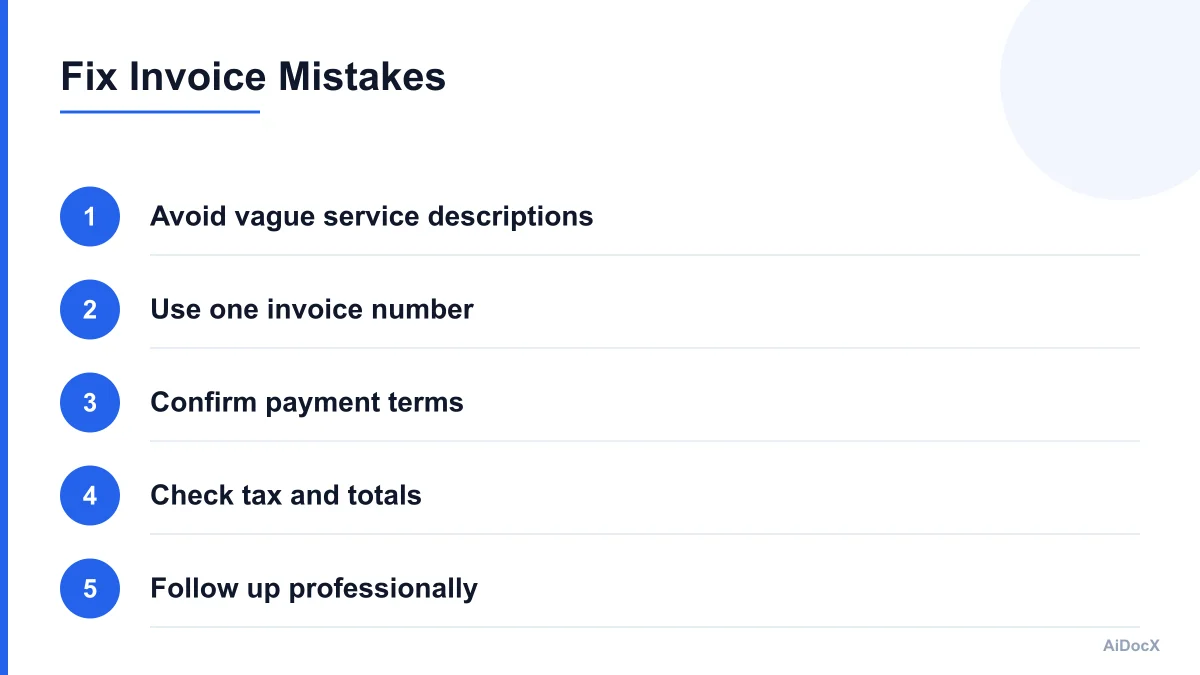
An invoice addressed to the wrong legal entity may be rejected even when the work is correct. Confirm the exact company name, billing address, tax details, and submission email before issuing the invoice.
Mistake 2: Vague descriptions
"Design work" does not tell the client which project or deliverable the charge covers. Use a description that connects the invoice to the approved scope.
Mistake 3: No invoice number
Without a unique number, the client may struggle to reference the payment or distinguish the invoice from a revised version. Number every invoice, including invoices for small jobs.
Mistake 4: Inconsistent totals
A mismatch between line items and the total creates doubt and may trigger a manual review. Use formulas or calculate the invoice carefully. Check whether tax is applied to the correct items.
Mistake 5: Unclear due date
"Payment due in 30 days" is less useful than "Payment due April 15, 2026." Use both the payment term and the exact due date when possible.
Mistake 6: Unexpected expenses
If you add software, travel, or other expenses that were not discussed, the client may pause payment while asking for clarification. Get approval before incurring significant expenses and attach receipts when appropriate.
Mistake 7: Sending to the wrong place
A project manager may approve your work but have no authority to process invoices. Ask whether invoices need to be submitted through a portal, to a particular email address, or with a purchase order.
Mistake 8: Changing payment details without warning
Payment-fraud attempts often involve altered bank information. If your payment details change, notify the client through a trusted channel and ask them to verify the change before sending funds.
Mistake 9: Waiting too long to follow up
Many freelancers avoid reminders because they worry about damaging the relationship. A brief, professional reminder is normal business communication. Waiting months makes the issue harder to resolve.
Mistake 10: Treating every client the same
A small local client and a large company may have very different requirements. Ask about tax fields, purchase orders, payment portals, and approval timelines before the first invoice.
A Simple Invoicing Workflow for Solo Consultants
A repeatable workflow reduces the mental load of invoicing. Use this process for each project.
Step 1: Confirm the agreement
Before starting, record the client, project, price, billing schedule, payment terms, currency, and approved expenses. Save the proposal or contract in the same client folder.
Step 2: Track the work
For hourly projects, record time as you work instead of estimating at the end of the month. For fixed-fee projects, track milestones and approvals. Save receipts for reimbursable expenses.
Step 3: Confirm the billing contact
A week before invoicing, ask whether the contact, purchase order, or submission process has changed. This is especially useful for recurring clients.
Step 4: Prepare the invoice
Use the next invoice number. Add the service period, detailed description, totals, due date, and payment instructions. Check the invoice against the agreement.
Step 5: Review before sending
Read the invoice as if you were a finance administrator who has never seen the project. Could that person identify the service, approve the amount, and make the payment without asking another question?
Step 6: Send and record it
Send the invoice in the requested format, then record the date sent, due date, amount, and payment status. Do not rely on your email inbox as the only tracking system.
Step 7: Follow up
Schedule a reminder before the due date and another after it if payment has not arrived. Update the status when the client confirms payment or asks for a correction.
Step 8: Reconcile the payment
When the payment arrives, match it to the invoice and note any processing fee, currency conversion, withholding, or partial payment. Keep the invoice and payment record together.
Freelance Invoice Checklist
Use this checklist before sending any invoice:
- The invoice has a unique invoice number.
- My name, business details, and contact information are correct.
- The client's legal name and billing contact are correct.
- The invoice date and service period are included.
- The due date is an exact calendar date.
- The description matches the approved scope.
- Hours, rates, quantities, and line totals are accurate.
- Discounts, deposits, expenses, and taxes are shown clearly.
- The balance due is easy to find.
- Payment instructions and currency are included.
- The invoice follows the client's submission requirements.
- The PDF filename includes the invoice number.
- I saved a copy and recorded the payment status.
- I scheduled a reminder if needed.
Final Thoughts
A good freelance invoice is clear, accurate, and easy to act on. Include the information the client needs, agree on payment terms early, send invoices promptly, and follow up with calm consistency. A simple template and a repeatable workflow can help you spend less time chasing payments and more time doing billable work.
Ready to automate your documents with AI?
Start free with AiDocX — AI contract drafting, meeting minutes, consultation notes, e-signatures, and more in one platform.
Get Started FreeMore from AiDocX Blog

How to Read a Business Contract: A Founder's Checklist (2026)
A practical way to review parties, scope, money, IP, liability, and exit terms before signing a business contract.
 MinjiLee October 7, 2026 9 min
ESIGN vs eIDAS: What Founders Should Know About E-Signatures (2026)
What U.S. ESIGN and EU eIDAS actually say, where exceptions apply, and what founders should keep to document an electronic signing.
MinjiLee October 7, 2026 7 min
Does Document Automation Pay Off? An ROI Worksheet for Founders (2026)
Estimate document automation ROI with your own volume, time, labor, and software costs. Includes a clearly labeled example and break-even formula.
 Chloe October 7, 2026 8 min