How E-Signatures Work: Hashing, Certificates & Audit Trails 2026
Understand the mechanics behind e-signatures. Learn how hashing, digital certificates, and audit trails create legally binding, tamper-evident documents in plain English.
 James · Content Manager August 9, 2026 12 min read
How E-Signatures Work: Hashing, Certificates & Audit Trails Explained in Plain English
When you click “Sign” on a contract, you aren’t just appending an image of your name to a PDF. You are triggering a complex chain of cryptographic events that transform a digital file into a legally binding, tamper-evident artifact. For operations and business leaders, understanding this process is not about becoming a cryptographer; it is about understanding risk, compliance, and the true value of the records you store.
Many professionals treat e-signatures as a convenience feature, assuming that a timestamp and an email address are sufficient for legal enforcement. However, in the event of a dispute, a simple timestamp is often insufficient proof of integrity. The real power of modern e-signatures lies in the invisible layers of hashing, digital certificates, and immutable audit trails that verify not just who signed, but that the document remained unchanged from the moment of signing. This post breaks down those mechanics in plain English, so you can evaluate your current tools with confidence.
The Foundation: What is a Digital Signature?
Before diving into the mechanics, it is crucial to distinguish between a “digital signature” and a mere “electronic signature.” An electronic signature is any electronic sound, symbol, or process attached to a contract with the intent to sign. This could be a typed name, a scanned handwritten signature, or even a checkbox. While legally valid in many jurisdictions under laws like the ESIGN Act in the US or eIDAS in the EU, these methods offer limited technical proof of integrity.
A digital signature, however, is a specific type of electronic signature that uses public key infrastructure (PKI) to provide a higher level of security. It binds the signer’s identity to the document through cryptography. If even a single character in the document changes after signing, the digital signature breaks, alerting the recipient that the document has been altered.
For business operations, the distinction matters. A clickwrap agreement (electronic signature) proves that a user agreed to terms. A digital signature (using PKI) proves that the specific user signed the specific version of the document and that the document has not been modified since. As regulations tighten around data integrity and fraud prevention in 2026, the demand for this higher level of technical assurance is growing across industries like finance, healthcare, and legal services.
The Magic Ingredient: Cryptographic Hashing
The core mechanism that makes digital signatures tamper-evident is hashing. A hash function is an algorithm that takes an input of any size (your contract) and produces a fixed-size string of characters, known as a hash value or message digest. This process is one-way, meaning you cannot reverse the hash to get the original document back.
More importantly, hash functions have two critical properties for security:
- Uniqueness: It is computationally infeasible for two different documents to produce the same hash. This is known as collision resistance.
- Sensitivity: A change in even one bit of the input data (like changing a comma to a period) results in a completely different hash value. This is the avalanche effect.
When you prepare to sign a document, the e-signature platform generates a hash of the document’s content. Think of this hash as a unique fingerprint for that specific version of the file. If the document is a 50-page PDF, the hash is a short, fixed-length string (e.g., 64 characters for SHA-256) that represents the entire file.
This hash is not stored in plain text. Instead, it is encrypted using the signer’s private key. This encrypted hash is what constitutes the actual digital signature. The public key, which is mathematically linked to the private key, is used later to verify that the signature matches the hash and that the signer is who they claim to be.
The Identity Layer: Digital Certificates and PKI
Hashing ensures that the document hasn’t changed, but it doesn’t prove who created the hash. That is where the digital certificate comes in. A digital certificate is a digital document issued by a trusted third party, known as a Certificate Authority (CA). It binds a public key to an individual or organization’s identity.
Think of a digital certificate like a passport. The passport (certificate) contains your name, photo, and expiration date, and it is issued by a government (the CA) that everyone trusts. Similarly, a digital certificate contains:
- The signer’s identity details (name, email, organization).
- The signer’s public key.
- The name of the Certificate Authority.
- The validity period (start and end dates).
- The digital signature of the CA itself.
When a platform like AiDocX collects a signature, it leverages these certificates to anchor the digital signature to a verified identity. The CA has already performed checks to verify that the signer is who they say they are. This chain of trust is vital for legal enforceability. If you try to verify a signature without a trusted certificate, you have a hash and a key, but no proof of identity. The certificate provides that link.
In 2026, the integration of identity verification methods (such as multi-factor authentication, biometric checks, or knowledge-based questions) is often embedded directly into the certificate issuance process for e-signatures. This ensures that the private key used to sign the document was indeed controlled by the authorized individual at that specific moment.
The Step-by-Step Signing Process
Understanding the sequence of events helps demystify the technology. Here is what happens technically between the moment you click “Sign” and the document is sealed.
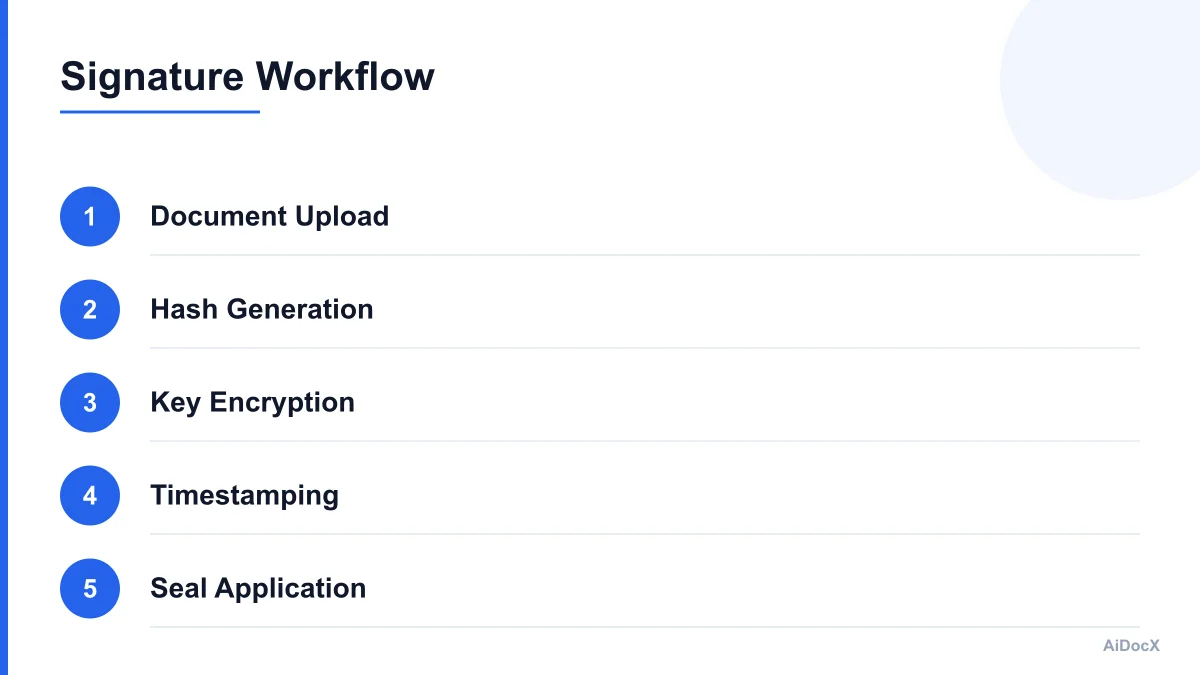
First, the platform creates a secure session and identifies the signer. It may trigger an authentication step, such as sending a code to your phone or verifying your email. Once authenticated, the platform generates a unique hash of the document content. This includes all text, images, and metadata present at that exact moment.
Next, the platform uses the signer’s private key (which is securely stored, often in a hardware security module or a secure cloud enclave, and never exposed) to encrypt the hash. This encrypted hash is the digital signature.
Then, the platform attaches the digital signature and the signer’s digital certificate to the document. It also adds a trusted timestamp from a Time Stamping Authority (TSA). The TSA provides a cryptographic proof of when the signature was applied, which is crucial for long-term validity, especially if the certificate expires or is revoked later.
Finally, the platform recalculates the hash of the newly modified document (which now includes the signature and certificate) to ensure the entire package is intact. This final hash is stored in the audit trail. The result is a single, self-contained file (usually a PDF) that contains all the evidence needed to prove its authenticity and integrity.
The Evidence Locker: Audit Trails and Timestamps
A digital signature proves integrity and identity, but an audit trail proves context. The audit trail is a detailed, immutable log of every interaction with the document throughout its lifecycle. It is the “black box” of the e-signature process.
A robust audit trail includes:
- Who: The identity of every person who viewed, signed, or rejected the document, verified via the digital certificate or authentication method.
- What: The specific actions taken (e.g., “Document opened,” “Signature applied,” “Field edited”).
- When: Precise timestamps for each action, often synchronized with a trusted Time Stamping Authority.
- Where: IP addresses, geolocation data, and device information (browser, OS, device ID).
- How: The cryptographic methods used, including the hash algorithm and certificate details.
This data is not stored in a standard database that can be easily altered by an administrator. In secure platforms, the audit trail is often stored in a write-once-read-many (WORM) format or a blockchain-like ledger. This ensures that no one, not even the platform provider, can go back and change the record after the fact.
For legal teams and auditors, the audit trail is often more important than the signature image itself. It provides the narrative that supports the legal claim. If a signer claims they did not sign the document, the audit trail can show their IP address, the time they spent on each page, and the fact that they completed the required authentication steps.
Why Simple Clicks Aren’t Enough
Many businesses rely on “clickwrap” agreements, where a user checks a box to agree to terms. This is efficient and legally valid for many low-risk transactions. However, it lacks the technical robustness required for high-value contracts, regulated industries, or complex negotiations.
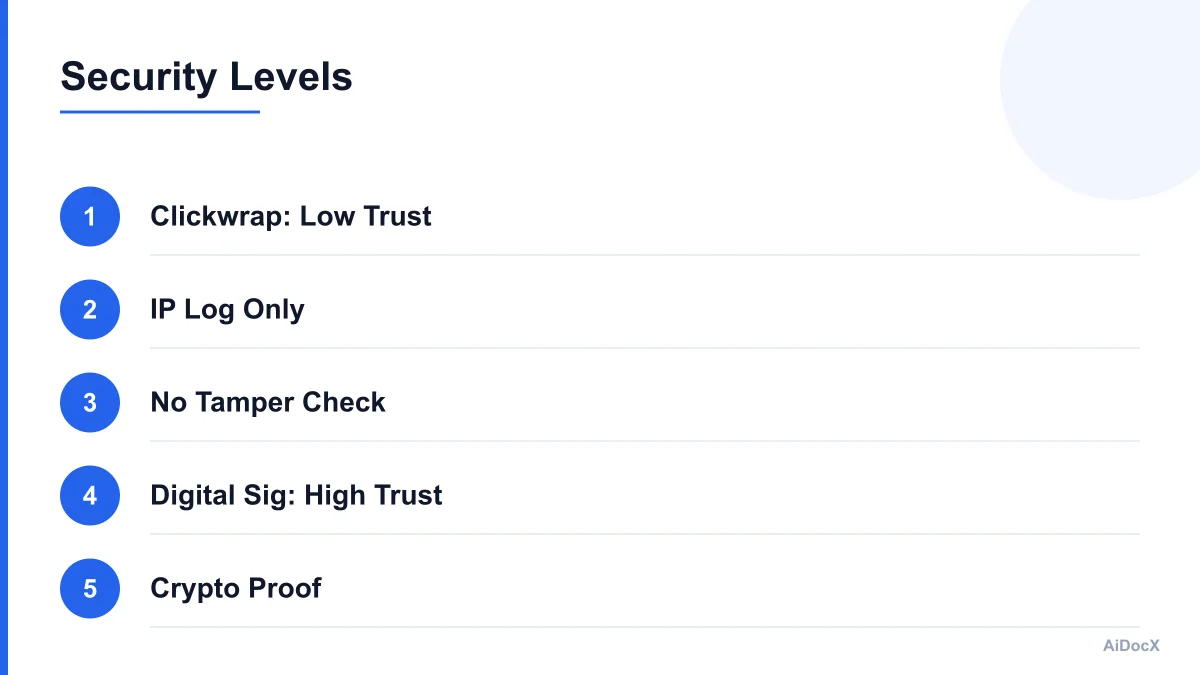
The primary weakness of simple clicks is the lack of tamper evidence. If a user clicks “I Agree,” and then later claims the terms were different, a clickwrap log only shows that an IP address associated with an email address clicked a button. It does not cryptographically prove that the document they saw is the same document presented in court.
Furthermore, clickwrap agreements often lack strong identity verification. An email address is not a verified identity. A digital certificate, backed by a CA, provides a much higher standard of proof. In disputes, the burden of proof often falls on the party asserting the signature’s validity. A PKI-based digital signature with a comprehensive audit trail shifts that burden significantly in your favor.
Consider a scenario where a supplier changes the price in a contract after you sign it. With a simple scan or clickwrap, you might not notice the change until it’s too late. With a digital signature, any change invalidates the signature. The recipient’s software will immediately flag the document as “Tampered” or “Invalid,” providing an immediate visual and technical alert.
Evaluating Your E-Signature Solution
When assessing your current e-signature provider or considering a new one, look beyond the user interface. Ask technical questions about the underlying security and compliance.
First, determine if the solution uses PKI-based digital signatures or just simple electronic signatures. If you need the highest level of legal defensibility, you need PKI. Check if the platform uses certificates from reputable Certificate Authorities.
Second, examine the audit trail. Is it detailed? Does it include IP addresses, geolocation, and device information? Is the audit trail immutable? Can you export it in a standard format that legal counsel can review?
Third, look for transparency. Does the platform provide visibility into the cryptographic processes? For example, AiDocX shows exactly what happens under the hood of every signature it collects — the audit trail, timestamp, and tamper-evidence a document gets automatically, no separate certificate tool needed. This transparency is a strong indicator of a mature, secure platform.
Finally, consider the long-term validity. Does the platform support Long-Term Validation (LTV)? This ensures that signatures remain verifiable even if the signing certificate expires or is revoked years later. Without LTV, you may face issues verifying old contracts in the future.
Common Misconceptions About E-Signature Security
There are several myths that persist in the business community regarding e-signature security. One common misconception is that a digital signature is just a scanned image of a handwritten signature. As explained, it is a cryptographic construct. The image is merely a visual representation; the security lies in the underlying data.
Another myth is that e-signatures are easily hacked. While no system is immune to cyber threats, the cryptographic standards used in e-signatures (such as SHA-256 and RSA-2048) are considered secure against current computational capabilities. The risk is not usually in breaking the encryption, but in social engineering or compromised user devices. This is why strong authentication (MFA) is critical.
Some also believe that e-signatures are only for simple agreements. In reality, complex multi-party contracts, international agreements, and regulated documents (like HIPAA forms or FINRA records) rely heavily on the integrity and auditability provided by digital signatures.
Best Practices for Operations Teams
To maximize the value and security of your e-signature processes, adopt these best practices:
- Standardize Templates: Use approved templates to ensure document integrity before signing. This reduces the risk of unauthorized changes.
- Enforce Strong Authentication: Require multi-factor authentication for all signers, especially for high-value contracts.
- Review Audit Trails: Make it a standard practice to review the audit trail for complex or high-risk transactions.
- Store Records Securely: Ensure that signed documents and their audit trails are stored in a secure, compliant repository with appropriate access controls.
- Educate Users: Train your team on the difference between simple e-signatures and digital signatures, and the importance of verifying the signature status before accepting a document.
Checklist: Is Your E-Signature Process Secure?
Use this checklist to evaluate your current e-signature setup:
- Does the platform use PKI-based digital signatures?
- Are certificates issued by a trusted Certificate Authority?
- Is the audit trail immutable and detailed (IP, location, device)?
- Does the platform support Long-Term Validation (LTV)?
- Is multi-factor authentication available and enforced?
- Can you easily export audit data for legal review?
- Is the platform compliant with relevant regulations (ESIGN, UETA, eIDAS)?
- Is there transparency into the cryptographic processes?
Conclusion
E-signatures are more than a convenience; they are a powerful tool for risk management and legal compliance. By understanding the mechanics of hashing, digital certificates, and audit trails, you can move beyond seeing them as a simple signing feature and start leveraging them as a core component of your business security strategy.
The technology behind e-signatures is mature, secure, and legally recognized. The key is choosing a platform that provides not just a signature, but a complete, verifiable record of the agreement. When you click “Sign,” you are creating a digital artifact that stands up to scrutiny. Ensure your tools are built to support that reality.
For teams that want to see the full picture, platforms like AiDocX offer deep visibility into the signing process, ensuring that every document is not just signed, but securely sealed with a comprehensive audit trail. This level of transparency empowers operations and legal teams to manage risk with confidence, knowing that the integrity of their contracts is protected by robust cryptographic standards.
Ready to automate your documents with AI?
Start free with AiDocX — AI contract drafting, meeting minutes, consultation notes, e-signatures, and more in one platform.
Get Started FreeMore from AiDocX Blog

Buy Sell Agreement Template (2026): Triggers, Valuation and Funding for Co-Owners
A free buy sell agreement template for co-owners, with triggering events, valuation methods, insurance funding and cross-purchase vs. redemption structures.
James September 26, 2026 12 min
Consignment Agreement Template (2026): Commission, Title, Risk of Loss and Unsold Goods
Free consignment agreement template for makers, artists and boutiques: commission split, title, insurance and how to protect consigned inventory.
James September 26, 2026 9 min
Distribution Agreement Template (2026): Territory, Exclusivity, Minimums and Reseller Terms
Free distribution agreement template (works as a reseller agreement template too): territory, exclusivity, minimums, pricing, IP and termination.
James September 26, 2026 13 min