Is e-signature software secure in 2026? Encryption & compliance guide
Discover if e-signature platforms are truly secure. Learn about encryption, data storage, and compliance standards for 2026 to protect sensitive business contracts.
 James · Content Manager August 9, 2026 11 min read
Is e-signature software actually secure? Encryption, data storage, and compliance explained for 2026
Signing a contract digitally has moved from a novelty to a necessity. For small business owners and IT-conscious founders, the convenience of e-signatures is undeniable, but the underlying security architecture is often a black box. When you upload a contract with sensitive financial terms, proprietary IP, or personal data, you are trusting a third-party platform with your most critical assets. The question isn't just "does it work?" but "is it secure enough for 2026?"
In 2026, the threat landscape has evolved. Ransomware groups target data integrity, not just access, and regulatory scrutiny on digital identity verification is tighter than ever. This post breaks down the technical realities of e-signature security, explaining where your signed PDF lives, who can see it, and what compliance standards actually apply. We will strip away the marketing jargon to give you a clear, actionable understanding of how to vet your e-signature provider.
The Reality of Digital Trust: It’s Not Just About a Signature
Many business owners assume that "e-signature" is a binary switch: either the signature is valid or it isn’t. In reality, security is a layered ecosystem. An e-signature platform is not just a tool for capturing a name; it is a document management system, a cryptographic engine, and a compliance auditor rolled into one.
When you initiate a signing ceremony, several things happen simultaneously:
- Identity Verification: The system confirms that the person clicking "I Agree" is who they say they are.
- Data Transmission: The document and signature data travel from your device to the server.
- Data Storage: The final signed document is stored in a database.
- Audit Trail Generation: A tamper-evident log is created, recording every action, IP address, and timestamp.
If any of these layers fail, the legal enforceability of the contract is at risk. More importantly, if the data layer fails, you face a data breach. Understanding these layers is the first step in ensuring your business doesn't become a statistic in a cybersecurity report.
How Encryption Protects Your Data
Encryption is the bedrock of e-signature security. Without it, your data travels across the internet in plain text, readable by anyone intercepting the network traffic. In 2026, standard encryption practices are non-negotiable. Here is what you need to look for in a secure platform.
Encryption in Transit (TLS 1.3)
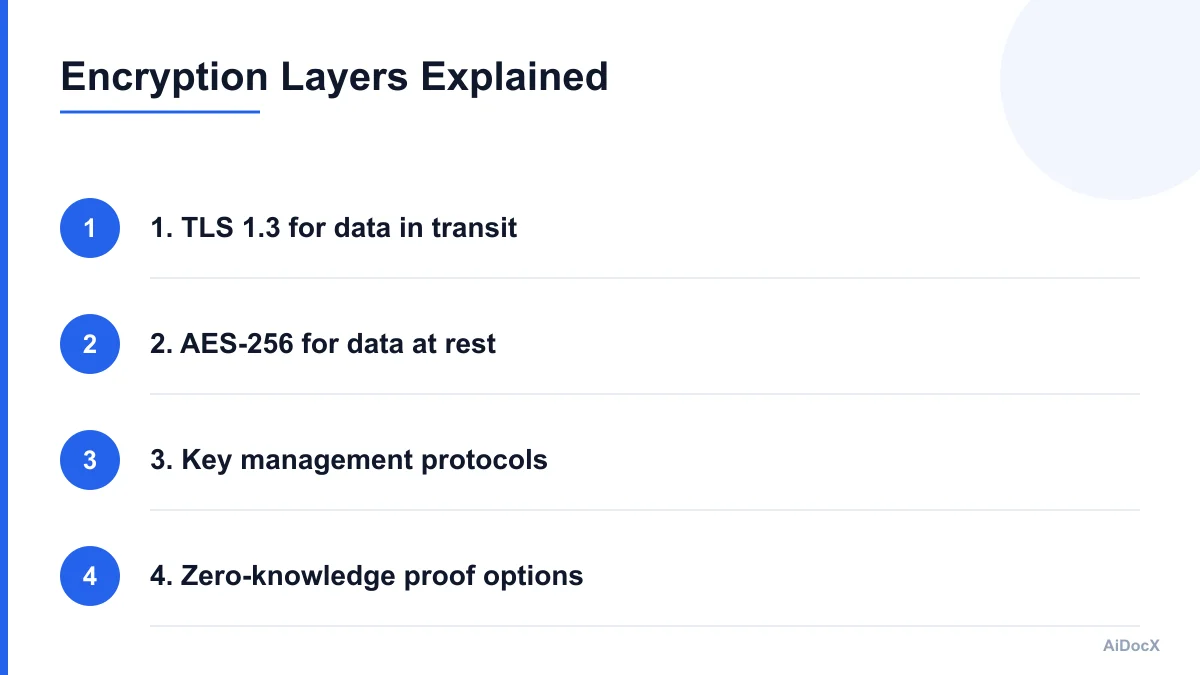
Every time you upload a contract or view a signed document, data moves between your browser and the e-signature server. This transmission must be secured using Transport Layer Security (TLS). The current gold standard is TLS 1.3, which is faster and more secure than its predecessor, TLS 1.2.
- What it does: It creates an encrypted tunnel for data in transit.
- Why it matters: It prevents man-in-the-middle attacks where hackers could intercept the contract before it reaches the server.
- How to check: Most modern browsers show a padlock icon. For enterprise-grade security, ask your provider if they enforce TLS 1.3 exclusively.
Encryption at Rest (AES-256)
Once the document is uploaded, it sits on the provider’s servers. This is "data at rest." If a hacker breaches the server, encrypted data is useless to them without the decryption key. The standard for this is AES-256 bit encryption.
- What it does: Scrambles the data on the hard drive so it looks like gibberish without the key.
- Why it matters: It protects your documents even if the physical servers are compromised.
- Key Management: Who holds the key? Some providers use "provider-managed keys," meaning they hold the key and can access your data. Others offer "customer-managed keys" (CMK), where only you hold the key. For highly sensitive contracts, CMK is the preferred choice.
Practical Tip: When evaluating e-signature tools, ask specifically: "Do you use AES-256 encryption at rest, and do you offer customer-managed encryption keys?" If the answer is vague, proceed with caution.
Where Does the Signed PDF Actually Live?
Data storage is often the most misunderstood aspect of e-signature security. Many business owners assume that once a contract is signed, it is "in the cloud" in a vague, secure way. In reality, the architecture of that cloud storage dictates the risk profile.
Centralized vs. Decentralized Storage
Most e-signature platforms use centralized cloud storage (AWS, Azure, Google Cloud). This is generally secure, provided the provider has robust access controls. However, some platforms allow you to integrate directly with your existing secure storage solutions, like your company’s private S3 bucket or SharePoint.
- Centralized Storage: The e-signature provider hosts the document. You trust them with the data.
- Integrated Storage: The document is stored in your own infrastructure. The e-signature tool only acts as a bridge.
For IT-conscious founders, integrated storage is often the safer bet for sensitive data. It ensures that even if the e-signature platform is breached, your actual contract files remain in your controlled environment.
Data Residency and Sovereignty
Where the server is located matters, especially under regulations like the GDPR in Europe or various state laws in the US. Some contracts require that data never leave a specific geographic region.
- Check the Provider’s Data Centers: Ensure the provider offers storage options in your required region (e.g., EU-only for GDPR compliance).
- Backup Locations: Ask where backups are stored. A primary copy in New York might be backed up to a secondary site in Virginia. If your contract contains sensitive data, ensure both locations comply with your legal requirements.
Compliance Standards That Matter in 2026
Compliance is not just a legal checkbox; it is a technical reality. Different industries and regions have different rules. Ignoring them can invalidate your contracts or lead to massive fines.
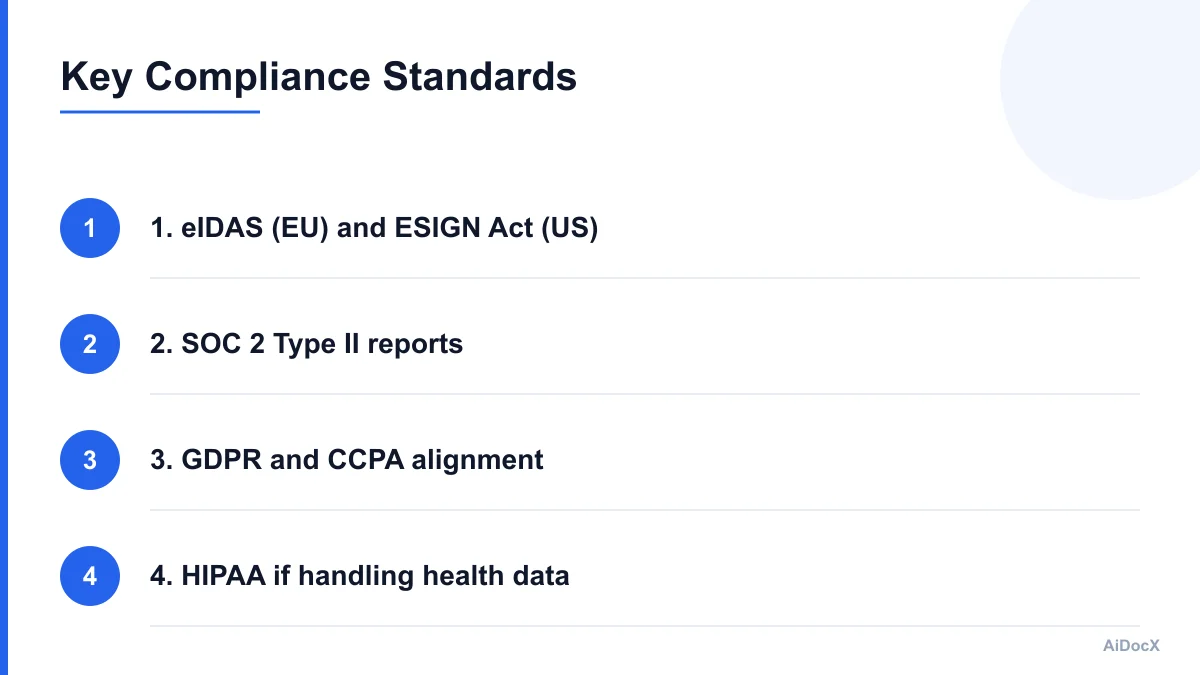
The eIDAS Regulation (EU) and ESIGN Act (US)
These are the foundational laws for electronic signatures.
- ESIGN Act (US): Establishes that electronic signatures have the same legal weight as handwritten ones. It requires consent and record retention.
- eIDAS (EU): Has three levels of signature quality:
- Simple Electronic Signature (SES): Basic click-to-sign. Valid for most contracts.
- Advanced Electronic Signature (AES): Linked to the signatory, capable of identifying them, and created under their sole control.
- Qualified Electronic Signature (QES): The highest level, equivalent to a handwritten signature. Requires a qualified certificate and secure signature creation device.
For most small business contracts, SES or AES is sufficient. However, for high-value real estate or financial agreements, QES may be required. Ensure your e-signature provider supports the level you need.
SOC 2 Type II Reports
SOC 2 (System and Organization Controls) is a critical audit framework for service organizations.
- SOC 2 Type I: Tests the design of controls at a specific point in time.
- SOC 2 Type II: Tests the operational effectiveness of controls over a period (usually 6-12 months).
Why it matters: A Type II report proves that the provider doesn’t just say they are secure; they have been audited to show they are secure over time. Always request the provider’s latest SOC 2 Type II report. If they refuse, it is a major red flag.
GDPR and CCPA/CPRA
If you handle personal data (names, emails, phone numbers) in your contracts, you must comply with privacy laws.
- GDPR (General Data Protection Regulation): Strict rules on data processing, consent, and the right to be forgotten.
- CCPA/CPRA (California Consumer Privacy Act): Gives consumers rights over their personal information.
Your e-signature provider must be a "Data Processor" under GDPR, meaning they process data on your behalf as the "Data Controller." Ensure you have a Data Processing Agreement (DPA) in place.
The Audit Trail: Your Best Defense in Disputes
A signed PDF is only as good as the evidence behind it. In 2026, legal disputes over digital contracts are common. The audit trail is your proof that the signature was valid, voluntary, and unaltered.
What a Robust Audit Trail Includes
A comprehensive audit trail should capture:
- Who: The identity of the signer (verified via email, SMS, or ID check).
- When: Exact timestamps for every action (viewed, signed, declined).
- Where: IP address and geolocation of the signer.
- How: The method of authentication used (e.g., PIN, email link).
- Document Hash: A unique cryptographic fingerprint of the document. If the document is altered by even one character, the hash changes, proving tampering.
Access Logs and Internal Security
Beyond the signer’s actions, you need to know who inside your company or the provider’s company accessed the document.
- Provider Access Logs: Did a support agent view your contract to fix a bug? If so, it should be logged.
- Internal Access Logs: If your team shares the contract folder, who opened it?
Note on AiDocX: AiDocX encrypts documents at rest and in transit and keeps a full access log for every signed contract, so a security review doesn't stall a rollout. This granular logging ensures you have complete visibility into who touched your data, providing an extra layer of trust for your legal and compliance teams.
Common Security Mistakes Small Businesses Make
Even with a secure platform, human error can undermine your efforts. Here are the most common pitfalls:
1. Using Weak Authentication
Many platforms offer simple email-only verification. While convenient, it is vulnerable to phishing. If an attacker gets access to the signer’s email, they can sign contracts.
- Fix: Use multi-factor authentication (MFA) or SMS verification for high-value contracts.
2. Ignoring Document Tampering
Some basic e-signature tools embed the signature as an image on the PDF. This is easily removed or altered.
- Fix: Ensure the platform uses cryptographic binding, where the signature is mathematically linked to the document content. Any change invalidates the signature.
3. Over-Sharing Permissions
Giving all employees "admin" access to the e-signature platform increases the risk of accidental deletion or unauthorized signing.
- Fix: Implement role-based access control (RBAC). Only managers should have access to sensitive contract folders.
4. Storing Contracts in Unsecured Locations
Signing a contract digitally is secure, but downloading it to your personal desktop or saving it in an unencrypted shared drive negates the security.
- Fix: Integrate the e-signature platform with your secure cloud storage (e.g., Box, Dropbox Business, SharePoint) to ensure the final document is stored securely.
How to Vet Your E-Signature Provider: A Checklist
Before committing to a platform, run through this checklist. It will help you separate marketing claims from technical reality.
- Encryption: Does the provider use AES-256 for data at rest and TLS 1.3 for data in transit?
- Key Management: Do they offer customer-managed encryption keys (CMK) for sensitive data?
- Compliance: Do they have a current SOC 2 Type II report and GDPR/CCPA compliance?
- Audit Trail: Does the audit trail include IP address, timestamp, and document hash?
- Data Residency: Can you specify where your data is stored (e.g., EU-only)?
- Access Controls: Does the platform support role-based access and MFA?
- Data Deletion: What is the process for permanently deleting data when requested?
- Support Access: Does the provider log all internal support access to your documents?
The Future of E-Signature Security: Biometrics and Blockchain
Looking ahead to 2026 and beyond, e-signature security is evolving. Two technologies are gaining traction:
Biometric Authentication
Beyond passwords and SMS, biometrics (fingerprint, face ID) are becoming standard for verifying signer identity. This adds a layer of non-repudiation, making it nearly impossible for someone to claim they didn’t sign.
Blockchain for Audit Trails
Some platforms are experimenting with blockchain to store audit trails. By recording the audit trail on an immutable ledger, you create a tamper-proof record that cannot be altered by the provider or anyone else. This is particularly useful for industries requiring absolute provenance, such as pharmaceuticals or high-value finance.
Conclusion: Security is a Partnership
Choosing a secure e-signature platform is not just about IT preferences; it is about protecting your business’s legal and financial integrity. In 2026, the bar for security is higher. Encryption, robust audit trails, and compliance are not optional—they are essential.
By understanding where your data lives, how it is encrypted, and who can access it, you can make an informed decision that aligns with your risk profile. Remember, security is a partnership between you and your provider. Choose a provider that is transparent, compliant, and technically robust.
For businesses looking for a solution that prioritizes security without compromising on usability, platforms like AiDocX offer strong encryption and comprehensive access logs, ensuring that your security reviews are streamlined and your contracts remain protected. Start by auditing your current provider against the checklist above. If any items are missing, it may be time to switch.
Quick FAQ: E-Signature Security in 2026
Q: Is it legal to use e-signatures for all contracts? A: In most jurisdictions, yes. However, certain documents (like wills, real estate deeds, and family law documents) may still require wet signatures. Always check local laws.
Q: Can a signed PDF be forged? A: Not if the platform uses cryptographic binding. The signature is mathematically linked to the document, so any alteration invalidates it.
Q: How long should I keep my e-signature audit trails? A: Best practice is to keep them for the statute of limitations in your industry, typically 7-10 years, or longer if required by law.
Q: What happens if the e-signature provider goes bankrupt? A: Ensure your contract includes a data exit clause. You should have the right to download all your documents and audit trails in a standard format (like PDF) if you need to migrate.
Ready to automate your documents with AI?
Start free with AiDocX — AI contract drafting, meeting minutes, consultation notes, e-signatures, and more in one platform.
Get Started FreeMore from AiDocX Blog
Buy Sell Agreement Template (2026): Triggers, Valuation and Funding for Co-Owners
A free buy sell agreement template for co-owners, with triggering events, valuation methods, insurance funding and cross-purchase vs. redemption structures.
James September 26, 2026 12 min
Consignment Agreement Template (2026): Commission, Title, Risk of Loss and Unsold Goods
Free consignment agreement template for makers, artists and boutiques: commission split, title, insurance and how to protect consigned inventory.
James September 26, 2026 9 min
Distribution Agreement Template (2026): Territory, Exclusivity, Minimums and Reseller Terms
Free distribution agreement template (works as a reseller agreement template too): territory, exclusivity, minimums, pricing, IP and termination.
James September 26, 2026 13 min