AI Brochure Maker: Create a Corporate PDF with Your Logo
Create a company brochure with AI: start with a clear brief, add your real logo, review the layout and export a PDF. Includes a copyable prompt and print checklist.
AI Brochure Maker: Create a Corporate PDF with Your Logo
Quick answer: An AI brochure maker can help turn a company brief into a draft layout and copy. For a corporate brochure PDF with your logo, supply approved facts, generate a short draft, insert the actual logo image, review the design, and export a PDF. A generated draft is not automatically brand-approved, fact-checked, or ready for commercial printing.
If you searched for “ai platform create corporate brochure pdf with logo,” those last steps matter. A prompt asking for a logo is not the same as inserting your real brand asset, and a PDF export is not automatically a printer-approved file.
This guide uses AiDocX's brochure-to-Deck AI workflow. It includes a copyable brief, a page plan, and a pre-export checklist. For product entry information, visit the AiDocX brochure page.
Method and disclosure: AiDocX publishes this guide. Workflow details were checked against the current application source on September 17, 2026, not through a timed end-to-end benchmark. The images below are existing product illustrations and may show an earlier interface. The example brief is fictional; generation time and output quality are not guaranteed.
What to prepare before generating a brochure
A useful brief should remove the need for AI to invent business facts.
| Input | What to supply | What not to leave to guessing |
|---|---|---|
| Audience | A specific buyer or reader | “Everyone” |
| Goal | Book a demo, request a quote, visit a location | Several unrelated calls to action |
| Product facts | Approved features and service scope | Certifications, guarantees, or capabilities you do not have |
| Brand assets | Actual logo image, colors, preferred typography | An AI recreation of your trademark |
| Evidence | Approved testimonial or case-study detail, if available | Invented customer names or results |
| Format | Digital PDF, one-page handout, or folded print brochure | Assuming every page layout works for every use |
| Contact details | Verified URL, email, and phone | Placeholder information in the final export |
Use only images, logos, and testimonials you have permission to publish. If a fact is not ready, mark it as a placeholder for review rather than asking the model to fill it plausibly.
Copyable prompt for a corporate brochure
The following is a fictional two-page service brochure brief. Replace the bracketed fields with approved information.
Create a two-page corporate brochure for [company name].
Audience: [specific buyer and role].
Goal: encourage the reader to [one action].

Use only these approved facts:
- What we do: [one sentence]
- Service 1: [scope and practical benefit]
- Service 2: [scope and practical benefit]
- Service 3: [scope and practical benefit]
- Delivery process: [three verified steps]
- Evidence: [approved proof point, or omit this section]
- Contact: [verified URL and email]

Page 1: headline, short introduction, three service sections.
Page 2: delivery process, optional evidence, contact and call to action.

Brand: [primary color] and [secondary color].
Tone: clear and specific, without hype.
Leave room for the actual logo image; do not invent or redraw it.
Do not add customer names, certifications, statistics, prices,
or guarantees that are not in this brief.
Keep paragraphs short and leave enough white space for readable text.
Flag missing information rather than guessing.
For a concrete hypothetical example, a bookkeeping consultancy might target owners of small retail shops and use “Request a consultation” as the single call to action. Its three sections could explain the services it actually provides, the information needed from a client, and the next step. It should not invent a tax-saving percentage or claim a credential it does not hold.
How to create a brochure in AiDocX
1. Choose a brochure template
In the app's document generator, browse the brochure category and choose the relevant template, such as a product brochure or tri-fold. Enter the brand name and briefing information.
The brochure workflow opens the Deck AI Editor with the selected template and brief. It is a design-document flow, distinct from generating a plain-text contract. Labels may vary by interface language.
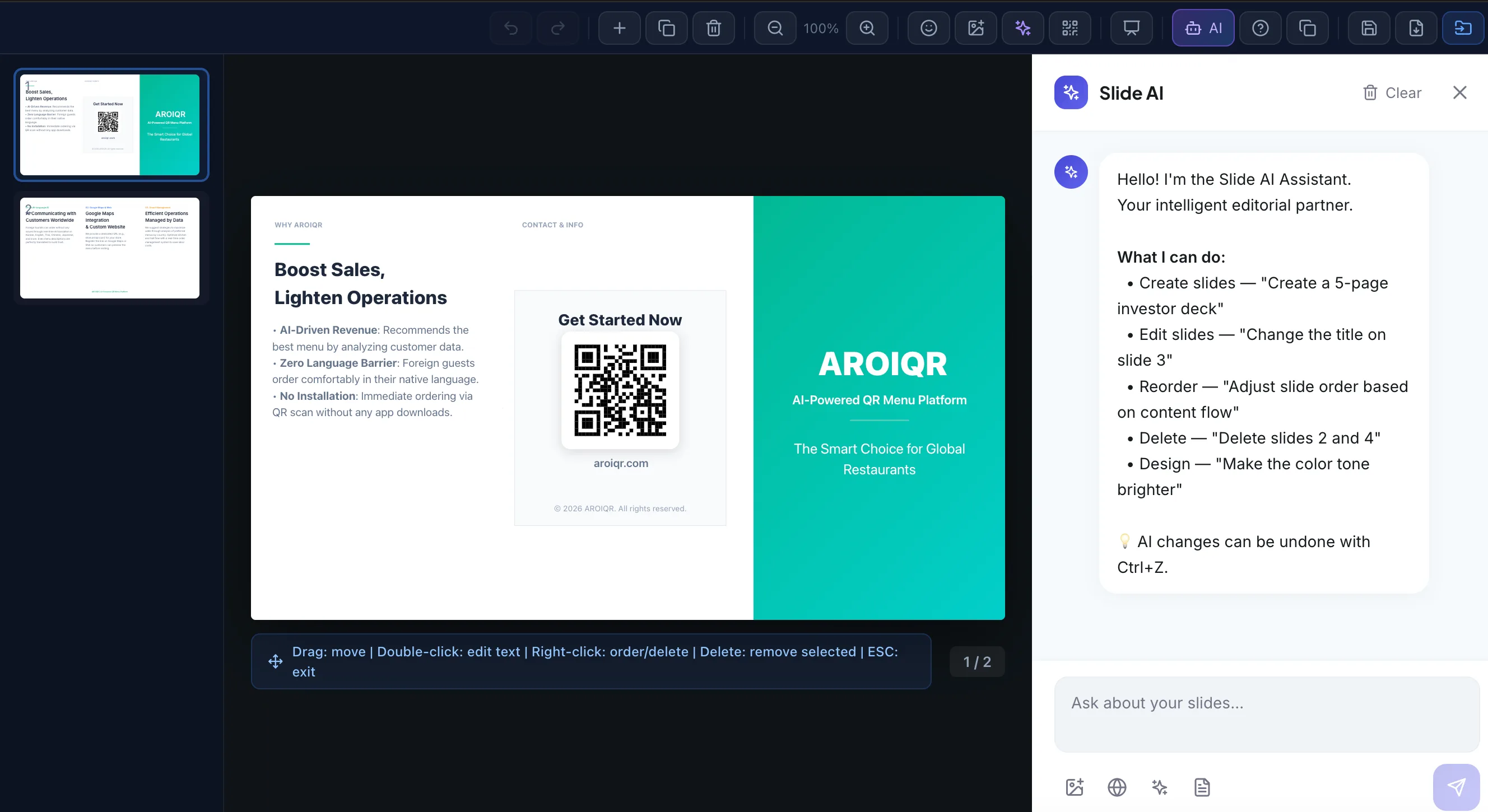
Existing product illustration; current navigation and labels may differ.
2. Review the page plan before polishing the design
For a two-page corporate PDF, use a structure like this:
| Page | Content | Review question |
|---|---|---|
| 1, opening | Company name, headline, short explanation | Can a new reader understand the offer without background knowledge? |
| 1, body | Three services or benefits | Is each statement supported by an approved fact? |
| 2, process | How engagement or delivery works | Does this describe the actual process? |
| 2, evidence | Approved proof point, if available | Do you have permission and evidence to publish it? |
| 2, closing | One call to action and contact details | Does the link lead to the intended next step? |
Delete unsupported claims before spending time on colors. AI can produce polished-looking text that is inaccurate, too long, or aimed at the wrong audience.
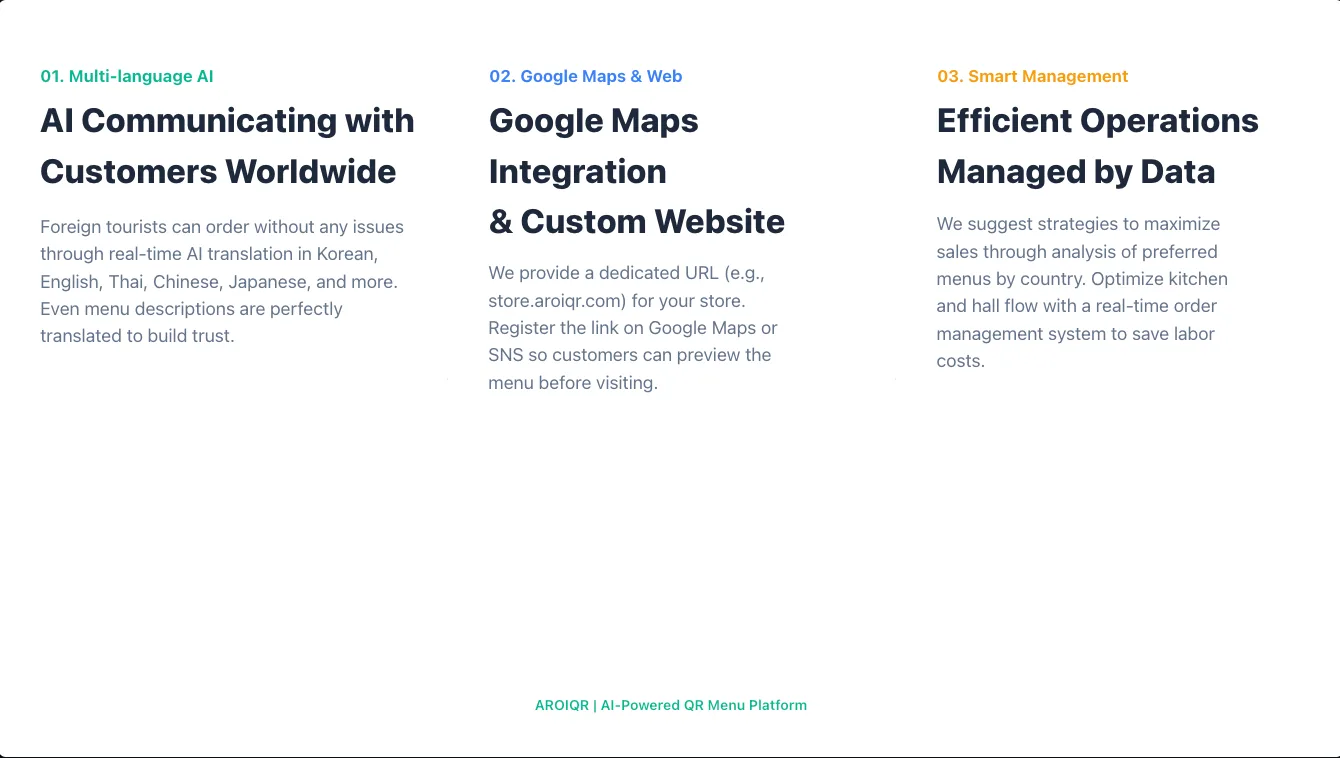
Layout example, not a guarantee that the same prompt will reproduce this design.
3. Add your real company logo
Use the editor's image-upload control to insert a supported logo image from your device. The current editor supports image selection and insertion into the slide; the logo is an asset you provide, not something the AI needs to reconstruct.
After placing it:
- Keep the original proportions; do not stretch it to fill a box.
- Check contrast against the background.
- Leave the spacing required by your brand guidelines.
- Inspect it at the intended display or print size.
- Remove any generated placeholder or duplicate logo.
A transparent image can be useful when it suits your brand and chosen background. Check the accepted file type and size in the editor rather than assuming every vector or image format is supported.
4. Revise text and layout
Make focused changes rather than repeatedly regenerating an entire brochure. Useful requests include:
- “Shorten each service description to two sentences without adding new claims.”
- “Use the supplied brand color for section headings.”
- “Remove the invented testimonial and leave the section out.”
- “Make the contact details readable without enlarging the whole page.”
Then review manually. Check overflow, spelling, logo placement, text contrast, and the order in which a reader will scan the page. Do not assume an AI-applied color or font is automatically accessible or brand-compliant.
5. Export a PDF and reopen it
Use the Deck editor's PDF export flow and select an appropriate format. Reopen the downloaded file outside the editor to inspect the actual output, not only the editing canvas.
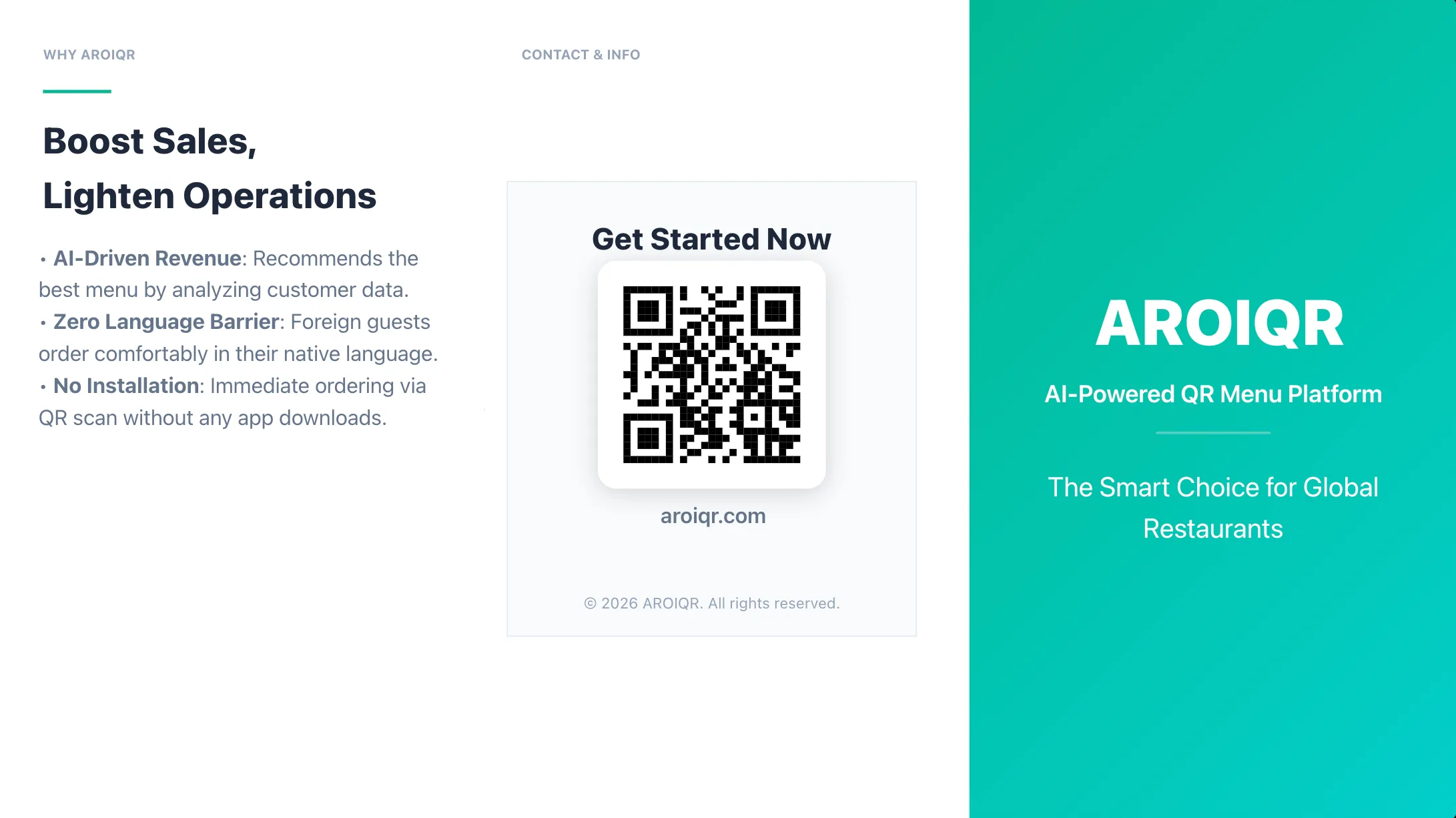
Existing output illustration; review any QR code and contact details in your own exported file before distribution.
Inspect every page for missing images, clipped text, changed fonts, unexpected blank pages, and incorrect page dimensions. If you use a QR code, test it from the exported PDF and, for print, from a physical proof at the intended size.
Digital PDF versus print brochure
These are different deliverables.
| Digital PDF | Commercial print brochure |
|---|---|
| Readable on the recipient's device | Readable at the physical finished size |
| Reasonable file size for delivery | Image quality appropriate to the printer's requirements |
| Working links and legible contact details | Confirmed paper size, folds, safe area, and panel order |
| Consistent page order | Printer-approved bleed, crop marks, color settings, and PDF specification |
Do not infer that a layout labeled brochure or a PDF export automatically includes bleed, crop marks, a particular color profile, or a press-ready PDF standard. Ask your print provider for specifications and check the exported file against them. A designer or prepress tool may still be needed.
For a tri-fold, make a paper mock-up before ordering. The cover, back panel, and inside panels do not necessarily follow the reading order of a normal multi-page PDF.
Is an online AI brochure maker free?
“Free” can mean a trial, a limited generation allowance, or access to selected features. It does not necessarily mean unlimited brochure creation, all export options, or team access.
For AiDocX, check the current pricing and plan details and the usage information shown in your account before generating. This guide does not promise unlimited AI generations or a specific permanent free allowance. It replaces the earlier article's unverified cost and unlimited-usage claims.
If you need only one brochure, confirm that the available allowance covers both generation and the output you need. If you produce many versions, estimate revisions, translations, and exports as part of the workflow—not just the first draft.
When AI is useful—and when to involve a designer
AI is useful for organizing supplied information, producing a starting layout, and exploring copy variations. It is not a substitute for checking business facts, licensing, accessibility, or print specifications.
Consider design or production help when you need a tightly controlled brand system, complex folds, image retouching, packaging constraints, or a print supplier's exact technical standard. That is a workflow trade-off, not a claim that traditional design tools lack AI.
Pre-export checklist
[ ] Company and product names are correct.
[ ] Every factual claim comes from an approved source.
[ ] No invented customer, statistic, certification, or testimonial remains.
[ ] The real logo is used with correct proportions and spacing.
[ ] Text is legible at the intended viewing size.
[ ] Images are licensed and sufficiently clear.
[ ] URL, email, phone and QR destinations have been checked.
[ ] The downloaded PDF has been reopened and every page reviewed.
[ ] Page dimensions and panel order match the intended use.
[ ] For print, the provider has approved the file specifications.
Need a specific format? See our guides to a company profile template, a product catalog template and tri-fold brochure sizes.
Frequently asked questions
Can AI create a corporate brochure PDF with my logo?
An AI-assisted workflow can produce a draft and export a PDF. In AiDocX, supply the brief through the brochure workflow, insert your actual logo with the image control, review the pages, and use PDF export. Verify the final file rather than assuming the generated draft is complete.
Can I just ask the AI to draw my logo?
Use the approved logo file instead. Generated imitations may distort the design, typography, or brand details and are not a substitute for a licensed brand asset.
Is the PDF automatically print-ready?
No. Confirm dimensions, folds, bleed, color requirements, and other specifications with the print provider. A PDF that looks correct on screen can still require production changes.
How long does an AI brochure take?
It depends on the brief, generation, editing, and review. This article does not present a timed benchmark. Plan for fact-checking, layout corrections, and export inspection, not only generation.
Can I create multiple language versions?
You can prepare localized copy and adapt the design, but each version needs language and layout review. Different text lengths, contact information, reading direction, and market-specific claims can require more than a direct translation.
Start with one clear brief
Open the AiDocX brochure overview, prepare the approved facts and actual logo, and start with one short draft. The goal is a brochure your reader can understand and act on—not simply a file that looks finished at first glance.
Ready to automate your documents with AI?
Start free with AiDocX — AI contract drafting, meeting minutes, consultation notes, e-signatures, and more in one platform.
Get Started FreeMore from AiDocX Blog
Buy Sell Agreement Template (2026): Triggers, Valuation and Funding for Co-Owners
A free buy sell agreement template for co-owners, with triggering events, valuation methods, insurance funding and cross-purchase vs. redemption structures.
 James September 26, 2026 12 min
Consignment Agreement Template (2026): Commission, Title, Risk of Loss and Unsold Goods
Free consignment agreement template for makers, artists and boutiques: commission split, title, insurance and how to protect consigned inventory.
James September 26, 2026 9 min
Distribution Agreement Template (2026): Territory, Exclusivity, Minimums and Reseller Terms
Free distribution agreement template (works as a reseller agreement template too): territory, exclusivity, minimums, pricing, IP and termination.
James September 26, 2026 13 min