AiDocX vs JotForm in 2026: Best for Contracts?
Compare AiDocX and JotForm in 2026 for contracts, e-signatures, pricing, document workflows, and the best fit for small businesses.
 James · Content Manager August 21, 2026 15 min read
AiDocX vs JotForm in 2026: Best for Contracts?
For a small business, choosing between AiDocX and JotForm depends less on which platform has more features and more on where your work begins. JotForm starts with online forms and extends into PDFs, approvals, and e-signatures. AiDocX starts with contracts and business documents, then connects drafting, review, signing, and document tracking.
This guide compares AiDocX and JotForm for contracts, e-signatures, pricing, document creation, workflows, and everyday usability in 2026. The goal is not to declare one universal winner, but to help you choose the tool that matches how your business actually works.
The Core Difference: Documents First vs Forms First
The simplest way to understand the comparison is to look at the first object you create.
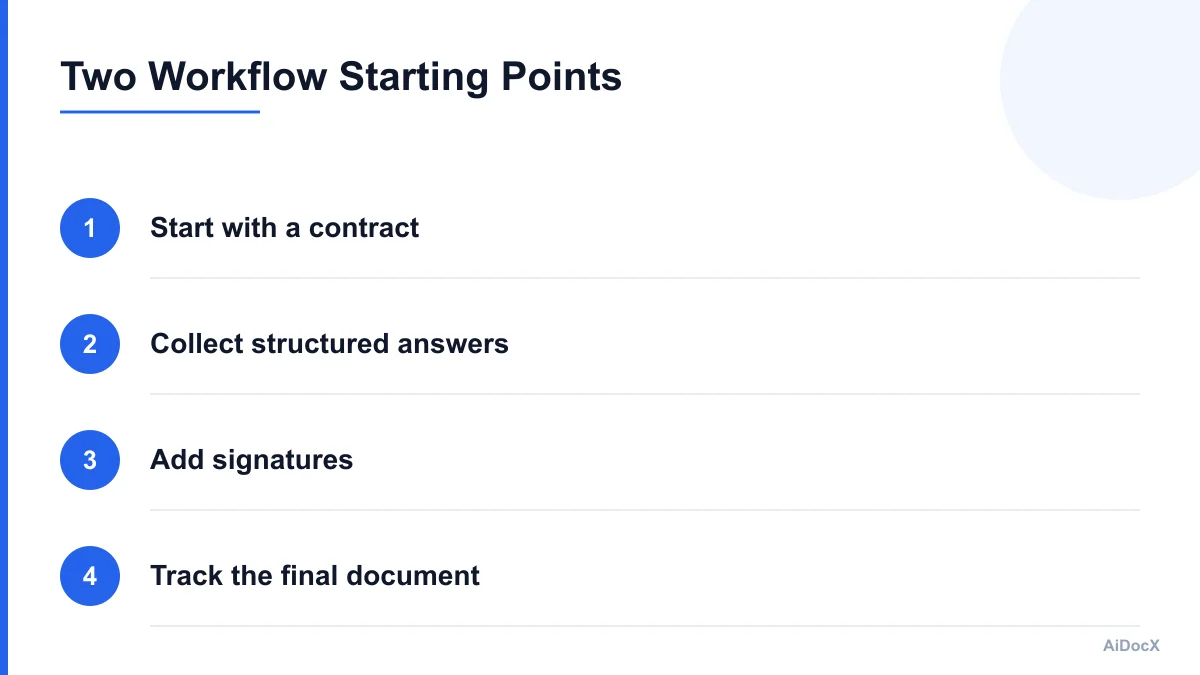
JotForm is primarily a form builder. You design a form, collect information, send the submission through an approval or automation process, and optionally turn the result into a PDF or signable document. That approach is practical when the input data matters most.
AiDocX is designed around documents and contracts. You can begin with a template, upload a PDF, draft a contract, review its contents, add signature fields, and monitor the document after sending. That approach is more natural when the agreement itself is the central business record.
A typical JotForm workflow might look like this:
- Create an intake or application form.
- Ask a customer, employee, or vendor for structured information.
- Use the submission to generate a document.
- Add signature fields or trigger an approval process.
- Store the signed PDF and submission data.
A typical AiDocX workflow might look like this:
- Start with a contract template or uploaded agreement.
- Draft or revise the document.
- Review clauses and identify potential issues.
- Add signers, fields, and signing order.
- Send, track, and retain the completed contract.
Neither model is inherently better. The right choice depends on whether your process is mainly about collecting answers or managing an agreement.
If your business runs client intake, registrations, surveys, waivers, and operational forms, JotForm's starting point can reduce setup time. If your business regularly creates proposals, NDAs, service agreements, employment documents, or vendor contracts, a document-first platform may involve fewer handoffs.
The distinction also affects how your team thinks about data. In JotForm, the submission is often the primary data object, while the PDF is an output of that process. In AiDocX, the contract or document is usually the primary object, and signer activity, revisions, and viewing events are attached to it.
Contract Creation and Editing
Contract creation is where the two platforms feel most different.
JotForm supports document and PDF workflows, including the ability to upload an existing PDF, add fields, create signable documents, and use templates. This works well when your legal or operations team already has approved documents. You can digitize a paper form, prepare a waiver, or distribute a standard agreement without building a full contract-management system.
However, JotForm is not primarily a contract drafting environment. If you need to develop a new agreement from a blank page, compare versions, explain unfamiliar clauses, or adapt a contract to a new business situation, you may need to prepare the content elsewhere before bringing it into the signing workflow.
AiDocX takes a more contract-oriented approach. Its document tools are intended to support the process before signing, including drafting from templates, working with uploaded agreements, and using AI-assisted analysis. For example, a small consulting firm could begin with a service agreement, adapt the scope and payment terms, review the termination clause, and then send the completed document for signature within the same broader workflow.
That does not make AI-generated content automatically correct. A first draft still needs review, and important agreements may require advice from a qualified attorney. The practical benefit is that the business owner has tools for getting from an idea or template to a usable draft without manually assembling every step.
Consider these use cases:
| Task | AiDocX | JotForm |
|---|---|---|
| Start from a contract template | Strong fit | Available, but not the central workflow |
| Upload an existing PDF | Supported | Supported |
| Create a customer intake form | Not the primary use case | Strong fit |
| Draft a new agreement with AI assistance | Core positioning | Not the main focus |
| Review clauses and contract risk | More directly aligned | Usually requires outside review |
| Turn collected answers into a PDF | Possible through document workflows | Strong fit |
| Reuse a signable agreement | Supported | Supported |
| Maintain a form submission database | Not the primary strength | Strong fit |
The question to ask is: "Will my team write or revise contracts regularly, or will customers mostly complete structured forms?"
For the first answer, AiDocX is likely the more natural starting point. For the second, JotForm may be simpler.
E-Signatures and Signing Workflows
Both platforms can support electronic signatures, but their signing workflows are shaped by their origins.
JotForm Sign lets users create signable documents, upload PDFs, assign signer roles, add fields, send documents by email or link, and track signing activity. It also connects naturally with JotForm's forms, tables, inboxes, approvals, and integrations. This is useful when the signature is one step in a larger data-collection process.
For example, a property manager might use a form to collect tenant information, generate a lease-related document, and request signatures. A summer program might collect an emergency contact form and waiver. A service company might use a form to collect job details before producing a work authorization document.
JotForm also offers signature widgets inside forms. This can be convenient when the person filling in the form is also the person signing it. The experience is less like sending a traditional contract for negotiation and more like completing and certifying a structured submission.
AiDocX is more suited to a document-centered signing sequence. A user can work with a contract, place fields, assign signers, select sequential or parallel signing, and monitor when recipients view or sign the document. This is a better match for agreements where the document already exists before the signature request begins.
For both platforms, assess more than the ability to draw or type a signature. A practical e-signature review should include:
- Multiple signers and signing order
- Email invitations and reminders
- Signer authentication options
- Audit trails and timestamps
- IP or device information where applicable
- Signed-document download and retention
- Field assignment by signer
- Status tracking for sent, viewed, and completed documents
- Mobile signing experience
- Limits on monthly signature requests
- Whether completed documents remain accessible on your plan
AiDocX presents itself as an AI document, contract, and e-signature platform, while JotForm brings signing into a broader forms and workflow ecosystem. In day-to-day use, that difference matters when a signature request fails or needs to be changed. A document-first process generally keeps the contract, fields, signer status, and final file together. A form-first process may keep the form submission, generated PDF, signature event, and automation records across related areas of the platform.
The legal validity of an electronic signature depends on the circumstances, jurisdiction, consent, identity evidence, recordkeeping, and the type of document being signed. A platform's marketing language should not replace a legal assessment. Before selecting either tool for regulated or high-value agreements, confirm that its audit and retention features meet your requirements.
Document Workflows and Automation
A contract workflow rarely ends when someone clicks "Sign." Small businesses also need to know what happened before and after signing.
JotForm is strong when the workflow begins with an event such as a new submission. Its broader ecosystem can connect forms with notifications, approvals, tables, cloud storage, CRM systems, email tools, and other automation services. Teams can create routing rules based on answers, send follow-up messages, and organize collected information.
This can be especially useful for:
- New customer intake
- Employee onboarding
- Event registration and waivers
- Quote requests
- Vendor applications
- Service request forms
- Internal approval forms
- Repeated document collection from many people
The value of JotForm increases when a business already uses JotForm forms. In that case, adding document generation or signing can extend an existing process instead of requiring a separate contract system.
AiDocX is better aligned with workflows where the contract remains important after it is created. A team may draft an agreement, review it, request signatures, track recipient engagement, and keep the completed document with its activity history. This is useful for businesses that need to understand the status of individual contracts rather than only process form submissions.
Examples include:
- Tracking outstanding client agreements
- Managing recurring NDAs
- Reviewing supplier contracts
- Sending employment documents
- Monitoring proposal engagement
- Keeping versions of contract drafts
- Reviewing risk before signing
- Maintaining a central document library
One common mistake is comparing automation features by counting integrations. Ten integrations do not necessarily produce a better workflow than three well-connected steps. Map the process first:
- What starts the workflow?
- Who creates or supplies the document?
- Who reviews it?
- Who signs it?
- What happens if someone does not respond?
- Where is the final document stored?
- Who needs access six months later?
- What evidence must be retained?
JotForm is often the stronger choice when the answer to question one is "a form submission." AiDocX may be the better fit when the answer is "a contract request," "a document upload," or "a draft that needs review."
AI Assistance and Contract Review
AI is an important difference in this comparison, but it should be evaluated carefully.
AiDocX's contract-focused positioning includes AI-assisted drafting and analysis. A small business can use templates and prompts to produce an initial agreement, ask questions about a document, or identify areas that deserve closer review. This can reduce the time needed to create a first draft or understand a long contract.
The most practical AI tasks are not necessarily the most dramatic ones. Useful examples include:
- Summarizing a long agreement
- Explaining a clause in plain English
- Finding missing information
- Comparing a draft against a standard template
- Identifying unusually broad liability language
- Highlighting unclear payment terms
- Checking whether key parties or dates are missing
- Suggesting questions for a lawyer or counterparty
JotForm includes automation and document features, but its core value is still form construction and submission handling. If your main need is extracting structured data from customers, JotForm may deliver more value than a contract-analysis feature you rarely use.
AI should also be treated as an assistant rather than an authority. A model can miss context, misunderstand a negotiated exception, or suggest language that does not fit your jurisdiction or industry. Businesses should establish a review policy before allowing AI-generated contracts to go directly to customers.
A sensible process is:
- Use approved templates for recurring agreements.
- Give the AI clear business context.
- Review every generated clause.
- Compare important terms with your internal standard.
- Escalate unusual risk to legal counsel.
- Keep a record of the approved version.
- Do not paste confidential information into tools without checking data policies.
Ask each vendor how document data is stored, processed, retained, and used. AiDocX states in its privacy information that contract content is not used to train AI models. JotForm's privacy and security terms should be reviewed for the specific products and plan your business intends to use.
Pricing: Compare the Complete Workflow
Pricing changes, plan names change, and features may vary by region or product. Check both vendors' current pricing pages before purchasing. More importantly, compare the cost of completing your entire workflow rather than the cost of the cheapest plan.
AiDocX advertises a free plan and paid plans starting at a low monthly price, with limits such as a number of e-signatures per month depending on the plan. That can make it approachable for a small business that wants contract drafting, document analysis, and signing in one place. Confirm current limits for storage, AI usage, signature requests, team members, and document history.
JotForm offers free and paid plans across its forms and document products. The relevant cost may depend on several separate limits, including form submissions, payment submissions, storage, monthly documents, signature requests, users, branding, integrations, and automation features. A business using both Form Builder and JotForm Sign should check whether the required capabilities are included in one plan or spread across different product tiers.
Use this comparison worksheet:
| Cost item | Questions to ask |
|---|---|
| Base subscription | Which product and plan are actually required? |
| Forms | How many forms and submissions are included? |
| Signatures | How many documents or requests can be sent monthly? |
| AI | Are drafting and analysis included or metered? |
| Storage | Are signed PDFs and versions included? |
| Users | Does each employee need a paid seat? |
| Branding | Is vendor branding removed on the plan? |
| Integrations | Are required connectors available? |
| Automation | Are approvals, reminders, and webhooks included? |
| Overages | What happens when the monthly limit is exceeded? |
For a business sending five contracts a month, a free or entry-level plan may be enough. For a business processing hundreds of signed forms, submission and signature limits may matter more than drafting features.
Also calculate the cost of workarounds. If a platform requires exporting documents to another editor, manually copying data into a contract, downloading signed files, and updating a spreadsheet, the subscription may be inexpensive but the process may still be costly.
Which Platform Fits Your Workflow?
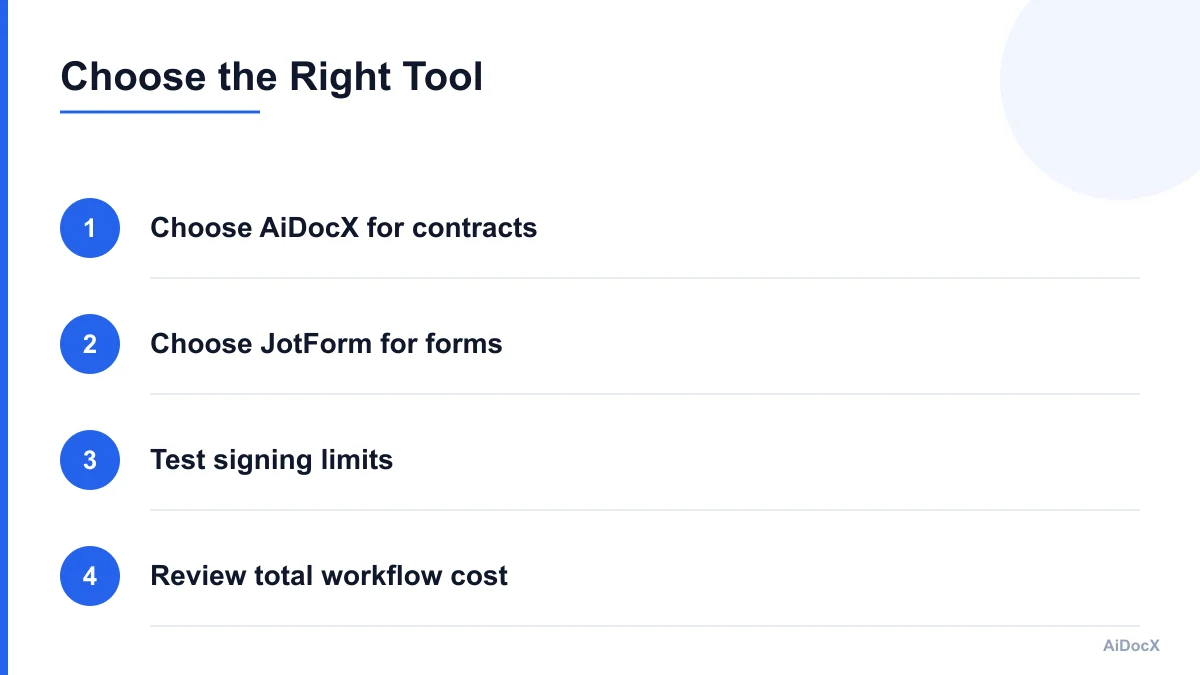
Choose AiDocX when most of the following statements are true:
- Your work starts with contracts or business documents.
- You need to draft agreements, not only collect information.
- You want AI assistance for first drafts or clause review.
- You manage NDAs, service agreements, proposals, or employment documents.
- You need signing and document tracking in the same workflow.
- Your team wants a central place for contract versions and status.
- You send documents to one or more signers for approval.
Choose JotForm when most of these statements are true:
- Your work starts with an online form.
- You collect structured information from many people.
- You need conditional fields and form logic.
- You already use JotForm for intake, registration, or approvals.
- You want submissions, tables, and reports connected to the process.
- You create waivers, applications, consent forms, or data-driven PDFs.
- A signature is one part of a broader form submission.
There is also a mixed-workflow case. Some businesses may use JotForm for intake and AiDocX for the resulting contract. For example, a marketing agency could use a form to collect project details, then create and send a service agreement through a contract-focused workflow. That setup may be useful, but it adds another integration and another place to manage data.
Before adopting a two-tool process, test whether the handoff preserves:
- Customer and signer information
- Document formatting
- Field assignments
- Consent records
- Version history
- Audit data
- Final-document storage
- Deletion and retention settings
A native workflow is not automatically better, but every handoff introduces another place where data can be lost or duplicated.
Common Mistakes Small Businesses Make
The first mistake is choosing based on the product name rather than the workflow. "E-signature" describes the final action, not the entire process. A business that needs contract drafting, negotiation, review, signing, and tracking has different requirements from a business that needs a signature field on a registration form.
The second mistake is testing only the happy path. Do not stop after creating and signing one document. Test a declined request, an incorrect signer email, a changed document, an expired link, a missing field, and a signer who needs a reminder.
The third mistake is ignoring the final record. Ask where the signed PDF, audit trail, form submission, and related messages live. If your team cannot find the final agreement quickly, the workflow is incomplete.
The fourth mistake is assuming "free" means unlimited. Free plans may limit signatures, submissions, storage, branding, AI usage, or integrations. Run a realistic monthly volume through each plan before deciding.
The fifth mistake is treating AI output as legal advice. AI can accelerate drafting and review, but it cannot understand every business relationship or replace professional counsel. Build human approval into the workflow.
The sixth mistake is overlooking access control. Contracts often contain pricing, employee information, customer data, or intellectual property. Review workspace permissions, user roles, sharing links, download controls, and offboarding procedures.
The seventh mistake is failing to define retention. Decide how long your business must keep signed contracts, who can delete them, and whether a copy is exported to your accounting, CRM, or storage system.
A Practical Evaluation Checklist
Use the same sample process in both products. Do not compare them with unrelated demos.
- Create one standard service agreement.
- Upload one existing PDF contract.
- Draft or customize one agreement.
- Add two signers with a signing order.
- Send a request and test a reminder.
- Open the document on a phone.
- Decline or revise one signing request.
- Download the completed document and audit record.
- Check where versions and activity history appear.
- Review monthly limits for your expected volume.
- Confirm required integrations and export options.
- Read data-retention and AI-processing terms.
- Estimate staff time for the complete workflow.
- Ask whether the tool supports your industry requirements.
Score each platform on a scale from one to five for setup effort, drafting, form collection, signing, automation, tracking, storage, integrations, and total cost. Weight the categories that affect your business most. A legal services firm may assign a higher weight to contract review and version history. A childcare provider may assign a higher weight to forms, waivers, and mobile completion.
The best choice is usually the tool that removes the most manual work from your highest-volume process.
Final Verdict: Start With the Work You Do Most
AiDocX and JotForm are not identical products competing for exactly the same starting point. JotForm is a strong fit for form-led operations that need structured data collection, document generation, approvals, and signatures. AiDocX is a stronger fit for businesses that treat contracts and documents as the center of the workflow and want drafting, review, e-signatures, and tracking connected around them.
For a small business comparing the two in 2026, the decision should come down to three questions: What starts the process, where does the important business record live, and how much work happens before someone signs?
If the answer begins with a form, test JotForm first. If it begins with an agreement or document, test AiDocX first. Use a realistic contract, measure the complete process, and verify current plan limits before committing.
Choose the platform that helps your team create, sign, find, and act on the final document with the fewest unnecessary steps.
Ready to automate your documents with AI?
Start free with AiDocX — AI contract drafting, meeting minutes, consultation notes, e-signatures, and more in one platform.
Get Started FreeMore from AiDocX Blog

How to Read a Business Contract: A Founder's Checklist (2026)
A practical way to review parties, scope, money, IP, liability, and exit terms before signing a business contract.
 MinjiLee October 7, 2026 9 min
ESIGN vs eIDAS: What Founders Should Know About E-Signatures (2026)
What U.S. ESIGN and EU eIDAS actually say, where exceptions apply, and what founders should keep to document an electronic signing.
MinjiLee October 7, 2026 7 min
Does Document Automation Pay Off? An ROI Worksheet for Founders (2026)
Estimate document automation ROI with your own volume, time, labor, and software costs. Includes a clearly labeled example and break-even formula.
 Chloe October 7, 2026 8 min