Quote Template Generator 2026: Speed Up Approval
Learn how small businesses use smart quote templates in 2026 to reduce errors, build trust, and get client approvals faster with automated tracking.
 James · Content Manager August 2, 2026 13 min read
In 2026, the gap between a winning proposal and a lost opportunity is measured in minutes, not days. Small business owners and freelancers no longer have the luxury of manually formatting spreadsheets or guessing if a client has even seen their proposal. The modern buyer expects immediate clarity, professional branding, and seamless digital interaction. A quote is no longer just a price list; it is a critical touchpoint in the customer journey that signals professionalism, reliability, and respect for the client’s time.
For service providers, the ability to generate accurate, visually appealing, and trackable quotes instantly can be the difference between chasing a lead and closing a deal. This guide explores how leveraging automated quote template generators can streamline your sales process, reduce administrative overhead, and significantly improve your approval rates in the current business landscape.
Why Manual Quoting Is Costing You Deals
Before diving into the mechanics of modern quoting, it is essential to understand why the old ways of doing business are failing. For many freelancers and small agencies, creating a quote involves opening Excel, copying and pasting previous line items, manually calculating totals, formatting the layout, attaching the file, and hoping the client opens the PDF.
This manual workflow introduces several critical friction points. First, human error is inevitable. A misplaced decimal or an incorrect tax calculation can erode trust before the first meeting. Second, the time spent on administrative tasks is time taken away from billable work or business development. If you spend two hours creating five quotes, you have effectively lowered your hourly rate by the value of those two hours.
Third, and perhaps most importantly, manual quoting lacks visibility. When you email a PDF attachment, you have no idea if the client opened it, how long they spent reading it, or which section they looked at last. You are left guessing when to follow up, often leading to awkward or premature outreach. In 2026, clients expect a frictionless digital experience. A clunky, static PDF quote feels outdated and unprofessional. A dynamic, well-designed quote signals that you are modern, organized, and easy to work with.
The Anatomy of a High-Converting Quote Template
A high-converting quote template is more than just a list of prices. It is a structured document that guides the prospective client through your value proposition. In 2026, the most effective templates share common structural elements that reduce cognitive load and build confidence.
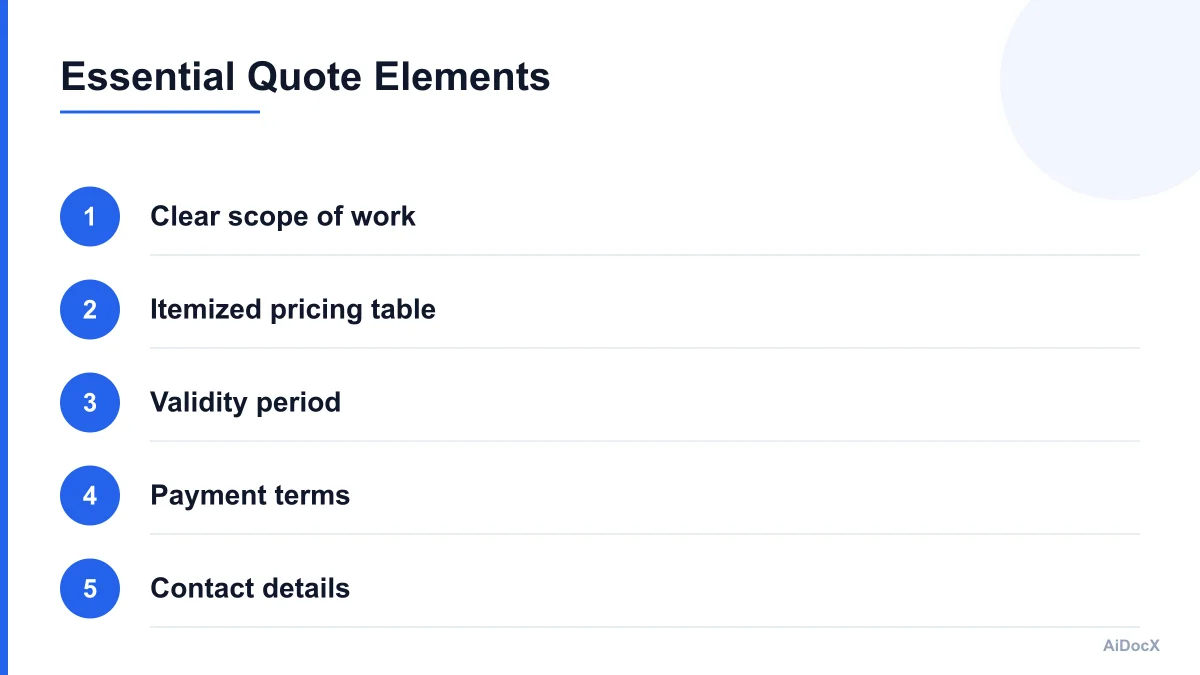
1. Clear Scope of Work
Ambiguity is the enemy of approval. Your quote must explicitly state what is included and, just as importantly, what is excluded. Use plain language to describe deliverables. For example, instead of "Web Design Services," specify "Design and development of a 5-page responsive website, including mobile optimization and two rounds of revisions." This clarity prevents scope creep and sets clear expectations.
2. Itemized Pricing Table
Break down your costs. Clients appreciate transparency. Whether you are offering hourly rates, fixed project fees, or retainer models, itemize the charges. If you have multiple phases, separate them. This allows the client to understand where their money is going and makes it easier for them to justify the expense to their own stakeholders or managers.
3. Validity Period
Prices fluctuate. Material costs rise, and your availability changes. Including a validity period (e.g., "This quote is valid for 30 days") protects your margins and creates a subtle sense of urgency. It encourages the client to make a decision rather than letting the quote sit in their inbox indefinitely.
4. Payment Terms and Schedule
Never leave payment terms ambiguous. Specify when payment is due (e.g., Net 15, Net 30, or 50% upfront). If it is a project-based quote, outline the milestone payments. Clear terms prevent disputes later and ensure healthy cash flow for your business.
5. Call to Action and Acceptance Mechanism
The quote should end with a clear next step. In 2026, this means a digital signature field or a simple "Accept Quote" button. Friction at the final step can cause drop-offs. Make it as easy as possible for the client to say yes.
6. Professional Branding
Your quote is an extension of your brand. Use your logo, brand colors, and professional fonts. A generic, unbranded document looks like a commodity. A branded document looks like a partnership opportunity. Consistency in your proposal, contract, and quote reinforces your professional identity.
Key Features of Modern Quote Template Generators
The technology behind quote generation has evolved significantly. In 2026, a simple template generator does more than just format text. It integrates with your workflow, tracks engagement, and ensures consistency. Here are the key features that separate basic tools from professional-grade generators.
Automation and Reusability
The core benefit of a generator is speed. You should be able to create a quote in minutes, not hours. Look for tools that allow you to save common line items, services, and pricing structures as reusable blocks. When a new lead comes in, you select the relevant blocks, adjust quantities, and generate the document. This consistency ensures that every client receives the same high-quality presentation of your services.
Dynamic Calculations
Manual calculation is risky. Modern generators automatically update totals, taxes, discounts, and currency conversions in real-time. If you change a quantity or apply a discount, all related figures update instantly. This reduces errors and ensures that the final number is always accurate.
Digital Signatures and E-Sign Integration
Paper-based signatures are obsolete. A professional quote generator should integrate with e-signature platforms or offer built-in signing capabilities. This allows the client to review, agree, and sign the quote digitally. The moment they sign, you receive a notification, and the contract is legally binding (depending on your jurisdiction and setup). This closes the loop instantly.
Real-Time Engagement Tracking
This is a game-changer for follow-up. Advanced quote generators provide analytics on how the client interacts with the document. Did they open it? How long did they spend on the pricing page? Did they download it? This data transforms your follow-up from a guessing game into a targeted conversation. You can follow up with, "I noticed you were reviewing the implementation timeline. Do you have any questions about the delivery schedule?" rather than, "Just checking in on my last email."
Mobile Optimization
Clients review quotes on their phones, tablets, and desktops. A generator that produces mobile-responsive quotes ensures that the client can view the details clearly on any device. A quote that looks broken on a smartphone is a red flag for professionalism.
How to Implement a Quote Generator Workflow
Integrating a quote generator into your business requires a shift in mindset and process. Here is a step-by-step approach to making the transition smooth and effective.
Step 1: Audit Your Current Process
Identify where you create quotes now. Is it in Excel, Word, or a legacy CRM? Note the time it takes and the common errors that occur. This baseline will help you measure the improvement once you switch to a generator.
Step 2: Choose the Right Tool
Evaluate tools based on your specific needs. Consider factors like integration with your existing CRM, ease of use, customization options, and pricing. Look for a tool that allows you to draft a professional, branded price quote in minutes and tracks when the client opens it, so follow-up is never a guessing game. AiDocX is one such platform that simplifies this process, offering intuitive templates and powerful tracking features designed for small businesses and freelancers.
Step 3: Build Your Template Library
Create a library of standard templates for your most common services. For example, if you are a graphic designer, have templates for "Logo Design," "Brand Identity Package," and "Social Media Graphics." Populate these with your standard line items, descriptions, and pricing. Customize the variables so you can quickly adapt them for each new client.
Step 4: Integrate with Your CRM
Ensure your quote generator syncs with your customer relationship management system. This ensures that client data, contact information, and project history are automatically pulled into the quote. It also ensures that once a quote is accepted, the deal is automatically moved to the "Closed-Won" stage in your CRM.
Step 5: Train Your Team
If you have employees or contractors who create quotes, train them on the new system. Emphasize the importance of consistency, accuracy, and using the tracking features for follow-up. Set standards for when and how to follow up based on the engagement data.
Common Mistakes That Kill Quote Approval Rates
Even with the best tools, mistakes can happen. Understanding common pitfalls can help you avoid them and improve your success rate.
Vague Scope Definitions
One of the biggest reasons for quote rejection is uncertainty. If the client doesn't understand exactly what they are buying, they will hesitate. Avoid phrases like "Consulting services" without further detail. Instead, use "Three hours of strategic consulting, including market analysis and recommendation report." Specificity builds trust.
Missing Expiration Dates
Without an expiration date, a quote can linger in the client's inbox for weeks or months. By the time they respond, your pricing may no longer be valid, or your availability may have changed. Always include a clear validity period, such as 15 or 30 days. This creates a natural deadline for decision-making.
Ignoring Payment Terms
Assuming that payment terms are obvious is a mistake. Clearly state when payment is due. For larger projects, specify a deposit or milestone payments. This protects your cash flow and ensures the client is committed. If you do not specify terms, the client may assume Net 30 or Net 60, which could hurt your liquidity.
Lack of Personalization
While automation is key, your quotes should not feel robotic. Address the client by name, reference their specific pain points, and tailor the scope of work to their needs. A generic, copy-pasted quote suggests you are not truly invested in their success. Use the generator to maintain structure, but use your voice to add personalization.
Poor Visual Design
A quote that looks cluttered, uses mismatched fonts, or has low-resolution images can undermine your professionalism. Use a template generator that offers clean, modern designs. Ensure there is plenty of white space, clear headings, and easy-to-read tables. Visual appeal matters because it reflects your attention to detail.
Maximizing Follow-Up with Quote Analytics
The true power of a modern quote generator lies in its ability to inform your sales strategy through data. In 2026, ignoring analytics is like driving with a blindfold.
Understanding Open Rates
An open rate tells you if your email subject line and timing were effective. If a client opens the quote but does not accept it, you need to investigate why. Did they get distracted? Did they have a question? Did they compare you to a competitor?
Tracking Time on Page
Some advanced generators allow you to see which sections of the quote the client spent the most time on. If they lingered on the "Pricing" section, they might be budget-conscious. If they spent time on "Scope," they might be clarifying deliverables. This insight allows you to tailor your follow-up message. For a client who lingered on pricing, you might offer a payment plan or highlight the ROI. For a client who lingered on scope, you might offer a quick call to clarify details.
Automated Follow-Up Sequences
Many generators allow you to set up automated follow-up emails. For example, if the client has not opened the quote within 24 hours, an automated email can be sent. If they opened it but did not accept it within 48 hours, a second email can be sent. This ensures that no lead falls through the cracks while allowing you to focus on high-value activities.
The Human Touch
While automation is powerful, it should not replace human interaction. Use the data to enhance your conversations. Instead of sending a generic "Just checking in" email, send a personalized message that references their behavior. "Hi [Name], I saw you reviewed the implementation timeline. I wanted to make sure that aligns with your launch date. Let me know if you have any questions!" This approach is respectful, insightful, and highly effective.
Legal and Compliance Considerations
While a quote is not always a binding contract, it is a serious business document. Ensure your quotes comply with relevant laws and regulations.
Clear Terms and Conditions
Include a section for terms and conditions. This can cover confidentiality, intellectual property rights, limitation of liability, and dispute resolution. Make it easy for the client to access these terms, either by linking to a separate document or including them as an appendix.
Data Privacy
If you collect personal or financial information through your quote generator, ensure it complies with data privacy laws such as GDPR (in Europe) or CCPA (in California). Use secure platforms that encrypt data in transit and at rest. Be transparent with clients about how their data is used and stored.
Digital Signature Validity
Ensure that the e-signature process you use is legally valid in your jurisdiction. Most modern platforms comply with laws like ESIGN in the US and eIDAS in the EU, but it is wise to verify this. Keep records of all signed quotes for your legal and accounting records.
Checklist for Your Next Quote
Before sending out your next quote, run through this quick checklist to ensure everything is in order.
- Client Details: Name, company, and contact information are accurate.
- Scope of Work: Clearly defined, specific, and aligned with the proposal.
- Pricing: Itemized, calculated correctly, and includes all taxes/fees.
- Validity Period: Clearly stated expiration date (e.g., 30 days).
- Payment Terms: Due dates, deposit requirements, and methods specified.
- Branding: Logo, colors, and fonts are consistent with your brand.
- Call to Action: Clear next step (e.g., digital signature button).
- Contact Info: Your details are easy to find for questions.
- Proofreading: No typos, grammatical errors, or formatting issues.
- Tracking Enabled: Analytics are turned on for follow-up insights.
Conclusion: Elevate Your Sales Process
In 2026, the tools you use reflect your professionalism. A manual, error-prone, and untracked quoting process signals that you are struggling to keep up. A streamlined, automated, and data-driven process signals that you are efficient, reliable, and client-focused.
By adopting a quote template generator, you reclaim your time, reduce errors, and gain valuable insights into your sales pipeline. You move from being a vendor who sends PDFs to a partner who provides a seamless, professional experience. Remember, a quote is not just a request for payment; it is an invitation to collaborate. Make that invitation compelling, clear, and easy to accept.
Start by auditing your current process, choose a tool that fits your needs, and build your template library. With the right system in place, you can focus on what you do best: delivering exceptional value to your clients. And if you want to simplify this journey, consider using a platform like AiDocX, which drafts a professional, branded price quote in minutes and tracks when the client opens it, so follow-up is never a guessing game. Your future self—and your bank account—will thank you.
Ready to automate your documents with AI?
Start free with AiDocX — AI contract drafting, meeting minutes, consultation notes, e-signatures, and more in one platform.
Get Started FreeMore from AiDocX Blog

Korea's AI Basic Act: 9 Contract Checks for AI Vendors and Buyers (2026)
A practical checklist for AI contracts connected to Korea: supplier roles, training data, user notices, high-impact AI, model changes, incident response, and exit terms.
Consulting Proposal Template (2026): 9 Sections + Example
Copy a consulting proposal template with nine sections, pricing options, and a filled example. Includes tips to make the proposal easy to approve.
 AiDocX Team October 24, 2026 11 min
Internship Agreement Template (2026): Paid & Unpaid Interns
Copy an internship agreement template for paid or unpaid interns. Covers U.S. and UK pay rules, duties, IP, confidentiality, and a filled example.
AiDocX Team October 24, 2026 12 min