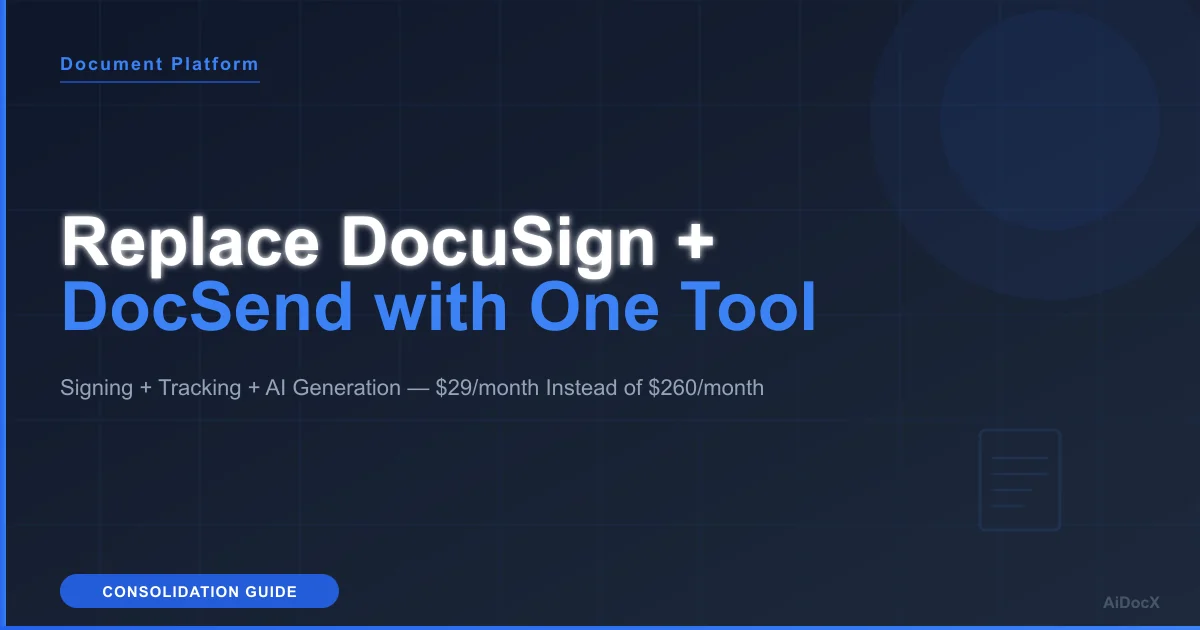
Paying for DocuSign AND DocSend? Here's How to Replace Both with One Tool
Using DocuSign for signing and DocSend for tracking? You're paying twice for one workflow. See how to consolidate into a single platform with both features built in.
 James · Business Strategy March 28, 2026 9 min read
Paying for DocuSign AND DocSend? Here's How to Replace Both with One Tool
TL;DR: DocuSign does signing. DocSend does tracking. Neither does both. Together they cost $170–350+/month for a small team. Combined platforms like AiDocX now offer signing, tracking, AI document generation, and data rooms for $29/month flat. This guide covers how to consolidate without losing functionality.
Here is a conversation I have had with at least a dozen startup founders:
"What document tools do you use?"
"DocuSign for contracts and DocSend for pitch decks."
"Why two tools?"
"Because DocuSign can't track who reads my deck, and DocSend can't get a contract signed."
This is the state of document tooling in 2026. Two of the most popular tools in the category — both owned by massive parent companies (Salesforce owns DocuSign's competitor, Dropbox owns DocSend) — cover exactly half the workflow each. And somehow, neither company has merged the functionality.
Contracts and investor decks shouldn't take days — AiDocx lets you go from draft to signed in minutes.
If you are running both tools, this guide explains what you are paying, what you are getting, and how to replace the combination with a single platform.
The Two-Tool Problem
What DocuSign Does (and Doesn't)
Does:
- E-signatures with audit trails
- Multi-party signing workflows
- Template management
- Envelope tracking (sent/viewed/signed status)
- Extensive integrations (400+)
Doesn't:
- Page-by-page document analytics
- Real-time engagement tracking
- Per-recipient link tracking
- Download detection or forwarding alerts
- Pitch deck or document creation
- Virtual data rooms
What DocSend Does (and Doesn't)
Does:
- Shareable links with view tracking
- Page-by-page engagement analytics
- Per-recipient unique links
- Real-time view notifications
- Download controls and link expiration
- Document spaces for organization
Doesn't:
- E-signatures of any kind
- Document creation or editing
- Contract generation
- Multi-party signing workflows
- Payment collection
- CRM integrations
The Overlap: Zero
These tools share almost no functionality. DocuSign's "tracking" is envelope status. DocSend's "documents" are view-only PDFs. There is no integration between them, even though Dropbox owns DocSend and a separate signing product (Dropbox Sign).
What the Two-Tool Stack Actually Costs
Scenario: 5-Person Startup
| Tool | Plan | Monthly Cost |
|---|---|---|
| DocuSign Standard | 5 users × $25 | $125/mo |
| DocSend Standard | 3 users × $45 | $135/mo |
| Total | $260/month |
Annual cost: $3,120
And this stack still cannot:
- Generate a contract from a prompt
- Review a contract for risky clauses
- Host a virtual data room for due diligence
- Create a pitch deck
Scenario: 3-Person Startup (Budget)
| Tool | Plan | Monthly Cost |
|---|---|---|
| DocuSign Standard | 3 users × $25 | $75/mo |
| DocSend Personal | 1 user × $10 | $10/mo |
| Total | $85/month |
The budget version limits DocSend to one user — only one person can create and manage tracked links.
Platforms That Replace Both
AiDocX — Best Overall Replacement
AiDocX was designed specifically for the workflow that DocuSign + DocSend users need: create documents, share them with tracking, and get them signed — all in one place.
Replaces DocuSign:
- Legally binding e-signatures (ESIGN, UETA, eIDAS)
- Audit trails with timestamps and IP logging
- Multi-party signing with defined order
- Signature reminders and status tracking
- Contract templates
Replaces DocSend:
- Page-by-page view analytics
- Per-recipient unique tracking links
- Real-time open notifications
- Download controls
- Link expiration and password protection
- Forwarding detection
Does what neither tool does:
- AI generates contracts, NDAs, pitch decks, and proposals from text prompts
- AI reviews uploaded contracts for risky clauses and missing terms
- Built-in virtual data room with NDA gating
- 13-language interface
- Flat-rate pricing (not per-user)
Pricing: Free plan. Pro $29/month. Business $79/month.
A 5-person team replaces $260/month with $29/month. Annual savings: $2,772.
PandaDoc — Alternative for Sales-Heavy Teams
PandaDoc offers signing and basic tracking in one platform. Its strengths are in proposal creation, CRM integrations, and payment collection.
What it replaces:
- DocuSign's signing capability (fully)
- DocSend's basic open/view tracking (partially — no page-level analytics)
What it doesn't replace:
- DocSend's page-level engagement analytics
- AI document generation
- Virtual data rooms
Pricing: $35/user/month (Business). A 5-person team: $175/month.
Best for sales teams deeply integrated with Salesforce or HubSpot.
Notion + Dropbox Sign (Budget Workaround)
Some teams use Notion for document sharing and Dropbox Sign for e-signatures. This technically provides both capabilities at a lower cost, but:
- Notion has zero document tracking analytics
- Dropbox Sign is a separate tool and workflow
- No AI features
- No data room
Pricing: Notion Team ($10/user/mo) + Dropbox Sign ($20/user/mo) = $150/month for 5 users.
Migration Guide: DocuSign + DocSend → AiDocX
Step 1: Audit Your Current Usage
Before switching, understand what you actually use:
- DocuSign: How many documents do you send for signature monthly? Do you use templates? Do you depend on any integrations (Salesforce, etc.)?
- DocSend: How many documents are you actively tracking? Do you use spaces? How critical is historical analytics data?
Step 2: Set Up AiDocX
- Create a free AiDocX account at app.aidocx.ai
- Upload your most-used contract templates
- Upload pitch decks and documents you currently share via DocSend
- Invite team members (unlimited on all plans)
Step 3: Run Both in Parallel (2 Weeks)
Do not cancel DocuSign or DocSend immediately. Run the new tool alongside existing ones for 2 weeks:
- Send new contracts through AiDocX
- Share new documents with AiDocX tracking links
- Compare the analytics and signing experience
Step 4: Evaluate and Switch
After 2 weeks, check:
- Are signatures completing without issues?
- Are tracking analytics meeting your needs?
- Are there any integration dependencies you missed?
If everything works, cancel DocuSign and DocSend.
Step 5: Handle Historical Data
- Signed contracts: Keep PDF copies from DocuSign. Download all completed envelopes.
- Tracking data: Export DocSend analytics if needed. Historical data stays in DocSend until your subscription expires.
- Templates: Recreate in AiDocX (or use AI to generate improved versions).
Feature-by-Feature Comparison
| Feature | DocuSign + DocSend | AiDocX |
|---|---|---|
| E-signatures | Yes (DocuSign) | Yes |
| Audit trails | Yes (DocuSign) | Yes |
| Multi-party signing | Yes (DocuSign) | Yes |
| Page-by-page tracking | Yes (DocSend) | Yes |
| Real-time notifications | Yes (DocSend) | Yes |
| Per-recipient links | Yes (DocSend) | Yes |
| Download controls | Yes (DocSend) | Yes |
| AI document generation | No | Yes |
| AI contract review | No (enterprise add-on) | Yes |
| Virtual data room | No | Yes |
| Single dashboard | No (two separate tools) | Yes |
| Monthly cost (5 users) | $260 | $29 |
| Free plan | No | Yes |
When NOT to Consolidate
Keep DocuSign + DocSend if:
- Deep Salesforce integration: Your contract workflow is automated through Salesforce triggers that create DocuSign envelopes. Rebuilding this automation has a real migration cost.
- Qualified e-signatures (QES): You need EU-compliant qualified signatures for regulated transactions. AiDocX supports standard e-signatures but not QES.
- High-volume enterprise: You send 1,000+ envelopes monthly with negotiated enterprise pricing that makes per-user costs minimal.
- Historical analytics dependency: You need to reference years of DocSend analytics data that cannot be exported.
For most startups and small businesses, none of these apply.
FAQ
Will my existing signed contracts still be valid if I leave DocuSign?
Yes. Signed documents are self-contained PDFs with embedded audit trails. They remain legally valid regardless of your DocuSign subscription status. Download all completed documents before canceling.
Can I try AiDocX before canceling my current tools?
Yes. AiDocX has a permanent free plan. Sign up, test the signing and tracking features with real documents, and only cancel your existing subscriptions when you are confident in the switch.
What about Dropbox Sign? Doesn't that integrate with DocSend?
Dropbox Sign and DocSend are separate Dropbox products with no meaningful integration. You cannot sign a document inline from a DocSend link. They exist as independent tools on independent subscriptions.
How long does migration take?
Most teams are fully migrated within a week. The main effort is uploading templates and redirecting your workflow — there is no complex data migration required.
Bottom Line
Using DocuSign and DocSend together is like buying a car without wheels and wheels without a car. Each product deliberately avoids the other's core feature, forcing you into a two-tool, two-bill arrangement.
The market has moved past this. Combined platforms exist. If you are paying $170–350/month for half a workflow from each tool, you can get the full workflow for $29/month.
Same features. One login. One invoice. Significantly less money.
Ready to automate your documents with AI?
Start free with AiDocX — AI contract drafting, meeting minutes, consultation notes, e-signatures, and more in one platform.
Get Started FreeMore from AiDocX Blog
Buy Sell Agreement Template (2026): Triggers, Valuation and Funding for Co-Owners
A free buy sell agreement template for co-owners, with triggering events, valuation methods, insurance funding and cross-purchase vs. redemption structures.
James September 26, 2026 12 min
Consignment Agreement Template (2026): Commission, Title, Risk of Loss and Unsold Goods
Free consignment agreement template for makers, artists and boutiques: commission split, title, insurance and how to protect consigned inventory.
James September 26, 2026 9 min
Distribution Agreement Template (2026): Territory, Exclusivity, Minimums and Reseller Terms
Free distribution agreement template (works as a reseller agreement template too): territory, exclusivity, minimums, pricing, IP and termination.
James September 26, 2026 13 min