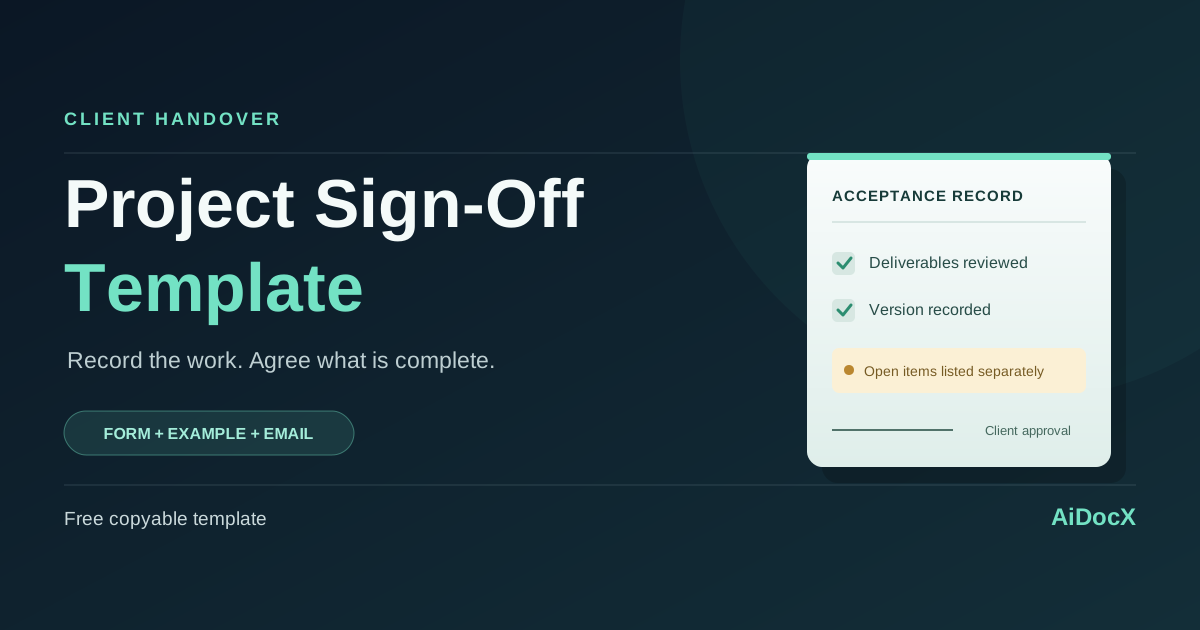
Project Sign-Off Template: Client Acceptance Form + Email
Copy a project sign-off template with deliverable checks, open-item tracking, a filled example and a client approval email for agency and freelance projects.
A project sign-off form records which deliverables a client has reviewed and accepted, against which agreed criteria, and what still needs attention. Use it when an agency, consultant or freelancer hands over a finished project or an agreed milestone.
The useful detail is the version the client is approving: a named file, dated report, staging build or release. “Looks good” in a chat is much harder to interpret when the next message asks for another round of changes.
Below is a copyable client acceptance form, a filled website-project example and an email you can send with it. The form separates acceptance, remaining work and payment so an approval does not quietly rewrite the original deal.
What should a project sign-off form include?
Keep these seven things together:
| Field | What to record |
|---|---|
| Project and agreement | Project name, client, provider and the relevant contract or statement of work |
| Review scope | The milestone, deliverable version and delivery date |
| Acceptance criteria | The agreed requirement or test used to assess each item |
| Decision | Accepted, accepted with listed follow-up, or not accepted |
| Open items | The issue, owner, deadline and how completion will be confirmed |
| Commercial references | Invoice and handover references, using the existing agreement's terms |
| Approval | The authorized client's name, role, decision date and signature |
ProjectManagement.com's client acceptance and sign-off guidance places approval after checking the outcome against acceptance criteria. That is the approach used here: record the result of a review, rather than ask the client to approve an unspecified “finished project.”
If your agreement does not yet define the deliverables and review process, start with a statement of work. A sign-off form cannot supply a missing project brief after the work is done.
Project sign-off template
Copy the text into Word, Google Docs or your document editor. Add rows for the actual deliverables, remove unused options and replace every bracketed field.
Before sending: check the form against your existing agreement. It is a business record template, not a substitute for jurisdiction-specific contract terms.
PROJECT SIGN-OFF / CLIENT ACCEPTANCE RECORD

Record ID: [REFERENCE]
Project: [PROJECT NAME]
Client: [LEGAL NAME]
Provider: [LEGAL NAME]
Agreement / SOW: [REFERENCE, DATE AND VERSION]
Review type: [MILESTONE / FINAL PROJECT]
Delivered for review on: [DATE]
Decision recorded on: [DATE]

1. ITEMS SUBMITTED FOR REVIEW

Item ID: [D-01]
Deliverable: [NAME AND DESCRIPTION]
Version / location: [FILE NAME, BUILD OR ACCESS-CONTROLLED LINK]
Agreed acceptance criterion: [REQUIREMENT / TEST REFERENCE]
Review evidence: [TEST RESULT, REVIEW NOTES OR ATTACHMENT]
Decision: [ACCEPTED / ACCEPTED WITH LISTED FOLLOW-UP / NOT ACCEPTED]
Related open-item IDs: [IDS / NONE]

[REPEAT FOR EACH DELIVERABLE]

2. OPEN ITEMS AND FOLLOW-UP

Item ID: [O-01]
Related deliverable: [ID]
Issue / unfinished work: [SPECIFIC DESCRIPTION]
Required action: [ACTION]
Responsible person: [NAME]
Target completion date: [DATE]
Completion confirmed by: [NAME AND METHOD]
Does this item prevent acceptance? [YES / NO, AS AGREED]
[WRITE "NONE" IF THERE ARE NO OPEN ITEMS]

3. OVERALL DECISION — SELECT ONE

[ ] The listed items are accepted with no open items.
[ ] The listed items are accepted subject to the follow-up recorded above.
[ ] The listed items are not accepted; reasons are recorded above.

This decision covers only the items and versions identified in this record.
Any item not accepted remains open.

4. PAYMENT, HANDOVER AND CONTINUING OBLIGATIONS

Invoice reference, if relevant: [REFERENCE / NOT APPLICABLE]
Payment trigger and due date: [AS SET OUT IN AGREEMENT]
Handover materials and access record: [REFERENCE]
Support / warranty terms: [EXISTING AGREEMENT CLAUSE / NOT APPLICABLE]

This record does not change payment, IP ownership, support, warranty,
liability or other terms of the referenced agreement.
Any agreed change will be documented separately.
No general release or waiver is added by this record.

5. APPROVAL

Authorized client approver:
Name: [NAME]
Role: [ROLE]
Decision / signature: [SIGNATURE]
Date: [DATE]

Provider acknowledgment:
Name: [NAME]
Role: [ROLE]
Signature: [SIGNATURE]
Date: [DATE]

Attachments: [TEST REPORT / DELIVERABLE LIST / ISSUE LOG / NONE]
“Accepted with listed follow-up” is an option to agree on, not an automatic classification for every defect. If a missing checkout flow prevents the client from using an online store, record it as a blocker unless the parties expressly agree otherwise.
For milestones with different outcomes, use one record per milestone or make the decision for each item unmistakable. Do not label the entire project complete while a blocking deliverable remains unaccepted.
Filled example: a website handover with one open item
This is a fictional example. It shows the detail to record, not a standard you must adopt.
Northline Studio delivers a five-page marketing website to Cedar Field Consulting under SOW CF-04. The review is against build v1.3, delivered on November 16, 2026.
| Item | Agreed check and evidence | Client decision |
|---|---|---|
| Five approved pages | Pages match the approved content list; review screenshots attached | Accepted |
| Inquiry form | Test submissions reach the agreed inbox; test log T-07 attached | Accepted |
| Downloadable brochure | Approved brochure file is linked, but one footer label is incorrect | Accepted with follow-up O-01 |
Open item O-01 says: “Northline Studio will correct the brochure footer label by November 23, 2026. The client contact will check the replacement file and confirm closure by email.” In this example, both parties agree that the label does not block acceptance.
The commercial section references invoice CF-109 for 2,000 USD, due November 30, 2026, under the existing SOW. Signing on November 20 does not restart the payment period.
If the inquiry form test had failed, its row would say “Not accepted,” with the failed test and next action recorded. The project would stay open for that item.
Acceptance, payment and IP transfer are separate decisions
A client can approve a deliverable before an invoice is paid. A payment can arrive while part of the work remains incomplete. Your form should accurately record the facts instead of merging them into one checkbox.
| Record | Question it answers |
|---|---|
| Acceptance form | Which work has been reviewed and accepted? |
| Invoice | What amount is being requested, and when is it due? |
| Payment record | What has actually been paid? |
| IP clause or separate assignment | What rights transfer, and under which conditions? |
Do not insert a new IP transfer, an “all claims settled” statement or a different payment deadline just to obtain an approval. If the parties intend to change the deal, document that change explicitly.
As a general drafting checklist, the Australian government's contract preparation guide treats work, payment, incomplete work and variations as distinct topics. Its legal details are specific to Australia; the practical lesson for this record is to preserve those distinctions.
Client project sign-off email template
Send the form with the deliverables and review evidence in one place. Ask the person authorized under the agreement to approve, and give them a clear way to report a failed requirement.
Subject: [PROJECT / MILESTONE] — review and sign-off request

Hi [NAME],

The following items are ready for your review:
[ITEMS, VERSIONS AND ACCESS-CONTROLLED LINKS]

Please review them against [SOW / ACCEPTANCE CRITERIA REFERENCE].
The attached acceptance record lists each item, the review evidence
and any open issues.

By [AGREED REVIEW DATE], please either:
- approve the listed items using the acceptance record, or
- identify the item, the requirement it does not meet and the
  supporting screenshot or test result.

Known follow-up items:
[ISSUE, OWNER AND TARGET DATE / NONE]

The payment and support terms remain those in [AGREEMENT REFERENCE].
Please let me know if another person should handle approval.

Thanks,
[NAME]
If the agreement has no review deadline, propose a reasonable date and ask the client to confirm it. Do not describe silence as acceptance simply because your email contains a deadline.
If the client has not replied, follow up with the same version and list of outstanding decisions. A new screenshot or revised file should be clearly identified so the approval still points to the work actually delivered.
A short handover checklist
Before sending the final approval request:
- Confirm that the client approver has authority for this milestone.
- Match every deliverable to a criterion in the SOW.
- Record the file version or release and keep the review evidence.
- Give each open item an owner and completion date.
- Refer to existing payment terms without marking unpaid invoices as paid.
- Keep passwords and recovery codes out of the document.
- Separate new requests from fixes to an agreed requirement.
When the client asks for something beyond the approved scope, use a documented change-order process. A final approval form is easier to use when new work has its own quote and decision.
Send the reviewed form for signature
After agreeing the wording, save the final document as a PDF. In AiDocX, you can upload the PDF, place signature fields and send a signature request to the named approver. Keep the completed record with the referenced SOW, deliverable list and open-item log.
Send a client acceptance PDF for e-signature.
If you will keep supporting the site after launch, describe that work in a separate website maintenance agreement, with its own fees, support hours and service limits.
Frequently asked questions
Is project sign-off the same as a project completion certificate?
The names overlap in ordinary business use. What matters is the content: the covered work, review criteria, decision, exceptions and authorized approval. An industry or client may require its own certificate or process.
Can I use this for a single milestone?
Yes. Select “Milestone,” identify only that milestone's deliverables and avoid wording that closes the whole project. Use a new record for the next milestone.
What if the client signs but lists unfinished work?
Record whether each item blocks acceptance, who will fix it and how closure will be confirmed. Do not remove the open-item list from the completed record.
Does client sign-off automatically transfer copyright?
The form above does not do that. Check the IP terms of the existing agreement and any separate assignment. Obtain appropriate advice if the ownership position is unclear.
Can I use Word, Google Docs or a PDF?
Yes. The text is designed to copy into an editor. Review the resulting layout, then export the agreed version to PDF if that is the format your signature workflow uses. This page provides the text template rather than a downloadable Word attachment.
What happens if a client requests a new feature after approval?
Compare it with the agreed scope and the obligations that continue after sign-off. A new feature may need a separate quote; an unresolved defect may still fall under the existing agreement.
Prepared with AI assistance using the linked primary references. The template and fictional example were created for this guide; no human legal review is claimed.
Ready to automate your documents with AI?
Start free with AiDocX — AI contract drafting, meeting minutes, consultation notes, e-signatures, and more in one platform.
Get Started FreeMore from AiDocX Blog
Website Maintenance Agreement Template: Scope, Fees & Support
Copy a website maintenance agreement template with a service scope, support hours, response targets, backup duties, fees and a practical agency example.
Deposit Invoice Template: Show the Upfront Payment and Final Balance
Use a deposit invoice template with a worked 40% example, a final balance invoice, payment receipt wording, and checks that prevent duplicate requests.
 AiDocX Team November 19, 2026 8 min
Project Acceptance Form Template: Client Sign-Off With Open Items
Copy a client project acceptance form, record deliverables and exceptions, and send a sign-off email with a clear review deadline.
AiDocX Team November 19, 2026 8 min